
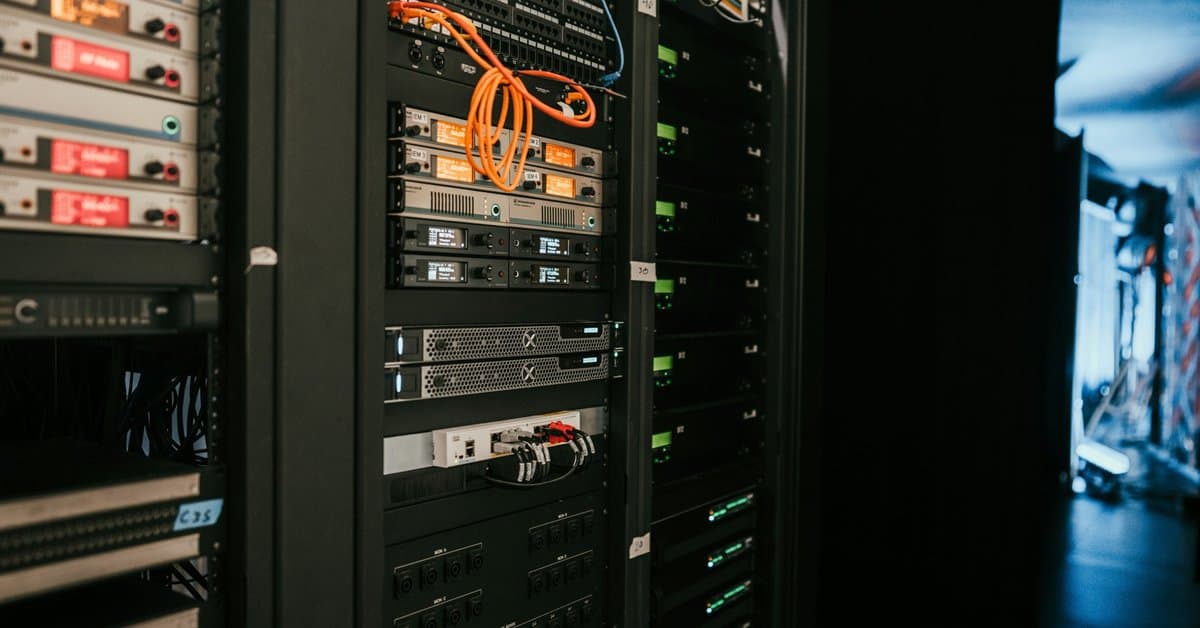
Many Dallas companies started their AI journey in the cloud. Now some are bringing that work in-house. They want lower long-term costs, tighter control over data, or faster response times. That means GPU servers in their own server rooms. AI server room cabling is very different from the cabling behind a normal file server or phone system. This guide explains what changes and how to plan a room that can handle it.
Why AI Hardware Changes the Server Room
A traditional server room holds racks of modest machines. Each rack might draw a few kilowatts. Most links run at 1 or 10 Gbps, and copper patch cords handle almost everything.
GPU servers break that model. A single eight-GPU server can draw more than 10 kilowatts on its own. In addition, these machines need very fast links to each other and to storage. Training and large inference jobs move huge amounts of data between GPUs every second.
As a result, AI server room cabling faces three new pressures at once. It needs far more bandwidth, handles far more heat, and gets far less space.
Two Networks, Not One
Most AI clusters use at least two separate networks. Planning both is the first step in good AI server room cabling.
The Front-End Network
First, this network connects the servers to users, apps, and the rest of the company. It looks like a fast version of a normal data center network. Links of 25 to 100 Gbps are common here.
The Back-End GPU Network
By contrast, this network connects GPUs to each other across servers. It carries the heavy traffic that makes large models work. Links often run at 400 Gbps, and newer gear reaches 800 Gbps. Each GPU server may have several of these ports.
Because of that speed, back-end links almost always use fiber or short direct-attach cables. Long copper patching simply can’t keep up.
Fiber Choices for AI Server Room Cabling
Fiber does most of the heavy lifting in an AI room, so fiber choices drive most AI server room cabling decisions. Still, the right type depends on distance and the optics your network team picks.
- Single-mode fiber supports long reach and the highest future speeds. Many new AI designs now use it even inside one room.
- Multimode fiber, such as OM4 or OM5, works well for shorter links and can lower optic costs in some designs.
- MPO trunks pack many fibers into one connector. They save space and install fast, which matters in crowded racks.
Before you pick, talk with your network team. The fiber and the optics must match. Our guide to MPO and MTP connectors explains how these high-density systems work.
Inside the Rack: Short Links and Tight Space
Within a rack, many AI designs use direct-attach copper cables or active optical cables instead. These are factory-made cables with the connectors built in. They work well for short runs between a server and its top-of-rack switch.
However, they are thick and stiff compared to normal patch cords. A rack full of them can block airflow and make service hard. So plan cable managers, slack paths, and bend radius from the start. Messy AI server room cabling is not just ugly. It can raise temperatures and slow down repairs.
How Cooling Shapes AI Server Room Cabling
High-density racks often need more than room air conditioning. Some use rear-door heat exchangers. Others use direct liquid cooling, with coolant lines running to each server.
Either way, cooling gear competes with cable for the same space. For example, coolant manifolds may run down the back of the rack, right where cables used to go. That’s why AI server room cabling needs a plan that matches the cooling layout. Overhead cable trays, rather than under-floor paths, often work better in these rooms.
For context, new DFW colocation sites now design for average densities around 45 kW per rack. That is many times what older rooms planned for. On-prem rooms don’t need to match that level. Still, even a few GPU racks can stress a room built for normal servers.
Pathways and Room Layout
Good pathways keep fiber safe and make changes easy. In fact, pathways are where AI server room cabling plans most often fall short. In an AI room, plan for these basics:
- Overhead basket tray or ladder rack sized for heavy fiber bundles
- Separate paths for front-end and back-end networks
- Room to add racks without rerouting existing cable
- Clear service space behind each rack for cooling and cable work
In addition, label everything. AI clusters have many identical-looking links. When one fails, your team needs to find it in minutes, not hours.
Testing and Documentation
At 400 Gbps and above, small problems matter. A dirty connector or a tight bend can cause errors that slow an entire training job. Therefore, every fiber link in your AI server room cabling needs certified loss testing, and connectors need inspection and cleaning before they go into service.
Keep test reports, labels, and port maps in one place. That record makes future upgrades much faster. Manufacturers like Corning and Panduit publish guidance on high-density fiber care and offer system warranties when certified installers do the work.
Common AI Server Room Cabling Mistakes
We see the same problems when companies retrofit a normal room for GPUs. Most are easy to avoid with a little planning.
- Reusing old pathways. Under-floor space fills fast, and heavy fiber bundles block airflow.
- Too few fiber strands. Teams buy for today’s cluster, then need a second pull a year later.
- Mixed-up networks. Front-end and back-end cables share one tray with no clear labels.
- Skipping connector cleaning. One dirty end can cause errors that are hard to trace.
Each of these costs far more to fix after the servers go live. So build the fix into the first design.
Should You Build or Use Colocation?
Of course, not every company should host GPUs on-site. If your building can’t supply the power or cooling, colocation may be the better choice. Many DFW providers now offer high-density space built for AI.
On the other hand, a small cluster for inference, testing, or private data can fit in an upgraded server room. The key is an honest look at power, cooling, and space for AI server room cabling before you buy hardware. A cabling partner can help you map the room and spot limits early.
Questions to Ask Before You Install GPU Racks
- How many GPU servers will we start with, and how many could we add?
- What speeds will the front-end and back-end networks run?
- Will we use single-mode or multimode fiber, and do our optics match?
- How will cooling equipment and cable share space at the rack?
- Do we have overhead pathways sized for heavy fiber bundles?
- Who tests, cleans, and documents every link?
The Bottom Line
On-prem AI is real, and it is growing across North Texas. But GPU racks put new demands on every part of the room. Good AI server room cabling plans for two networks, dense fiber, tight racks, and cooling gear from the start.
Our team at Just Cabling provides structured cabling and fiber installation across Dallas-Fort Worth, including server rooms and data rooms. If you’re planning an AI build in Dallas, Plano, Frisco, Irving, or Las Colinas, request a free on-site assessment. We’ll review your space and provide a written scope before any work begins.
Just Cabling is a Dallas-based structured cabling company serving businesses across the DFW metroplex, including Plano, Frisco, McKinney, Allen, Las Colinas, Irving, and beyond. We specialize in commercial structured cabling, fiber optic installation, and network infrastructure for offices, medical facilities, warehouses, and corporate campuses.