
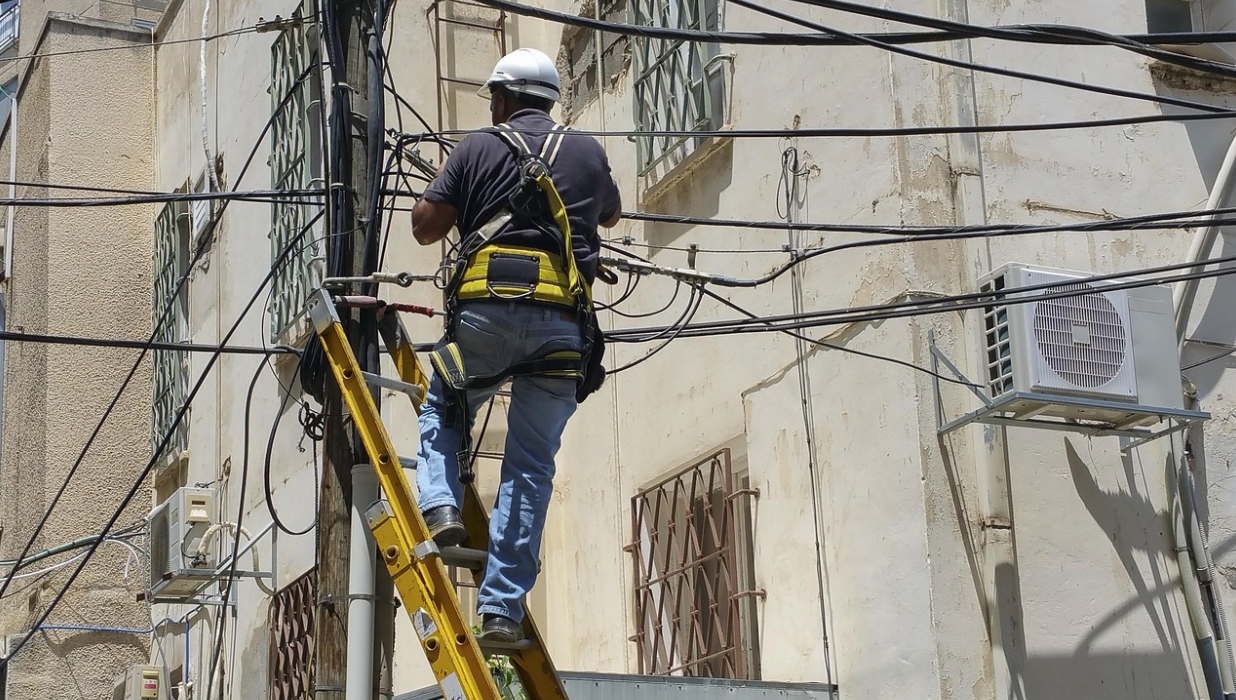
You can usually tell how a cabling job is going to end within the first 30 minutes on-site. If the telecom room has no clearance, the pathway plan is “we’ll figure it out,” and everyone’s already arguing about who owns the sleeves, you’re not installing a system—you’re improvising one.
A structured cabling system is what you build when you want the opposite: repeatable routes, predictable terminations, and documentation that makes the next change feel normal instead of scary. It matters on any project, but it shows its value fastest on busy commercial sites—tenant improvements, multi-floor offices, medical spaces, warehouses with long runs, or any Dallas/Fort Worth buildout where schedules are tight and the ceiling gets crowded early.
This article walks through how structured cabling systems work in the order they happen on a job site: the pieces that make up the system, the decisions that prevent rework, what “good” looks like during install, and what should be in a closeout package so the infrastructure stays manageable after handoff.
Key Takeaways
- Structured cabling systems are planned around pathways, telecom spaces, and standard layouts—not just cable type.
- On commercial installs, the riser/backbone plan and IDF placement usually determine whether the job stays clean or turns into patchwork.
- Testing and documentation aren’t add-ons; they’re what makes the system defensible and serviceable later.
- The best installs prioritize access and maintainability over “perfect-looking” bundles.
- A solid closeout packet reduces future downtime because techs don’t have to guess or tone out every run.
1) What “Structured” Means on a Dallas Commercial Install
On paper, structured cabling systems are defined by standards and topologies. On a job site, “structured” really means the build has an intentional layout: an entrance point, dedicated telecom spaces (MDF/IDF), backbone connections between those spaces, and horizontal runs that terminate consistently at outlets and patch fields. That structure is what lets you scale the network without redoing the physical layer every time a department adds headcount or someone wants more access points.
If you’re aligning your scope to a real-world commercial installation (not a DIY office refresh), it helps to think in deliverables: pathway planning, rack and patch field layout, cable routes, terminations, labeling, and certification results. That’s the core of a structured cabling installation in Dallas project—less about “we pulled Cat6” and more about “we built a cabling foundation that can be maintained and expanded.”
One reason this approach is so persistent is that building wiring has long been treated as a systems problem, not just a materials problem. Federal guidance has historically pointed back to commercial building telecommunications cabling standards as a baseline for topology, distances, and interoperability—because without those guardrails, buildings end up with wiring that can’t be safely changed or reliably supported. See the NIST publication for the Federal Building Telecommunications Wiring Standard for context on why topology and distance limits exist in the first place.
Here’s the job-site translation: you’re not installing “cable,” you’re installing paths, termination points, and a map. When those three are consistent, everything downstream—switch swaps, expansions, troubleshooting—stays faster and less disruptive.
2) Pre-Wire Choices That Prevent Change Orders
Most cabling chaos starts before anyone opens a cable box. It usually starts with pathways and spaces: the IDF is too small, the riser route isn’t coordinated, or the ceiling space is already booked by trades that got there first. The best structured cabling installs in Dallas look “easy” during pulling because the hard decisions were handled earlier.

Telecom room placement and sizing is the first make-or-break decision. If the IDF lands in a spot that forces long, awkward routes, you’ll fight length limits, airflow problems, and ugly compromises in tray fill. If it lands where it belongs, the horizontal runs fall into place and future adds become routine. This is also where you confirm power, grounding, HVAC, rack clearances, and access—because no one enjoys troubleshooting a hot closet packed with gear and a door that only opens halfway.
Pathways are not optional. Tray, conduit, sleeves, ladder rack—whatever the project calls for—needs to be coordinated like any other building system. University and institutional wiring standards are blunt about this for a reason: cables shouldn’t be supported by random building structures, and metallic pathways need proper bonding and grounding practices. Those aren’t “nice-to-haves,” they’re how you avoid damage, interference issues, and future maintenance pain.
Then there’s the practical coordination work that nobody brags about, but everyone remembers when it’s missing:
- Confirm who is responsible for core drilling, sleeves, and firestopping.
- Verify ceiling access and schedule around hard lids or grid installs.
- Identify “no-fly zones” (elevator equipment, electrical rooms, high-EMI areas).
- Decide early where consolidation points or zone boxes make sense (and where they don’t).
If your scope includes more than just pathways—like overall network cabling, device cabling, or cleanup/retrofit—aligning it with a broader commercial approach can reduce gaps. Many projects treat structured cabling as the backbone while also handling adjacent needs under a single plan, similar to a network cabling installation scope where routing, termination, and standards compliance are coordinated together instead of traded between vendors.
Actionable tip: don’t approve an IDF location until you’ve walked the actual route to the farthest outlets. Floor plans lie. Cable paths don’t.
3) Install Day: Pulling, Terminating, and Certifying Without Creating Future Headaches
Pulling cable is the visible part of the job, so it gets most of the attention. But the long-term quality of structured cabling systems is decided by three quieter things: how cable is supported, how terminations are handled, and how testing is documented.
Start with support and routing discipline. Tight bundles, crushed cable, and overfilled tray don’t just look rough—they create intermittent issues that can take hours to isolate later. A clean install is one where bundles can be serviced without cutting zip ties like it’s a rescue operation. Use proper supports, maintain separation where needed, and avoid routing that forces sharp bends or friction points. When a building gets busy—especially in shared plenum spaces—those details are the difference between “add a drop in an hour” and “we need a night window and two techs.”
Next is termination consistency. Structured systems stay stable when every run is terminated the same way and labeled like it will be used (because it will). That means:
- The same pinout approach everywhere (no mystery swaps).
- Pair twists maintained close to the termination point.
- Patch panels dressed so ports remain accessible.
- Labels that match the drawings and the test results.
Then comes the part that protects everyone: certification testing. “It links up” isn’t the same as “it meets spec.” Certification is how you verify that installed links meet performance requirements, and it’s how you prevent blame games when a device starts flapping weeks later. Many formal specifications are explicit about submittals, testing requirements, and acceptance procedures for communications installations—because it’s the only way to confirm the installed system is what was designed.
Where fiber is involved, treat it like its own lane. Backbone fiber is common on multi-floor office builds, warehouses with long distances, and environments planning for higher throughput. The job-site wins come from getting protection, bend management, and test results right—especially on risers and between telecom rooms. If you’re scoping that piece, a dedicated fiber optic cabling service description is a helpful checklist for what should be included: termination methods, enclosure work, strand management, and test documentation.
Actionable tip: require that test results are delivered in a format tied to the labeling scheme (not as a random export). If labels, ports, and results don’t line up cleanly, troubleshooting later turns into tone-and-tag work.
4) Closeout That Actually Helps the Next Technician
A structured cabling system isn’t “done” when the ceiling is closed and the switch lights are green. It’s done when a different technician can walk in six months later, add or change a connection, and not have to guess. That’s the real promise of structure: lower friction over the life of the building.
On commercial sites, closeout tends to fall apart when schedules compress. The crew finishes the physical work, and documentation becomes a scramble. That’s exactly when you want to hold the line, because closeout is what turns an install into an asset.
A practical closeout package should include:
- As-built drawings that reflect real routes and real room/rack layouts.
- A labeling legend that matches what’s on the cable and patch fields.
- A port map (patch panel to outlet/device) that’s readable without special tools.
- Certification results for copper links and fiber strands.
- Notes on any deviations (because there are always deviations).
It’s also worth thinking about the client’s day-to-day reality. If the building is multi-tenant, if the IT team is small, or if future expansions are likely, you want the patching and labeling to reduce dependency on tribal knowledge. That means accessible slack management, serviceable dressing, and a rack layout that doesn’t punish routine work.
Actionable tip: before handoff, do a “cold read” test. Hand the closeout packet to someone who wasn’t on the job and ask them to identify the port for a specific office or device. If they can’t do it quickly, the documentation isn’t finished.
Conclusion
Structured cabling systems work because they replace improvisation with a repeatable job-site method: plan the spaces and pathways, install consistently, certify performance, and hand off documentation that makes future work straightforward. The single clear takeaway: build it so the next change is easy—because it’s coming.
FAQs
How long does a structured cabling installation take for a typical Dallas office buildout?
Timeline depends on square footage, number of drops, ceiling accessibility, and whether pathways are already in place. A straightforward tenant improvement can move quickly once walls and ceilings are accessible, while multi-floor projects often slow down around riser coordination and shared building rules.
What’s usually included in a structured cabling installation scope?
Most commercial scopes include pathway coordination, cable pulls (horizontal and backbone), termination at patch panels and outlets, labeling, and certification testing. Many projects also include rack layout support and as-built documentation so the system can be maintained after turnover.
Do I need permits or inspections for low-voltage cabling in Dallas?
It depends on the building type and the AHJ requirements, plus the building’s own management rules (especially in multi-tenant properties). Even when permits aren’t required, inspections or closeout documentation may be mandatory for firestopping, pathways, or certain regulated environments.
How do you decide between Cat6, Cat6A, and fiber for a commercial install?
Copper choice depends on bandwidth goals, distances, and PoE needs, while fiber is often used for backbone runs between telecom rooms or longer distances. If you’re planning for higher throughput and future growth, fiber backbone plus copper to endpoints is a common, practical split.
What does “certification testing” mean, and will I receive the test results?
Certification testing verifies each installed link meets performance requirements for the specified cabling category/class, not just basic connectivity. You should receive labeled results tied to each drop (and each fiber strand where applicable) as part of the closeout package.
Can structured cabling be installed in an occupied office without major downtime?
Often yes, but it requires planning: after-hours work windows, dust control, clear pathway access, and staged cutovers. The key is coordinating with operations so device downtime is minimized and work areas remain safe and usable.
What should I ask for at handoff to make future changes easier?
Ask for as-builts, a clear labeling legend, port maps, and full certification reports. Also confirm that racks and patch fields are dressed for serviceability, not just for appearance—because that’s what keeps moves/adds/changes from turning into disruption.