
Why Your Server Room Is Costing You More Than You Think — And How a Cleanup Fixes It

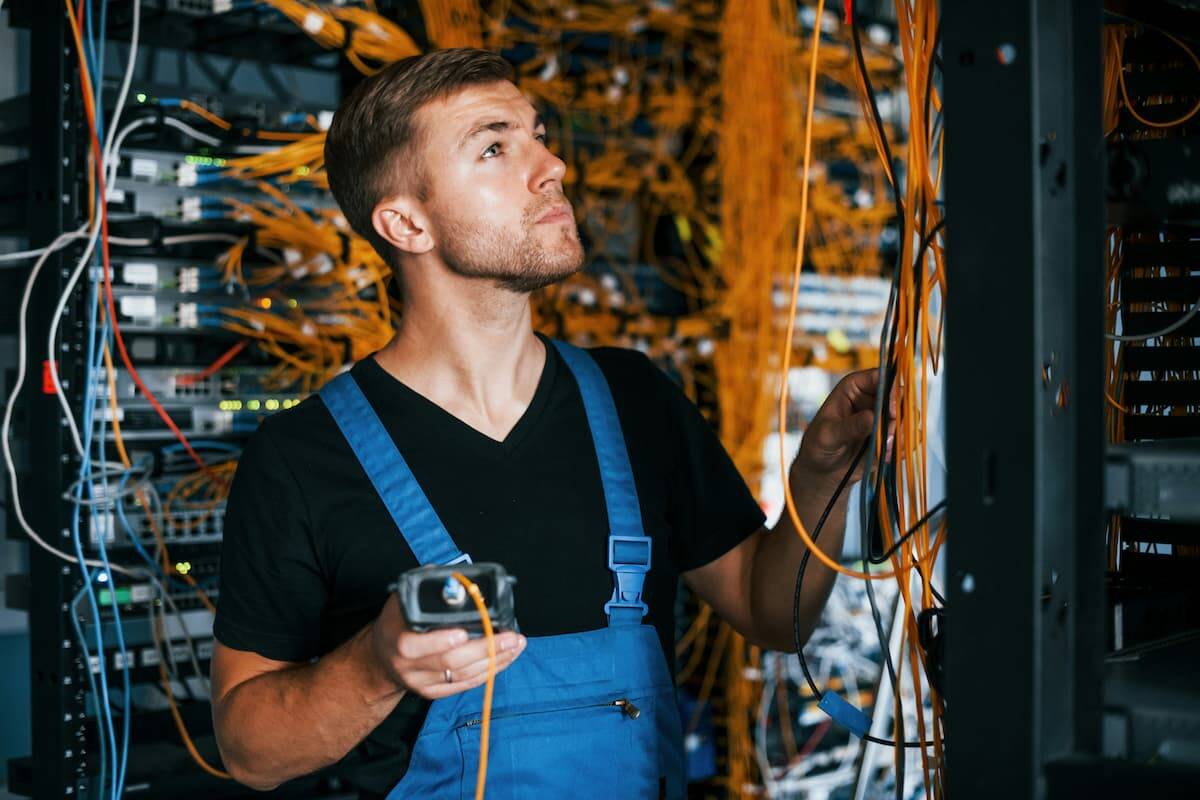
Open the door to the network closet in most Dallas-area offices that have been running for five years or more, and you will likely see the same thing. Cables run in every direction with no discernible organization. Patch cords carry no labels. Zip ties haphazardly hold bundles that multiplied far beyond what anyone planned for. Meanwhile, gear sits stacked in ways that made sense at the time but make no sense now.

It is easy to dismiss this as an aesthetic problem. It is not. The state of your server room and network closet directly and measurably impacts network reliability, equipment lifespan, troubleshooting speed, energy costs, and IT labor time. For businesses across the Dallas-Fort Worth market, the cost of deferring a proper cleanup compounds every year.

This guide explains what a professional server room cleanup actually involves, why cable management and properly installed patch panels are critical infrastructure decisions — not cosmetic ones — and what is at stake when your network closet looks like a problem rather than a solution.


What “Spaghetti Cabling” Actually Costs Your Business

Every IT professional has a spaghetti cabling story. The server that went down at 2 a.m. because someone pulled what they thought was a dead cable — but was not. The four-hour troubleshooting session that would have taken twenty minutes with a labeled closet. The equipment that ran hot for months because a cable bundle blocked the airflow path to the rack and nobody could see it.

These are not edge cases. They are the predictable consequences of unmanaged cable infrastructure, and they show up in real business costs.

Troubleshooting Time Multiplies

In an organized server room with labeled patch panels and clean cable runs, a technician can trace a connection, identify a fault, and resolve an issue in minutes. In a disorganized closet, the same task can take hours. Cables require physical tracing. Unlabeled ports require testing. Each change risks accidentally disconnecting something critical. IT labor is expensive, and time spent untangling cables instead of solving problems carries a direct dollar cost.

Equipment Runs Hotter and Fails Sooner

Servers, switches, and other rack-mounted gear operate within specific temperature ranges. Cool air enters from the front and hot air exhausts from the rear. When cable bundles block intake vents, drape across exhaust ports, or obstruct airflow paths through the rack, equipment temperatures rise. Every degree above the designed operating temperature accelerates wear on components and shortens equipment lifespan. In a busy Dallas office where the closet already runs warm, poor cable management compounds an already demanding thermal environment.

Accidental Disconnections Cause Unplanned Downtime

In a rack where cables run without organization, it is surprisingly easy for someone working in the closet — adding equipment, replacing a failed device, or performing routine maintenance — to accidentally displace a cable that looked inactive but was not. Unplanned network outages carry a direct productivity cost across every person who depends on connectivity to work.

Moves, Adds, and Changes Become Expensive

Every business-level change — adding workstations, relocating a department, expanding to a new floor — requires changes in the network closet. In an organized system with labeled patch panels and documented connections, these changes are fast and low-risk. A disorganized system demands extensive investigation before anyone can touch anything. What should take thirty minutes becomes a half-day project, with the added risk of introducing new problems.


The Role of Patch Panels in a Properly Organized Network Closet

Patch panels are the cornerstone of a well-organized network infrastructure. Understanding what they do explains why so many Dallas office network closets gradually become unmanageable — either without them, or with ones nobody ever properly organized.

A patch panel is a mounted panel — typically 1U or 2U in a standard 19-inch rack — with a row of ports on the front and termination blocks on the back. Under TIA-568, the governing standard for commercial structured cabling in the United States, patch panels are a required component of any compliant structured cabling system. They are not an optional upgrade. Every permanent cable run from wall plates and device locations throughout the office terminates at the back of the patch panel. Short patch cords on the front then connect those termination points to the ports on your network switch.

What Proper Patch Panel Organization Accomplishes

This arrangement delivers several critical benefits. A single, organized termination point forms for all horizontal cabling. Switch ports gain protection from repeated plugging and unplugging — the patch panel absorbs that wear instead of the more expensive switch hardware. The result is a visual, labeled map of every connection in the building. Changes also become fast and low-risk: moving a connection from one switch port to another means moving a short patch cord on the front of the panel, not tracing a cable through the wall.

When Patch Panels Become Part of the Problem

Properly installed patch panels — clearly labeled, organized with correctly sized patch cords, and routed through horizontal cable management between the panel and the switch — transform a network closet from a source of risk into a manageable system. Without that discipline, the patch panel itself becomes part of the problem. Patch cords loop in every direction. Ports carry no labels. Connections accumulate over the years with no consistent system behind them.


What a Professional Server Room Cleanup Actually Involves

A proper server room cleanup and reorganization is not simply tidying cables. It is a systematic rebuild of how the infrastructure is organized, documented, and presented. Here is what that looks like in practice.

Cable Audit and Removal of Dead Runs

Most offices that have occupied a space for several years accumulate cable infrastructure left over from previous configurations — runs to desks that no longer exist, connections to equipment someone removed, patches left “temporarily” in place. A cleanup starts with identifying and pulling these dead runs. Every cable that leaves the rack is one that cannot cause confusion later.

Re-Termination and Labeling

Every active connection gets clearly labeled at both ends — at the wall plate and at the patch panel port. Labels follow a consistent, documented scheme so any technician can pick up a cable and immediately know where it goes, what it connects, and what it is for. This single change has the greatest impact on future troubleshooting speed of anything done during a cleanup.

Patch Cord Right-Sizing

One of the most common causes of messy network closets is patch cords that are too long. A cable spanning six inches gets replaced with whatever was on hand — typically an eighteen-inch or three-foot cord that drapes, loops, and obscures everything around it. Right-sizing replaces those over-length cords with correctly sized ones, keeping the front of the rack clean and every port visible.

Cable Routing and Management Hardware

Horizontal cable managers, vertical cable managers, and proper routing through the rack keep cables organized and maintain clear airflow paths. Power cables stay separate from data cables to prevent interference and reduce heat buildup.

Documentation

A professional cleanup produces a port map — a record of what connects where, with enough detail that any technician can understand the system without tracing a single cable. This documentation is the foundation of efficient ongoing management. It is also the first thing that disappears in an unmanaged closet, and the most valuable thing a cleanup restores.


Signs Your Dallas Office Network Closet Needs Attention Now

Not every closet needs a full rebuild. However, these signs indicate that your current network infrastructure is actively costing your business:

  • Unlabeled or inconsistently labeled patch panels and cables
  • Patch cords significantly longer than the distance they span
  • Cable bundles blocking visible airflow paths in the rack
  • Equipment running warmer than expected or triggering thermal warnings
  • Troubleshooting any network issue takes more than thirty minutes of physical investigation
  • IT staff hesitates to make changes because of the risk of disrupting something
  • The closet has never been audited and almost certainly contains dead cable runs
  • Moves, adds, and changes to the network take significantly longer than they should

If three or more of these apply to your current server room or network closet, the cost of continuing with the status quo exceeds the cost of a professional cleanup.


The Bottom Line

A well-organized network closet with properly installed patch panels, correctly labeled connections, right-sized patch cords, and documented infrastructure is not a luxury. It is the foundation of a network that IT staff can manage efficiently, troubleshoot quickly, and change without fear of unintended consequences. Equipment runs cooler, lasts longer, and fails less often. The difference between an outage that resolves in fifteen minutes and one that costs half a day of productivity often comes down to whether someone organized the closet — and documented it.

For Dallas-Fort Worth businesses that have let their network closet drift into disorganization — whether a five-year-old office with accumulated cable clutter or a newly acquired space with someone else’s infrastructure problem — a professional server room cleanup is one of the highest-return investments in network reliability available.

Our team at Just Cabling specializes in network closet cleanup and reorganization for commercial offices across the DFW metroplex. Dead runs get removed, every connection gets re-terminated and labeled, patch cords get right-sized, proper cable management goes in, and complete port documentation leaves with you when the job is done. Contact our team for a free on-site assessment — we will evaluate your space and provide a written scope before any work begins.


Just Cabling is a Dallas-based structured cabling company serving businesses across the DFW metroplex, including Plano, Frisco, McKinney, Allen, Las Colinas, Addison, and beyond. We specialize in commercial structured cabling, fiber optic installation, and network infrastructure for offices, medical facilities, and corporate campuses.


Future-Proofing Your Network: Why Cat6A Is the New Baseline for Commercial Cabling in Dallas

Cat6A vs. Cat6: Why Cat6A Is the Commercial Cabling Standard in Dallas for 2026

There’s a conversation happening in commercial offices across Dallas right now that didn’t exist five years ago. A business moves into a new space and calls an IT vendor to set up the network. The vendor discovers the cabling in the walls — installed during the last build-out — can’t support the access points they just bought, the security cameras they’re deploying, or the speeds their cloud applications actually need.

The cabling has to come out. Walls get reopened. Ceilings come down. A project that should have taken two days takes two weeks — and costs multiples of what a proper installation would have cost from the start.

This is the recabling story. It’s playing out across DFW with increasing frequency as the gap widens between what older copper standards can deliver and what modern business technology requires. The solution isn’t complicated. However, it does require understanding why Cat6A has become the baseline specification for new commercial cabling installations in Dallas in 2026 — and what happens when businesses try to save a few dollars per foot by going with Cat6 or Cat5e instead.


The Cable You Pull Today Will Be There for 15 Years

This is the single most important framing for any commercial cabling decision. Unlike the switches, routers, and access points connected to it — which get replaced every three to five years — the horizontal cabling inside your walls and above your ceilings is infrastructure. It’s designed to last the lifecycle of the space.

TIA-568, the governing standard for commercial structured cabling in the United States, is built around a minimum 10-year design life for cabling systems. In practice, well-installed Cat6A in a commercial building routinely serves for 15 years or more without replacement. That means the cable your contractor pulls during your next office build-out will still be in those walls in 2040.

The question isn’t just what your network needs today. The real question is what your network will need in 2030, 2033, and 2038 — and whether the cable you install now will be able to support it.


What’s Changed: Why Cat6 and Cat5e Are No Longer Adequate

Cat6 is not a bad cable. For much of the 2010s, it was the right specification for most commercial installations. In specific scenarios, it still makes sense today. However, three technology shifts have converged simultaneously in 2026 to push Cat6A from a premium option to a practical requirement for most new Dallas commercial projects.

Wi-Fi 7 Requires It

Wi-Fi 7 access points aggregate traffic across three radio bands simultaneously. They can deliver real-world backhaul that exceeds 5 Gbps per AP. Cat6 supports 1 Gbps reliably across its full 100-meter run, and 10 Gbps only up to about 55 meters — roughly 180 feet. In most commercial office floors, many access point drops exceed that distance. As a result, a Wi-Fi 7 AP connected by Cat6 will be bottlenecked by its own cable from day one.

The ANSI/TIA-568.2-E standard specifically requires Cat6A for Wi-Fi 7 access point runs. This isn’t a preference — it’s the published specification.

PoE++ Demands It

Power over Ethernet++ (IEEE 802.3bt) delivers up to 90 watts over a single cable. It powers high-wattage devices such as PTZ security cameras, Wi-Fi 7 APs, smart building controllers, and access control panels. Carrying that much power through Cat5e’s thinner 24 AWG conductors generates significant heat in cable bundles. That heat wastes power, degrades performance, and creates thermal management problems.

Cat6A’s thicker 23 AWG conductors have lower resistance. They generate less heat and deliver power reliably across full-length runs. For any dense PoE installation, Cat6A isn’t optional.

10 Gbps Is No Longer a Data Center-Only Requirement

For much of the past decade, 10 Gbps connectivity was confined to server rooms and backbone runs between network closets. That’s no longer true. AI-assisted business applications, high-resolution video conferencing, large cloud file transfers, and edge computing deployments are all pushing 10 Gbps requirements out to the access layer — to workstations, conference room equipment, and the devices at the end of every cable run.

Cat6 can support 10 Gbps, but only reliably to 55 meters. Cat6A, by contrast, delivers 10 Gbps across the full 100-meter channel length — to every drop in the building.


The Real Cost Argument: Incremental Now vs. Disruptive Later

The pushback on Cat6A almost always comes down to cost. It’s a fair question. Cat6A material costs run roughly 30 to 50 percent more per foot than Cat6, and the labor is slightly more intensive due to Cat6A’s larger diameter and stricter termination requirements. On a 100-drop installation, that premium is real money.

Even so, it needs to be measured against the cost of the alternative.

Recabling a finished commercial space in Dallas — pulling cable through closed walls, above installed ceilings, through conduit that wasn’t sized for new cable — costs dramatically more than the original installation. Retrofit work in an occupied building runs 25 to 40 percent more than new construction work. That’s before accounting for business disruption, IT downtime, and the tenant improvement costs of patching walls and ceilings after the run.

The incremental cost of upgrading from Cat6 to Cat6A during an initial build-out is a fraction of what a recabling project costs five or seven years later. Every experienced commercial cabling contractor in the Dallas-Fort Worth market has this conversation with clients regularly: spend modestly more now, or pay significantly more later.


What Cat6A Future-Proofing Actually Looks Like in Practice

Future-proofing isn’t about installing technology you don’t need today. Instead, it’s about installing infrastructure that won’t become a constraint before it’s due for replacement.

A Cat6A installation in a Dallas commercial office in 2026 delivers four key advantages:

Full 10 Gbps to every drop, at every distance. There’s no need to worry about which runs are under 55 meters and which aren’t. Every workstation, every access point, and every camera mount gets the same performance headroom.

PoE++ support at every port. Whatever device gets connected — a current-generation Wi-Fi 7 AP or a next-generation device that draws more power than anything available today — the cable can handle it.

Compatibility with the next two or three switch upgrade cycles. Network switches get replaced every three to five years. Cat6A will support the performance requirements of switches being designed right now — and of switches that haven’t been announced yet.

Certified Fluke test documentation. Every Cat6A installation should be Fluke-tested with printed certification reports for every run. This is how you verify the installation actually performs to specification. It’s also the documentation you’ll need if performance issues arise years down the road.


The Questions Every Dallas Business Owner Should Ask

Whether you’re planning a new build-out in Uptown Dallas, relocating to a Plano corporate campus, or upgrading infrastructure in an existing Las Colinas office, ask any cabling contractor these questions before signing a scope of work:

  • Are you specifying Cat6A or Cat6 for horizontal runs, and why? If the answer is Cat6, ask specifically how they’re accounting for PoE++ thermal performance and Wi-Fi 7 AP runs that exceed 55 meters.
  • What is the expected lifecycle of this installation? Any honest answer should be at least 10 years. That lifespan is the lens through which the cable specification decision should be evaluated.
  • What does the Fluke test documentation look like? Request sample test reports before the project starts. Every run should be certified, and you should receive a full set of reports at project completion.
  • How are you accounting for PoE device wattage in the switch power budget? A contractor who hasn’t considered this question hasn’t properly designed the system.
  • Is the installation priced for Cat6A throughout, or is Cat6 being substituted on some runs to hit a price point? Mixed installations are a legitimate design approach in specific scenarios — but it should be a deliberate engineering choice, not a cost-cutting substitution.

The Bottom Line

Cat6A is the new baseline for commercial cabling in Dallas not because of marketing language — and not because contractors want to sell a more expensive product. It’s the baseline because the devices being installed in commercial buildings today require what Cat6A provides. So do the devices that will be installed over the 10-to-15-year lifecycle of the cabling.

The ANSI/TIA-568.2-E standard says so. The Wi-Fi 7 specification says so. The physics of PoE++ thermal management say so.

Businesses that get this right during their initial installation avoid the recabling conversation entirely. The ones that don’t will have it five years from now — in an occupied space, at a cost that makes the Cat6A premium look trivial in retrospect.


Our team at Just Cabling has been designing and installing Cat6A infrastructure for commercial buildings across the DFW metroplex — including Plano, McKinney, Frisco, Las Colinas, and beyond. Every installation includes certified Fluke testing and full documentation. If you’re planning a commercial cabling project in Dallas, contact us for a free on-site assessment and written scope before any work begins.


Just Cabling is a Dallas-based structured cabling company serving businesses across the DFW metroplex, including Plano, Frisco, McKinney, Allen, Las Colinas, Addison, and beyond. We specialize in commercial structured cabling, fiber optic installation, and network infrastructure for offices, medical facilities, and corporate campuses.

Network Cabling Trends Every Dallas Business Owner Needs to Know in 2026

The network inside your Dallas office has never mattered more — and it has never faced more pressure to perform.

Businesses across the DFW metroplex are navigating a convergence of forces that are increasing data demands, raising the stakes on reliability, and widening the gap between infrastructure that can keep up and infrastructure that can’t. AI-powered business tools, cloud-first operations, video-heavy collaboration, and a wave of corporate relocations are all driving network requirements to levels that would have seemed extraordinary just five years ago.

Understanding where network infrastructure is headed is no longer just an IT concern. It’s a business decision with direct implications for productivity, competitiveness, and the cost of your next infrastructure project.

Here’s what’s driving network cabling demand in 2026, and what Dallas-Fort Worth businesses should be planning for.


The DFW Data Explosion Is Already Here

The Dallas-Fort Worth area has become one of the most significant data infrastructure markets in the United States. According to CBRE’s analysis, the DFW data center market grew its total inventory by 47 percent in recent years, reaching nearly 870 megawatts. The market was on track to double in size by the end of 2026, with over 425 megawatts of colocation space under construction as of mid-2025. Hyperscalers, AI providers, and cloud operators absorbed that capacity almost as fast as it came online, pushing market vacancy to near-record lows.

What happens at the data center level doesn’t stay there. The same forces driving hyperscale AI investment — massive data volumes, high-speed connectivity, AI-enabled business applications — are rippling into every commercial office in the region. When a DFW company deploys AI-assisted CRM tools, runs machine learning on operational data, or uses real-time video analytics for security, that data has to move. It travels across the local area network, up to the cloud, and back. Fast, reliably, and constantly.

The physical network infrastructure inside your building is where that demand lands first.


Trend 1: AI Applications Are Rewriting What “Enough Bandwidth” Means

AI-powered tools are no longer a specialty technology for large enterprises. They’re embedded in the productivity platforms, customer service systems, inventory tools, and security infrastructure that businesses of every size are running today. And they require far more bandwidth than legacy network infrastructure was ever designed to support.

Consider a workforce of 50 people running AI-assisted tools simultaneously. They’re querying cloud-based language models, running real-time analytics, and streaming high-definition video for collaboration. That level of network demand would have described a much larger organization just five years ago. Add AI-enabled IP cameras performing edge analytics, smart building systems, and IoT sensors, and the aggregate bandwidth requirement on a typical commercial office network has increased significantly — even without any headcount growth.

The cabling implication is direct. Networks built on Cat5e or Cat6 at 1 Gbps per port are already showing strain in AI-forward offices. Cat6A at 10 Gbps, with fiber backbone connections between floors and network closets, is what modern AI-driven workloads actually require. This isn’t speculative — it’s the specification that experienced commercial cabling contractors in the DFW market are building to on new projects right now.


Trend 2: Cat6A Has Become the Recognized Commercial Baseline

The shift from Cat6 to Cat6A as the default specification for new commercial cabling installations isn’t just a recommendation from cabling contractors — it’s codified in the ANSI/TIA-568.2-E standard, the governing document for commercial structured cabling in the United States. That standard now specifies Cat6A as the minimum recommended cable for new commercial installations, particularly for Wi-Fi 7 access point runs and high-power PoE applications.

What has changed in 2026 is that this standard is widely understood and increasingly expected. Commercial tenants, IT teams, and general contractors on new DFW build-outs are specifying Cat6A explicitly. Businesses planning office moves are asking for it by name. And organizations that have recently deployed Wi-Fi 7 access points or PoE++ powered cameras are learning quickly that Cat6 can become a bottleneck before the installation is even finished.

The practical reality: Cat6A costs roughly 30 to 50 percent more per foot than Cat6 in materials, with modestly higher labor costs. Over a 100-drop commercial installation, that premium is meaningful. However, it’s a fraction of the cost of a recabling project three years from now when Cat6 infrastructure can’t support the technology the business needs.


Trend 3: Fiber Is Moving Closer to the Workstation

For most of the past decade, fiber optic cabling in commercial office buildings was confined to backbone runs — the connections between floors, between buildings on a campus, and between network closets and the main distribution frame. Copper Cat6 or Cat6A handled everything from the network closet to the wall plate.

That architecture is still correct for most standard commercial office applications. But in 2026, fiber is increasingly being specified for high-demand zones within buildings, not just for backbone runs. Conference rooms with persistent high-definition video conferencing, workstations running local AI inference, and dense areas with multiple simultaneous high-bandwidth users are increasingly seeing fiber drops where copper would have been specified before.

The reason comes down to headroom. Cat6A at 10 Gbps is excellent infrastructure, but it has a ceiling. OM4 multimode fiber at 10 Gbps or 40 Gbps offers a much higher ceiling, resists electromagnetic interference, and in dense installations can be easier to manage over the long run. For DFW organizations building out large corporate spaces with 15-year infrastructure lifecycles, the calculus increasingly favors fiber for the highest-demand applications.


Trend 4: Wi-Fi 7 Is Raising the Stakes on Wired Infrastructure

Wi-Fi 7 — the wireless standard defined by IEEE 802.11be — is being deployed in new DFW commercial installations at a rapid pace in 2026. It’s faster than Wi-Fi 6E, more efficient in dense environments, and capable of delivering multi-gigabit wireless performance to individual devices.

However, Wi-Fi 7’s wireless performance is only as good as the wired infrastructure feeding it. A Wi-Fi 7 access point that aggregates 5 Gbps or more of wireless traffic across three radio bands will deliver exactly 1 Gbps of real throughput if it connects through Cat6 at 1 Gbps. The wireless technology and the cabling infrastructure have to scale together. Otherwise, the wireless upgrade delivers none of its potential performance benefit.

TIA specifically requires Cat6A for Wi-Fi 7 access point runs. This requirement is driving Cat6A adoption among businesses that might otherwise have considered Cat6 adequate. Once the decision is made to deploy Wi-Fi 7, the cabling decision essentially makes itself.


Trend 5: Smart Buildings and PoE++ Are Converging in DFW Commercial Spaces

The definition of what a commercial office network powers has expanded significantly. In 2026, a typical DFW corporate office network powers not just workstations and phones, but an integrated system of devices that previous cabling generations were never designed to support. That includes Wi-Fi 7 access points drawing 40 to 50 watts each, AI-enabled PTZ security cameras requiring 60 to 90 watts per unit, networked LED lighting systems, digital signage, access control panels, IP intercoms, and environmental sensors.

All of these devices connect through Power over Ethernet. The high-wattage ones require PoE++ — the IEEE 802.3bt standard that delivers up to 90 watts over a single cable run. That power level demands Cat6A’s thicker 23 AWG conductors to manage thermal load in cable bundles. It also requires careful PoE switch power budget planning, since a switch’s total power budget determines how many high-wattage devices can operate simultaneously.

For DFW businesses planning new commercial spaces or major renovations, the smart building trend means the cabling conversation has to include every device that will be network-powered — not just the computers and phones.


What This Means for Your Next Dallas Cabling Project

These trends point to a single practical conclusion. The decisions made during a commercial cabling project in 2026 have a longer and more consequential lifespan than they did five years ago. The pace of change in network-dependent technology is accelerating, and the gap between well-specified infrastructure and under-specified infrastructure is widening with every technology cycle.

The businesses planning ahead in the DFW market are specifying Cat6A throughout for horizontal runs, fiber backbone between network closets and floors, PoE++ capable switches with properly calculated power budgets, and certified Fluke test documentation for every run. They’re treating the cabling as the long-lifecycle foundation it actually is — not as a commodity decision to be made on price per foot.

The businesses that aren’t will be having the recabling conversation sooner than they expect.

Our team at Just Cabling designs and installs network infrastructure built for where DFW businesses are going — not just where they are today. We offer free on-site assessments for commercial projects across Plano, Frisco, McKinney, Las Colinas, Allen, and throughout the DFW metroplex. If you’re planning a new build-out, a technology refresh, or an expansion, reach out and we’ll put a written scope together before any work begins.


Just Cabling is a Dallas-based structured cabling company serving businesses across the DFW metroplex, including Plano, Frisco, McKinney, Allen, Las Colinas, Addison, and beyond. We specialize in commercial structured cabling, fiber optic installation, and network infrastructure for offices, medical facilities, and corporate campuses.
Structured Cabling for Dallas Office Build-Outs: What to Plan Before Walls Close

If you’re building out a new office in Dallas-Fort Worth, there’s a window of time where structured cabling is easy, fast, and affordable. Once that window closes — once the drywall goes up, the ceilings are finished, and the flooring is down — everything gets harder. A lot more expensive, too.

This guide is for business owners, office managers, and project leads in the middle of a DFW office build-out. If you want to get the cabling piece right the first time, keep reading. Whether you’re in a new Frisco development, an Uptown Dallas high-rise, or a suburban Plano office park, the planning principles are the same.


Bring in Your Cabling Contractor Before the GC Pours Concrete

The most common and costly mistake in office build-outs is treating structured cabling as a finish item. Many teams deal with it at the end, like furniture or signage. That is the wrong approach. Cabling is infrastructure. It needs to be planned at the same time as your electrical, HVAC, and plumbing.

Ideally, your cabling contractor should be involved before walls are framed. At minimum, they need to be on-site before ceilings are closed. Here’s why: cable pathways are dramatically easier and cheaper to install during construction. These pathways — conduit, cable trays, and open plenum routes — carry your cabling from the telecom room to every endpoint in the building. Retrofitting finished space means cutting into walls and fishing cable through tight plenum spaces. Everything gets patched back up afterward. That process adds labor hours, disrupts your team, and almost always costs two to three times what early-stage installation would have.

Additionally, coordinate your cabling contractor directly with your general contractor. Put them in the same room, introduce them by name, and make sure both parties know the project timeline. A good cabling contractor will show up for site walks, ask questions about ceiling heights and wall construction, and flag pathway issues before they become problems.


Plan Your Telecom Room First

Every structured cabling system in a

commercial office flows back to a central point: the main distribution frame, or MDF. In larger offices with multiple floors or wings, you’ll also have intermediate distribution frames, or IDFs, that connect back to the MDF. As a result, getting the size, location, and power requirements of these rooms right during the planning stage is critical.

A common mistake is allocating too little space. A proper telecom room needs several key elements. First, it needs wall-mount or floor-mount rack space. Second, it needs a patch panel for every cable run terminating in that room. Third, it requires cable management hardware and adequate power outlets. Finally — and critically — it needs dedicated cooling. Network equipment generates heat. A poorly ventilated telecom closet will shorten the life of your equipment and cause intermittent failures.

For a typical small-to-midsize Dallas office with 25 to 75 workstations, a 6-by-8-foot dedicated telecom room is a reasonable minimum. Larger offices need more. Work with your cabling contractor to right-size this space during the design phase. Do not wait until after the floor plan is locked.


Map Your Drops Before Framing Starts

A drop is a single cable termination point — one port on a wall plate. Every workstation, wireless access point, IP phone, security camera, and networked device in your office needs at least one. Therefore, planning your drops before walls go up lets your cabling contractor establish the most efficient pathways. It also gives your GC time to frame around them correctly.

Walk the floor plan with your cabling contractor and mark every location where a drop will be needed. More importantly, don’t just plan for today’s headcount. Plan for where you’ll be in three to five years. Adding drops during construction costs a fraction of what it costs to add them later.

Here is a practical rule of thumb for DFW commercial offices:

  • Plan at minimum two data drops per workstation
  • Add one drop per wireless access point, spaced for proper Wi-Fi coverage density
  • Include individual drops for any IP cameras, VoIP phones, or AV equipment

Over-building your drop count during construction is almost always the right call. Empty ports cost you nothing. Coming back to add runs after move-in costs significantly more.


Specify Your Cable Category Now

The cable category you choose will define your network’s performance ceiling for the life of the installation. Most new Dallas commercial office build-outs today spec Cat6 as a minimum, with Cat6A becoming increasingly common for future-proofing. Cat6A supports 10-gigabit speeds and is recommended for any office planning to run bandwidth-intensive applications, high-density wireless, or AI-powered platforms in the coming years.

Fiber optic backbone cabling between your MDF and any IDFs is worth specifying during the build-out phase as well. Fiber handles longer runs without signal degradation, supports dramatically higher bandwidth, and eliminates the distance limitations of copper. In a multi-floor DFW office building, fiber backbone between floors is the right call in almost every scenario.

Make these decisions during design, not during installation. Changing cable category mid-project means pulling and replacing material that’s already been run — a costly and disruptive setback.


Coordinate With Your Electrician on Separation Requirements

Structured cabling and electrical wiring cannot share the same pathway. Industry standards require separation between low-voltage data cabling and high-voltage electrical runs. This prevents interference and code violations. In practice, your cabling contractor and your electrician need to coordinate their pathways before either one starts pulling wire.

In Dallas commercial build-outs, teams skip this coordination step more often than they should. The result is cabling that gets rerouted after the fact. That leads to delays in project completion and — occasionally — failed inspections. Get both contractors in a room together early. Review the floor plan together and establish who is running where before anyone touches a conduit.


Don’t Skip the Pre-Wire Sign-Off

Before walls close, your cabling contractor should conduct a formal pre-wire walkthrough with you and your GC. This is a visual inspection of every cable run while it’s still accessible. During this walkthrough, your contractor confirms that drops are in the right locations, pathways are correct, cables are properly supported and labeled, and nothing has been disturbed by other trades.

This walkthrough is your last chance to catch problems before they get buried in the wall. Take it seriously. Walk every room and confirm every drop location against your floor plan. Make sure your contractor documents what was installed. That documentation becomes part of your as-built records — valuable if you ever expand, renovate, or troubleshoot years down the road.


Ready to Plan Your Dallas Office Build-Out?

Structured cabling planned early is an investment. Structured cabling retrofitted after move-in is an expense — often a painful one. If you’re in the planning or early construction phase of a Dallas-Fort Worth office build-out, now is exactly the right time to bring in a qualified cabling contractor.

Just Cabling works with businesses, general contractors, and project managers across DFW — from Uptown Dallas to Frisco, Plano, Irving, and beyond. Our team gets involved early, coordinates directly with your GC, and delivers clean, certified, code-compliant installations built to last. Contact us today for a free project consultation before your walls close.

Cat6 vs. Cat6A: Which Cable Standard Should Your Dallas Office Actually Install in 2026?

If you’re planning a new office build-out, relocating your business, or upgrading aging network infrastructure in the Dallas area, one question comes up on almost every project: do we need Cat6 or Cat6A?

It sounds like a minor technical detail. It isn’t. The cable you pull through your walls and ceilings today will be there for the next 10 to 15 years. Getting this decision wrong means either overpaying for performance you don’t need — or setting yourself up for a costly recabling project down the road when your network can’t keep up with your business.

This guide gives you a plain-English answer based on what’s actually being installed in Dallas commercial buildings right now.


What’s the Actual Difference Between Cat6 and Cat6A?

Both cables carry Ethernet data using four twisted copper pairs and terminate with standard RJ45 connectors. But they’re engineered differently, and those differences matter in a commercial installation.

Cat6 is rated to 250 MHz and supports 1 Gigabit per second (Gbps) over the full 100-meter run that most commercial builds require. It can technically reach 10 Gbps, but only up to about 55 meters — roughly 180 feet. In a large office floor, many runs exceed that distance, so you can’t reliably count on 10 Gbps performance from Cat6 across your whole network.

Cat6A — the “A” stands for Augmented — is rated to 500 MHz and supports a full 10 Gbps across the entire 100-meter standard channel length. It also has significantly better alien crosstalk rejection, which matters in commercial installations where dozens or hundreds of cables run in tight bundles through the same conduit and cable trays. When cables are bundled, Cat6 performance at 10 Gbps can degrade further than the 55-meter spec suggests. Cat6A is engineered to hold its performance even in dense bundles.

The tradeoff: Cat6A cable is physically larger — about 25 to 30 percent thicker than Cat6 — which affects conduit fill calculations, bend radius, and termination complexity. Labor costs run slightly higher because Cat6A requires more precision during termination. Material costs are also higher, typically running 30 to 50 percent more per foot for the cable itself.


Why Cat6A Is Now the Recommended Standard for New Dallas Commercial Installations

The industry has moved. The ANSI/TIA-568.2-E standard — the governing document for commercial structured cabling in the United States — now specifies Cat6A as the recommended cable for new commercial installations. This isn’t marketing language from a cable manufacturer. It’s the professional standard your cabling contractor should be designing to.

There are three practical reasons this shift happened:

Wi-Fi 7 changes the math. Wi-Fi 7 access points aggregate traffic across the 2.4, 5, and 6 GHz bands simultaneously, and real-world backhaul from a Wi-Fi 7 AP can exceed 5 Gbps. Cat6 at 1 Gbps is already a bottleneck. TIA specifically requires Cat6A for Wi-Fi 7 access point runs. If your Dallas office is deploying or planning to deploy Wi-Fi 7 — and most modern commercial builds are — Cat6A isn’t optional for those runs.

PoE++ is the new default for IP cameras, access control, and smart building devices. Power over Ethernet++ (PoE++) delivers up to 90 watts over a single cable. At that power level, thermal management inside the cable bundle becomes a real engineering concern. Cat6A handles the heat load better than Cat6 in dense installations, and many device manufacturers now specify Cat6A for high-power PoE applications.

The cost of recabling outweighs the cost of upgrading now. Pulling cable through a finished commercial space — through walls, above drop ceilings, through conduit — is expensive and disruptive. If you install Cat6 today and your business scales to a point where you need 10 Gbps to the desk or to your access points, you’re looking at another full cable pull. The incremental cost of upgrading to Cat6A during initial installation is a fraction of what a recabling project costs later.


When Cat6 Still Makes Sense

Cat6A isn’t always the right answer. Here’s when Cat6 is a legitimate choice for a Dallas commercial project:

  • Short runs only. If all your cable drops are under 50 meters and you can verify that, Cat6 will support 10 Gbps across those runs. This is more common in smaller offices or single-floor suites than in large multi-floor buildings.
  • Budget-constrained projects with a defined short lifespan. If you’re fitting out a temporary space, a short-term lease, or a location you know will be significantly reconfigured in a few years anyway, Cat6 may be the more practical economic choice.
  • Patch cables and patch cords. Cat6A is recommended for permanent horizontal runs — the cable inside your walls and above your ceilings. For patch cords connecting your device to the wall plate, Cat6 is fine.
  • Mixing strategically. Some Dallas projects use Cat6A for access point drops and runs that exceed 50 meters, and Cat6 for shorter desktop drops. A knowledgeable cabling contractor can help you design a hybrid approach that hits the right performance targets at a lower overall cost.

What This Means for a Typical Dallas Office Build-Out

Here’s how this plays out in the real projects we see across the Dallas market:

A corporate office suite in Plano or Las Colinas with 50 workstations, 10 Wi-Fi 7 access points, and 20 IP security cameras is a Cat6A project. The AP runs almost certainly exceed 55 meters. The cameras are likely running PoE+. The network will need to support growth. Installing Cat6 here to save money on cable is a decision that creates a more expensive problem within 3 to 5 years.

A small professional services office in a single-floor suite with runs under 40 meters, no Wi-Fi 7 APs planned, and standard PoE cameras can legitimately use Cat6 and get strong, reliable performance for years.

A multi-floor corporate campus or a new commercial build-out in McKinney, Frisco, or any of the rapidly growing Collin County markets should almost always specify Cat6A for horizontal runs. These builds have long lifecycles, dense cable plants, and the business growth trajectories that will push network demands upward.


The Questions to Ask Before You Decide

Before your cabling contractor specifies a cable category for your Dallas project, make sure these questions get answered:

  1. What are the longest cable runs in the building? If any run exceeds 55 meters, Cat6 cannot reliably deliver 10 Gbps on those runs.
  2. What Wi-Fi standard are you deploying — Wi-Fi 6, 6E, or 7? Wi-Fi 7 requires Cat6A for AP drops.
  3. What devices will be powered over Ethernet, and what are their wattage requirements? PoE++ devices push cable thermal load in dense bundles.
  4. What is the expected lifespan of this installation? Cable pulled into finished walls today should last 10 to 15 years minimum.
  5. Is your contractor performing certified testing on every run? For structured cabling, certified Fluke testing with documentation is the standard for any Cat6A installation. If your contractor isn’t providing test reports, push back.

The Bottom Line

For most new commercial cabling installations in Dallas in 2026, Cat6A is the right choice. The TIA standard calls for it, Wi-Fi 7 requires it for AP runs, PoE++ performs better on it, and the cost of upgrading later is far greater than the incremental cost of doing it right the first time.

That said, not every drop in every project needs Cat6A. A well-designed structured cabling system matches cable specification to actual performance requirements, run lengths, and device types — not a blanket spec applied across the board.

If you’re planning a cabling project in the Dallas area and want a recommendation based on your actual space and requirements, our team at Just Cabling provides free on-site assessments. We’ll evaluate your building, your technology plans, and your budget, and give you a written scope with clear cable specifications before any work begins.


Just Cabling is a Dallas-based structured cabling company serving businesses across the DFW metroplex, including Plano, Frisco, McKinney, Allen, Las Colinas, and beyond. We specialize in commercial structured cabling, fiber optic installation, and network infrastructure for offices, medical facilities, and corporate campuses.

Network Cabling for Commercial Office Buildings: What Dallas-Fort Worth Property Owners and Tenants Need to Get Right

Commercial office buildings in Dallas-Fort Worth are in the middle of a transformation. Hybrid work, high-density tenant buildouts, smart building technology, and relentless demand for faster connectivity are placing new demands on network infrastructure. These demands run through every floor, every suite, and every common area.

Whether you are a commercial property owner preparing a building for new tenants, a property manager overseeing a multi-tenant tower, or a business tenant building out a new space — your structured cabling decisions during construction or renovation will shape your building’s network performance for the next decade. Getting it right requires more than pulling cable. It requires a plan.


Why Commercial Office Cabling Has Become More Complex

The commercial office environment of 2026 looks nothing like it did ten years ago. Legacy cabling is increasingly inadequate for today’s demands:

  • Hybrid work density fluctuates — hot-desking, shared workstations, and flexible seating mean wireless and wired density requirements shift daily
  • Smart building technology — access control, HVAC automation, lighting control, elevator systems, and building management platforms are all networked, adding infrastructure demands that go beyond standard IT cabling
  • Tenant expectations have risen — commercial tenants in DFW’s competitive office market expect enterprise-grade connectivity as a baseline, not a premium amenity
  • Multi-tenant segmentation is mandatory — each tenant’s network must stay isolated from others, and that starts with cabling design, not just network configuration
  • Power over Ethernet demand keeps growing — wireless access points, IP cameras, access control readers, digital signage, and VoIP phones all run on PoE, stressing infrastructure that was never designed to carry power

The 6 Critical Cabling Systems Every Commercial Office Building Needs

1. Structured Cabling Backbone — The Building’s Network Foundation

Every commercial office building needs a properly designed cabling backbone. This infrastructure connects the main distribution frame (MDF) in your main equipment room to intermediate distribution frames (IDFs) on each floor or zone. Fiber optic cable typically handles this backbone, running between floors through dedicated pathways. It sets the maximum performance ceiling for everything else in the building.

For DFW commercial buildings under construction or renovation today, a fiber optic backbone with Cat6A horizontal cabling to each work area outlet is the current industry standard. Buildings that cut corners on backbone infrastructure during construction consistently face expensive remediation when tenants demand higher performance. Plan it correctly now.

2. Tenant Suite Cabling and Buildout Infrastructure

Each tenant suite needs its own horizontal cabling infrastructure — network drops at workstations, conference rooms, reception areas, server closets, and anywhere else wired connectivity matters. For multi-tenant buildings, this work typically involves coordination between the property owner, the tenant’s IT team, and the cabling contractor during the buildout phase.

The most efficient approach for commercial property owners is a building cabling standard. Define the cable category, outlet density, patch panel configuration, and documentation requirements that apply to every tenant suite. This simplifies buildouts, reduces costs, and ensures consistent performance across the building.

3. Wireless Access Point Infrastructure

In a modern commercial office building, wireless coverage is not optional. It is a fundamental amenity that tenants evaluate before signing a lease. Enterprise-grade Wi-Fi coverage requires a high-density access point deployment with dedicated Cat6A PoE drops at every access point location — in tenant suites, common areas, lobbies, conference centers, parking structures, and outdoor spaces.

Access point placement in a multi-floor building requires careful planning around building materials, elevator shafts, stairwells, and the varying density requirements of different floor areas. A properly designed wireless infrastructure starts with the cabling — not the access points.

4. Building Security and Access Control Cabling

Commercial office buildings in DFW require comprehensive security infrastructure. IP security cameras cover entry points, parking structures, common areas, and elevator lobbies. Electronic access control secures building entrances, suite doors, and restricted areas. Both systems run on PoE cabling and must be planned as part of the building’s overall cabling design — not added as an afterthought.

Property owners managing multiple buildings in the DFW portfolio, consistent security cabling standards across all properties simplify system management, reduce maintenance costs, and support centralized security monitoring from a single platform.

5. Conference Room and Collaboration Technology Cabling

Modern commercial tenants expect conference rooms that support seamless video conferencing, wireless screen sharing, and integrated AV technology. Behind every well-equipped conference room is a carefully planned cabling infrastructure. This includes dedicated network drops for conferencing systems, display connections, microphone and speaker systems, and room control panels. All of it must be specified and installed during the buildout phase — before walls and ceilings close.

Retrofitting conference room technology cabling after construction is disruptive and expensive. It almost always results in compromises in performance and aesthetics. Planning it correctly from the start is always the right investment.

6. Voice and Communication Infrastructure

Every tenant suite needs reliable voice infrastructure — whether that means traditional desk phones, VoIP systems, or a unified communications platform. Modern voice systems run entirely over the data network. That means your building’s cabling infrastructure must support adequate PoE capacity and network drop density for voice alongside data and wireless.

Many DFW commercial buildings still run copper POTS lines to tenant suites or common areas — for elevator phones, lobby intercoms, or building management systems. Carriers are actively retiring copper infrastructure. Now is the right time to migrate those connections to your data network as part of a broader cabling modernization project.


For Property Owners: Building Amenity or Competitive Advantage?

In Dallas-Fort Worth’s competitive commercial real estate market — with significant office inventory across Uptown, the Galleria corridor, Las Colinas, Legacy/Frisco, and Fort Worth’s CBD — network infrastructure has become a tenant acquisition and retention factor.

Buildings with documented, enterprise-grade cabling attract higher-quality tenants and support faster lease negotiations. They also command stronger rental rates. Buildings with aging or poorly documented infrastructure create friction in every tenant conversation and add cost to every buildout.

A structured cabling upgrade is not just a maintenance project. For a DFW commercial property owner, it is a competitive positioning decision.

What a Strong Building Cabling Standard Includes

If you have not established a building cabling standard, now is the time. A solid standard covers cable category specification, outlet density per suite, patch panel configuration, IDF rack design, and testing and documentation requirements for every completed run. Tenants and their IT teams will notice. So will brokers evaluating your building against the competition.


For Business Tenants: Don’t Inherit Someone Else’s Problem

If your DFW business is preparing to move into a new commercial office space, complete your cabling infrastructure due diligence before you sign the lease — not after. Ask these questions upfront:

  • What cabling category is currently installed in the suite?
  • When did someone last test and certify it?
  • Does as-built documentation exist showing every cable run and network drop?
  • Where is the building’s IDF on your floor, and what capacity does it have?
  • Does the existing cabling support your user count and technology requirements?

A cabling assessment before lease signing can save significant cost. It also gives you negotiating leverage — especially if remediation or upgrade work needs to factor into the tenant improvement allowance.


Dallas-Fort Worth’s Office Market Is Evolving Fast

DFW’s commercial office market continues to change rapidly — from large corporate campus developments in Frisco and Allen to boutique office buildings in Uptown and mixed-use developments across the metroplex. In that environment, the buildings that attract and retain the best tenants are the ones with infrastructure built for the demands of modern business.

Just Cabling specializes in structured cabling for commercial office buildings across the Dallas-Fort Worth metroplex — from new construction backbone design to tenant suite buildouts, conference room technology infrastructure, and building-wide wireless deployments. We work with property owners, property managers, general contractors, and business tenants to deliver cabling infrastructure that performs from day one and scales for years to come.

Contact us today for a free commercial building cabling assessment and project consultation.

Network Cabling for Multi-Location Retail Operations: What Dallas-Fort Worth Retailers Need to Get Right

Running a single retail location is complex enough. Running five, ten, or twenty locations across the Dallas-Fort Worth metroplex — each with its own network infrastructure, point-of-sale systems, security cameras, and staff communication needs — is an entirely different challenge. And at the center of every location that runs smoothly is one thing most retail operators rarely think about until something goes wrong: the cabling infrastructure.

For multi-location DFW retailers, network cabling isn’t just a technical detail to hand off to a contractor. It’s a strategic decision that affects how reliably your POS systems process transactions, how consistently your security cameras record, how fast your staff can communicate, and how easily your IT team can manage and troubleshoot every location remotely.

Get it right once, replicate it across every location, and your infrastructure becomes an operational asset. Get it wrong, and every new location inherits the same problems at scale.

Here’s what multi-location DFW retailers need to know before their next cabling project.


Why Multi-Location Retail Cabling Is Different

A single retail location has cabling challenges. A multi-location retail operation has all of those challenges multiplied — plus the added complexity of needing consistent, standardized infrastructure across every site so that your IT team, your systems integrators, and your vendors can support all of them efficiently.

The most successful multi-location retailers in DFW treat their cabling standard as a brand standard. Every location is wired the same way, labeled the same way, and documented the same way — so that adding a new location, troubleshooting an issue, or upgrading systems doesn’t require starting from scratch every time.


The 5 Critical Cabling Systems Every Retail Location Needs

1. Point-of-Sale Network Infrastructure

Your POS system is the heartbeat of every retail location. Whether you’re running cloud-based POS software, traditional terminals, or a hybrid setup — every register, payment terminal, receipt printer, and cash drawer that connects to your network depends on clean, properly installed network cabling.

PCI DSS compliance — the payment card industry’s data security standard — also has network infrastructure implications. Retail networks handling card transactions must be properly segmented, which means your cabling and network design need to support VLAN configuration from the ground up. A cabling installer who understands retail network segmentation requirements is not optional — it’s essential.

For DFW retailers operating across multiple locations, standardized POS cabling layouts mean your IT team or managed service provider can troubleshoot and support every site using the same documentation and the same network map.

2. Wireless Access Point Cabling

Customer Wi-Fi, staff devices, mobile POS terminals, inventory scanners, and digital signage all depend on wireless coverage that is consistent, fast, and reliable throughout your retail space — including areas where customers linger longest.

Every wireless access point requires a dedicated Cat6 or Cat6A network drop with PoE support. Access point placement in retail environments needs to account for display fixtures, shelving, fitting rooms, stockroom separation, and exterior walls — all of which affect signal propagation and coverage consistency.

For multi-location retailers, standardizing your access point cabling layout and placement across all sites means consistent Wi-Fi performance everywhere — not a patchwork of different setups that behave differently and require different troubleshooting approaches.

3. IP Security Camera Cabling

Retail shrinkage — from both external theft and internal losses — is one of the most significant cost factors for multi-location DFW retailers. IP security cameras are the standard solution, and like access points they run on PoE cabling — a single Cat6 or Cat6A run per camera carries both data and power with no separate power outlet required.

Camera placement in retail requires careful planning around entry and exit points, POS areas, stockrooms, fitting rooms, and parking lot coverage. For multi-location operations, consistent camera placement and cabling standards across every site means your loss prevention team can navigate camera systems at any location without relearning a different setup every time.

4. Digital Signage and Display Cabling

Modern retail relies heavily on digital displays — promotional screens, menu boards, window displays, and in-store marketing content — all of which require dedicated network connections and in many cases dedicated power infrastructure. Cabling for digital signage needs to be planned during the initial design phase, not retrofitted after displays are mounted and walls are closed.

For multi-location retailers rolling out consistent brand experiences across DFW, standardized digital signage cabling means every display at every location is powered and connected the same way — simplifying content management, maintenance, and future upgrades significantly.

5. Voice and Communication Cabling

Staff communication — whether through VoIP desk phones at service counters, manager offices, stockrooms, or back-of-house workstations — requires clean network drops with adequate PoE budget. For retailers still running copper phone lines at any location, the ongoing POTS sunset makes this the right time to migrate all voice infrastructure to your data network as part of a broader cabling standardization project.

Cloud-based phone systems give multi-location DFW retailers the ability to manage all locations from a single platform — transferring calls between stores, monitoring call activity across the entire operation, and adding new locations without a new phone system installation each time.


The Multi-Location Advantage: Standardization at Scale

The single biggest opportunity for multi-location DFW retailers in their cabling infrastructure is standardization. Every location wired to the same standard delivers compounding benefits over time:

Faster new location buildouts. When your cabling standard is documented and proven, a new location can be designed, quoted, and installed in a fraction of the time of a custom project.

Lower IT support costs. When every location has the same network layout, the same labeling convention, and the same documentation, your IT team can support ten locations as efficiently as they support two.

Easier system upgrades. Rolling out new POS software, upgraded security cameras, or a new phone system across multiple locations is dramatically simpler when every site has the same infrastructure foundation.

Consistent customer experience. Fast, reliable Wi-Fi and consistently operational technology at every location is part of your brand promise to customers — and it starts with consistent cabling infrastructure behind the scenes.


Planning Your Multi-Location Cabling Project

Establish your standard before you build. The time to define your cabling standard is before your second location — not your fifth. Working with an experienced cabling partner to design a replicable standard early saves significant cost and rework down the line.

Audit existing locations before adding new ones. If your current locations have inconsistent cabling, documentation gaps, or aging infrastructure, a systematic audit and remediation project should be part of your growth plan — not an afterthought.

Choose a single cabling partner for all locations. Consistency requires a consistent installer. Using different contractors for different locations guarantees inconsistency. A single cabling partner who understands your standard, your systems, and your operational requirements across the DFW metroplex is one of the most valuable vendor relationships a multi-location retailer can have.


Dallas-Fort Worth Retail Is Growing Fast — Your Infrastructure Should Keep Up

DFW is one of the strongest retail markets in the United States. Population growth, new development corridors in Frisco, McKinney, Prosper, and Fort Worth, and the continued expansion of both national chains and independent retailers mean new retail locations are opening across the metroplex at a rapid pace.

In that environment, the retailers who scale successfully are the ones with operational systems — including their technology infrastructure — built for growth from day one.

Just Cabling specializes in structured cabling for multi-location retail operations across the Dallas-Fort Worth metroplex. We design, install, and document cabling systems built to your standard — and replicate them consistently across every location, every time.

Contact us today for a free retail cabling assessment and multi-location project consultation.

Network Cabling for Medical Offices and Healthcare Facilities: What Dallas-Fort Worth Practices Need to Get Right

In a medical office or healthcare facility, your network infrastructure isn’t just a technology decision — it’s a patient care decision. Every electronic health record accessed at a workstation, every medical device transmitting data wirelessly, every check-in tablet in your waiting room, and every HIPAA-compliant communication between your staff depends on one thing: a structured cabling infrastructure that is reliable, secure, and built specifically for a healthcare environment.

For Dallas-Fort Worth medical practices, clinics, and healthcare facilities, getting your cabling infrastructure right is not optional. It’s a clinical, operational, and regulatory requirement — and the consequences of getting it wrong go well beyond slow internet or dropped connections.

Here’s what DFW healthcare facilities need to know before their next cabling project.


Why Healthcare Cabling Is Different From Standard Commercial Cabling

Medical environments place demands on network infrastructure that standard commercial cabling simply isn’t designed to meet. The combination of clinical technology requirements, HIPAA compliance obligations, infection control considerations, and the life-safety implications of network downtime creates a level of complexity that requires specialized experience and planning.

In a DFW medical facility your cabling infrastructure has to contend with:

  • Medical device connectivity — patient monitors, infusion pumps, imaging equipment, and diagnostic devices all require reliable, interference-free network connections that standard office cabling may not support
  • HIPAA network segmentation requirements — protected health information (PHI) must be transmitted over properly segmented networks, which means your cabling and network design must support VLAN separation between clinical, administrative, and guest traffic from the ground up
  • Infection control constraints — cabling installation and maintenance in clinical areas must follow infection control protocols, limiting when and how work can be performed in patient-facing spaces
  • Zero tolerance for downtime — in a clinical environment, network downtime isn’t an inconvenience. It can directly affect patient care, disrupt clinical workflows, and create compliance exposure
  • Future technology demands — telehealth, AI-assisted diagnostics, and connected medical devices are all driving increasing bandwidth demands on healthcare networks

The 5 Critical Cabling Systems Every Healthcare Facility Needs

1. Clinical Workstation and EHR Cabling

The electronic health record is the operational backbone of every modern DFW medical practice. Every clinical workstation — in exam rooms, nursing stations, physician offices, and procedure rooms — needs a reliable, high-speed network connection that performs consistently under the demands of EHR software, medical imaging, and real-time clinical data.

Cat6A is the recommended standard for clinical environments — it supports 10 Gigabit speeds, performs better in environments with higher electromagnetic interference from medical equipment, and future-proofs your infrastructure for the bandwidth demands of next-generation clinical applications.

Network drops in exam rooms and clinical spaces require careful planning around furniture placement, infection control surfaces, and ADA accessibility requirements. Every drop must be positioned for clinical workflow efficiency — not just technical convenience.

2. Wireless Infrastructure for Clinical and Patient Areas

Modern healthcare relies heavily on wireless connectivity — for mobile clinical workstations, tablet-based charting, wireless patient monitoring devices, staff communication systems, and patient Wi-Fi in waiting and recovery areas.

Healthcare wireless networks require higher access point density than standard commercial environments, particularly in areas with high concentrations of medical devices. Every access point needs a dedicated Cat6A network drop with PoE support — and access point placement must account for the signal interference characteristics of medical equipment, lead-lined walls in radiology areas, and the movement patterns of clinical staff throughout the facility.

HIPAA compliance also requires that patient and clinical wireless networks be properly segmented — patient Wi-Fi must never share the same network segment as the systems carrying protected health information.

3. Medical Device Integration Cabling

Connected medical devices — from bedside monitors and infusion pumps to imaging systems and lab equipment — are increasingly networked, and their cabling requirements are often more demanding than standard IT infrastructure. Many medical devices require dedicated network drops, specific cable categories, and in some cases shielded cabling to prevent electromagnetic interference from affecting device performance or data accuracy.

For DFW healthcare facilities planning new construction or renovation, medical device cabling must be coordinated with biomedical engineering, clinical staff, and IT during the design phase — not retrofitted after equipment is installed. The cost of running additional cable before walls are closed is a fraction of the cost of opening them afterward.

4. IP Security and Access Control Cabling

Healthcare facilities have unique security requirements — protecting controlled substances, securing patient records, managing access to clinical areas, and maintaining a safe environment for patients and staff. IP security cameras and electronic access control systems run on PoE cabling infrastructure and must be planned as part of the initial network design.

Access control cabling in healthcare environments requires particular attention to door hardware coordination, emergency egress compliance, and the integration requirements of your access control platform. For multi-location DFW healthcare groups, consistent access control cabling standards across every facility simplifies system management and security administration significantly.

5. Voice and Communication Cabling

Clinical communication — between nurses stations, physician offices, reception, and administrative areas — requires reliable, clear voice infrastructure. Modern VoIP phone systems and nurse call systems both run over your data network, and their performance depends entirely on the quality of your underlying cabling.

For DFW medical practices still running copper phone lines, the ongoing POTS sunset makes this the right time to migrate all voice infrastructure to your data network. A properly designed VoIP cabling infrastructure supports both administrative phone systems and clinical communication platforms on a single, well-managed network.


HIPAA and Your Cabling Infrastructure

HIPAA’s technical safeguard requirements don’t specify cabling standards — but they do require that electronic protected health information be transmitted over networks with appropriate access controls, encryption, and segmentation. Meeting those requirements starts with a cabling infrastructure designed to support proper network segmentation from day one.

A cabling installer who understands healthcare network design — including VLAN requirements for clinical, administrative, and guest traffic — is not a luxury for a DFW medical facility. It is a compliance requirement built into the physical foundation of your network.


Planning Your Healthcare Cabling Project

Involve clinical staff in the design process. The most technically correct cabling design fails if it doesn’t support clinical workflow. Exam room workstation placement, nursing station layouts, and procedure room connectivity all need input from the people who use them every day.

Plan for infection control from day one. Cabling work in active clinical areas must be scheduled around patient care, properly contained to prevent cross-contamination, and executed by installers familiar with healthcare environment protocols.

Design for redundancy. In a clinical environment, single points of failure in your network infrastructure are unacceptable. Redundant cable pathways, properly designed IDF locations, and adequate patch panel capacity should all be built into the initial design.

Document everything. Complete as-built documentation — every cable run labeled, every port mapped, every pathway recorded — is essential for a healthcare facility where network changes must be managed carefully to maintain compliance and continuity of care.


Dallas-Fort Worth’s Healthcare Market Demands the Best

DFW is one of the fastest-growing healthcare markets in the United States. New medical office buildings, ambulatory surgery centers, specialty clinics, and multi-site physician groups are expanding across the metroplex — from Frisco and McKinney in the north to Mansfield and Midlothian in the south. In that environment, the healthcare facilities that deliver the best patient experience and operational efficiency are the ones with infrastructure built for the demands of modern medicine.

Just Cabling specializes in structured cabling for medical offices and healthcare facilities across the Dallas-Fort Worth metroplex. We understand the clinical, compliance, and operational requirements of healthcare environments — and we design and install cabling systems built to meet all of them.

Contact us today for a free healthcare facility cabling assessment and project consultation.

Network Cabling for Warehouses and Distribution Centers: What Dallas-Fort Worth Operations Need to Get Right

A warehouse or distribution center is one of the most demanding environments you can run network cabling through. Extreme temperatures, high ceilings, heavy machinery, constant foot traffic, and the relentless pressure of keeping operations moving — all of it puts infrastructure demands on your cabling that a standard office installation simply isn’t designed to handle.

For Dallas-Fort Worth warehouse and distribution center owners, getting your cabling infrastructure right from the start isn’t just a technical decision. It’s an operational one. The wrong cabling means Wi-Fi dead zones on the warehouse floor, barcode scanners that drop connection mid-pick, security cameras that go offline, and VoIP phones that crackle or cut out — all of which cost you time, productivity, and money every single day.

Here’s what you need to know before your next cabling project.


The Warehouse Environment Is Unlike Any Other

Standard commercial cabling is designed for climate-controlled office environments. Warehouses are not that. In a Dallas-Fort Worth warehouse, your cabling infrastructure has to contend with:

  • Temperature extremes — DFW summers push warehouse temperatures well above 100°F without climate control, and refrigerated distribution centers operate near freezing. Standard cable jackets are not rated for these ranges.
  • High ceilings and long cable runs — Warehouse ceilings of 30 to 50 feet are common, and cable runs from your server room to wireless access points or IP cameras at the far end of a 200,000 square foot facility can push the limits of standard Cat6 copper — making fiber optic backbone cabling essential for longer runs.
  • Electromagnetic interference (EMI) — Forklifts, conveyor systems, motors, and industrial equipment generate significant electromagnetic interference that can degrade unshielded copper cable performance. Shielded cabling (F/UTP or S/FTP) is often required in high-EMI warehouse zones.
  • Physical damage risk — Cables in a warehouse face real physical threats from forklifts, pallet jacks, and heavy equipment. Conduit protection and careful routing planning are non-negotiable.
  • Dust and moisture — Outdoor loading dock areas, refrigerated zones, and high-dust environments require cabling components rated for those conditions.

The 4 Critical Cabling Systems Every Warehouse Needs

1. Structured Data Cabling — The Backbone of Your Operation

Everything in your warehouse that connects to a network — computers, tablets, barcode scanners, label printers, time clocks, and management workstations — depends on your structured cabling infrastructure. For most DFW warehouses, this means a fiber optic backbone running from your main server room to intermediate distribution frames (IDFs) positioned strategically around the facility, with Cat6A copper horizontal cabling running from those IDFs to individual network drops.

Cat6A is the current recommended standard for warehouse environments — it supports 10 Gigabit speeds at full 100-meter runs and offers better performance in high-EMI environments than standard Cat6.

2. Wireless Access Point Cabling

In a warehouse, Wi-Fi isn’t a convenience — it’s an operational requirement. Your handheld scanners, mobile computers, and RF-based warehouse management systems (WMS) depend entirely on consistent, high-density wireless coverage across every square foot of your facility.

But wireless coverage is only as good as the cabling behind it. Every access point needs a dedicated, properly run Cat6A network drop with PoE (Power over Ethernet) support — no power outlet required at ceiling height. Poor access point cabling is the single most common cause of Wi-Fi dead zones and scanner dropouts on the warehouse floor.

3. IP Security Camera Cabling

Warehouse theft, liability management, and operational monitoring make IP security cameras a standard requirement for modern DFW distribution facilities. Like access points, IP cameras run on PoE cabling — a single Cat6 or Cat6A run per camera carries both data and power.

Camera placement in a warehouse requires careful cabling planning. High-ceiling mounting means long vertical runs, conduit protection through high-traffic areas, and attention to cable management at junction boxes and patch panels.

4. VoIP Phone System Cabling

Office areas, receiving docks, shipping stations, and management offices all need reliable phone connectivity. Modern VoIP desk phones run on the same data network as everything else — but they need clean, properly terminated network drops with adequate PoE budget from your switches to perform reliably.

If your warehouse is still running on copper phone lines at any of these stations, the POTS sunset makes this the right time to migrate those connections to your data network as part of a broader cabling project.


Planning Your Warehouse Cabling Project — What to Get Right Upfront

The difference between a warehouse cabling project that runs smoothly and one that causes months of operational headaches almost always comes down to planning:

Conduct a full facility walkthrough before design begins. Cable routing in a warehouse must account for racking systems, fire suppression equipment, HVAC, lighting fixtures, and structural steel — all before a single cable is pulled.

Design for future capacity, not just current needs. A distribution center that operates 50 scanners today may need 150 in three years. Conduit sizing, patch panel capacity, and switch port planning should all accommodate growth without requiring a full reinstallation.

Use the right cable for each zone. Not every area of your warehouse has the same environmental demands. A climate-controlled office area and an unheated receiving dock have completely different cabling requirements — a quality installer will spec the right cable category and jacket rating for each zone rather than applying a one-size-fits-all solution.

Label and document everything. In a large warehouse with hundreds of cable runs, proper labeling and as-built documentation isn’t optional — it’s what allows your team or a future installer to troubleshoot, expand, or modify the network without starting from scratch.


Dallas-Fort Worth’s Warehouse Market Demands the Best

DFW is one of the most active industrial real estate markets in the United States. New distribution centers are opening across Alliance, Mesquite, Lancaster, and the broader metroplex at a rapid pace — and the operational demands on those facilities are only increasing as e-commerce fulfillment timelines get shorter and inventory management gets more sophisticated.

In that environment, cabling infrastructure isn’t a line item to cut corners on. It’s the foundation that everything else runs on.

Just Cabling specializes in structured cabling installations for commercial and industrial facilities across the Dallas-Fort Worth metroplex. Our team understands the unique demands of warehouse and distribution center environments — and we design and install cabling systems built to perform in them, not just survive them.

Contact us today for a free warehouse cabling assessment and project quote.

Power over Ethernet (PoE): What It Is, Why Your Office Needs It, and How to Deploy It Right

If you have ever had a wireless access point, IP security camera, or VoIP phone installed in your office, there is a good chance PoE powered it — whether you knew it or not. Power over Ethernet has become one of the most important technologies in modern commercial buildings. It quietly powers the devices that keep your network running, your building secure, and your team connected.

Yet for many business owners and property managers in Dallas-Fort Worth, PoE remains a black box. They know their devices work. But they do not fully understand what powers them, whether their cabling infrastructure can handle growing PoE demands, or how to make smart decisions when it is time to upgrade.

This guide covers the essentials: what PoE is, why it matters for your office, how the standards work, and the key question every network project eventually raises — PoE switch or PoE injector?


What Is PoE?

Power over Ethernet does exactly what the name suggests. It allows a single Ethernet cable to carry both network data and electrical power simultaneously to a connected device. Instead of running a separate power cable and finding an outlet for every wireless access point, IP camera, or desk phone in your building, a single Cat5e, Cat6, or Cat6A cable handles both jobs.

The result is a cleaner, more flexible, and more cost-effective installation. That matters especially in commercial environments where devices mount in ceilings, on walls, in stairwells, and in other locations where running a dedicated power circuit would be expensive or impractical.

PoE operates under IEEE 802.3 standards, which define how power is delivered, how devices communicate their power requirements, and how the system protects itself from overloads or incompatible equipment.


The PoE Standards: Which One Does Your Office Need?

Not all PoE is the same. The amount of power a PoE port can deliver has grown significantly over the years. Choosing the right standard for your deployment matters — especially as modern devices demand more power than legacy PoE infrastructure can provide.

Here is a practical breakdown of the four main PoE standards.

IEEE 802.3af — Standard PoE (Type 1)

The original PoE standard, introduced in 2003. It delivers up to 15.4W per port at the switch, with approximately 12.95W guaranteed at the device after cable losses. This works for basic VoIP phones, simple access control readers, and low-power sensors. It is not adequate for modern enterprise wireless access points or high-definition IP cameras.

IEEE 802.3at — PoE+ (Type 2)

Released in 2009, PoE+ nearly doubles available power to 30W per port, with around 25.5W reaching the device. This is the most widely deployed standard in commercial environments today. It supports dual-band wireless access points, standard IP cameras, video phones, and most access control hardware. If your building runs Wi-Fi 6 access points or a modern IP camera system, PoE+ is the baseline you need.

IEEE 802.3bt — PoE++ (Type 3 and Type 4)

The most recent standard, ratified in 2018. Type 3 delivers up to 51W at the device. Type 4 delivers up to 71.3W. This standard uses all four pairs in the Ethernet cable to carry power, rather than the two pairs earlier standards used. PoE++ suits high-performance wireless access points, PTZ security cameras, digital signage, LED lighting systems, and other high-demand devices. For DFW commercial buildings deploying Wi-Fi 6E infrastructure or advanced building automation, PoE++ capacity is increasingly relevant.

One important note: all PoE standards are backward compatible. A PoE++ switch automatically detects what a connected device requires and delivers the appropriate power level — protecting both the device and the infrastructure.


Why Does Your Commercial Office Need PoE?

For DFW commercial property owners and business tenants, PoE is not a luxury. It is the infrastructure that makes modern office technology work. Here is where it matters most.

Wireless Access Points

Every enterprise-grade wireless access point in your building runs on PoE. In a high-density commercial office, you may have dozens of access points deployed across ceilings, conference rooms, and common areas — all powered through the structured cabling infrastructure. Wi-Fi 6 and Wi-Fi 6E access points require PoE+ or PoE++ capacity. Deploying them on legacy PoE infrastructure causes performance issues or devices that simply will not power up.

IP Security Cameras

Building security systems — lobby cameras, parking structure coverage, elevator lobbies, suite entry points — all run on PoE cabling. Standard fixed cameras typically require PoE+. Pan-tilt-zoom cameras and cameras with built-in heating for outdoor environments often require PoE++ power levels.

VoIP Phones and Unified Communications

In a modern commercial office, desk phones run entirely over the data network on PoE power. This matters operationally. When PoE devices draw power from a centralized switch connected to a UPS, your phones stay online during a power outage. That is impossible with phones plugged into individual wall outlets.

Access Control Systems

Electronic door readers, credential scanners, and electric door strikes all run on PoE. In a multi-tenant commercial building, a properly designed PoE access control infrastructure means new readers can be added or relocated without running new electrical circuits.

Building Automation and IoT Devices

Smart building technology — occupancy sensors, environmental monitors, digital signage, and networked lighting controls — increasingly relies on PoE infrastructure. As commercial buildings become more automated, PoE demand on the cabling infrastructure keeps growing.


PoE Switches vs. PoE Injectors: Which Is Right for Your Business?

Once you understand what PoE is and why you need it, the next practical question is how to deliver it. Two options exist: a PoE switch or a PoE injector. They are not interchangeable. Choosing the wrong one creates problems.

PoE Switches

A PoE switch is a network switch with built-in PoE capability. It delivers both network connectivity and power to every connected device through a single Ethernet cable — no additional hardware needed between the switch and the device.

PoE switches are the right solution for commercial office deployments. Here is why.

A 24-port or 48-port PoE switch powers every access point, camera, and phone on a floor from one central location in your IDF closet. A managed PoE switch lets your IT team monitor power consumption per port, remotely reboot a device, and track the power budget across the entire floor. Connecting the switch to a UPS keeps all PoE-powered devices online during a power event. And at scale, PoE switches are far more cost-effective than deploying individual injectors across a building.

For any new commercial buildout in DFW — whether a single-tenant office or a multi-floor corporate campus — PoE switches in properly designed IDF closets are the correct infrastructure choice.

PoE Injectors

A PoE injector — also called a midspan injector — adds PoE capability to a single port on a non-PoE switch. You connect it between an existing non-PoE switch port and a PoE device, and it injects power into the Ethernet cable to power that one device.

PoE injectors have a legitimate role, but it is a specific one. They work well when you need to power one or two PoE devices and replacing the existing switch is not practical. Adding a single access point in a conference room to a non-PoE infrastructure, for example. Or powering one IP camera at a remote location where running a new cable back to an IDF closet is not feasible.

What injectors are not: a scalable solution for a commercial office building. Each injector needs its own power connection, its own cable management, and its own monitoring. In a building with dozens or hundreds of PoE devices, injectors instead of a proper PoE switch infrastructure create a maintenance headache and a reliability risk.

The Quick Decision Guide

Use a PoE switch when:

  • You are deploying multiple PoE devices — access points, cameras, phones — across a floor or building
  • You need centralized power management and monitoring
  • You are designing or renovating a commercial space from scratch
  • You want devices to stay online during a power outage via UPS

Use a PoE injector when:

  • You need to power one or two devices from an existing non-PoE switch
  • You are adding a single device to an existing deployment that does not justify switch replacement
  • You are in a temporary or transitional infrastructure situation

Why Cabling Quality Matters for PoE

One factor easy to overlook in a PoE conversation: the cabling itself. PoE performance — especially at higher wattage levels — depends directly on cable quality and installation workmanship.

Heat and Cable Category

Higher-wattage PoE generates more heat in the cable, particularly in bundled runs. Cat6A cabling — the current industry standard for commercial office buildouts in DFW — handles heat dissipation and power delivery more effectively than Cat5e or Cat6 at higher PoE loads. Cables that suffer from poor termination, sharp bends, or excessive bundling in conduit create resistance. That resistance increases heat and reduces the power that actually reaches the device.

When to Assess Before You Deploy

If your building’s cabling infrastructure is aging or went in before PoE+ became the baseline requirement, get a cabling assessment before deploying new PoE devices. The investment is worthwhile — not just for performance, but to avoid device reliability issues that often look like equipment problems when the real cause is in the cable plant.


The Bottom Line for DFW Commercial Buildings

PoE is no longer optional in a commercial office building. It is the foundation that wireless coverage, building security, voice systems, and building automation all sit on. Getting it right means understanding the standards, designing switch infrastructure to match your device requirements, and ensuring the cabling plant can actually deliver the power your devices need.

Just Cabling designs and installs PoE-ready structured cabling infrastructure for commercial office buildings across the Dallas-Fort Worth metroplex — from IDF closet builds and PoE switch deployments to Cat6A horizontal cabling engineered to handle today’s PoE demands and tomorrow’s.