
Network Cabling Problem Dallas: Is Your Cabling Causing the Drops?

A network cabling problem in Dallas offices is one of the most under-diagnosed causes of chronic connectivity issues. The IT vendor reboots the router. You swap the switch. The ISP runs a line test and says their service is fine. But users keep dropping connections, certain areas perform worse than others, and no one can explain why.

It might be the cabling.

The cable is inside the wall. You can’t see it degrade. Most troubleshooting starts with the equipment you can see — not the infrastructure you can’t. Here’s how to tell whether your network problems are a cabling problem, and what to do about it.


The Symptoms That Point to a Cabling Problem

Network issues caused by cabling tend to present differently than issues caused by equipment failure or ISP problems. These patterns are diagnostic:

Intermittent drops on specific ports or locations. If the same three workstations on the same side of the building keep dropping while everyone else is fine, the problem is likely in the cable runs serving those drops — not the router, not the ISP, not the switch (unless every device on one switch is affected).

Speed significantly lower than spec. A device connected to a port that’s supposed to deliver 1 Gbps but consistently shows 100 Mbps or lower in speed tests may have negotiated down to a lower link speed due to cable degradation. Cat5e or Cat6 with marginal performance will often auto-negotiate to 100 Mbps rather than failing entirely — the connection works, but at a tenth of the intended speed.

Higher error rates during peak load. Cabling problems often hide under light load and manifest under heavy traffic. If your network seems fine at 8 a.m. and starts having problems at 10 a.m. when everyone is working, that pattern suggests infrastructure that’s marginal — not broken, just unable to handle the actual demand.

Poor performance in specific areas, fine elsewhere. This is almost always a physical layer problem. Network equipment problems tend to be more systemic. If the east wing of your office has consistently worse connectivity than the west wing, the infrastructure serving the east wing is the first place to look.

VoIP call quality problems. Choppy audio, one-sided conversations, or echo on VoIP calls that can’t be traced to a bandwidth problem at the ISP level are classic symptoms of jitter introduced by marginal cabling. Real-time voice traffic is much more sensitive to cable-induced signal degradation than file downloads or web browsing.


What Actually Goes Wrong With Cabling

Understanding how cabling degrades helps you evaluate whether the symptoms match the cause.

Physical damage. Cable gets pinched in doors, kinked around corners, stapled too aggressively during installation, or damaged during subsequent construction work. A cable that’s been pinched flat at one point on its run may pass a basic continuity test but fail a performance certification test — and may work fine at low load while degrading under high-speed traffic.

Poor terminations. The RJ45 connector at each end of a cable run is where signal degradation most commonly originates. Pairs untwisted too far from the termination point, conductors not fully seated in the connector, or connectors crimped with worn tooling all introduce signal integrity problems that accumulate over time, especially at 10 Gbps frequencies.

Cable exceeding maximum length. The ANSI/TIA-568 standard defines a maximum channel length of 100 meters for horizontal copper runs. In real commercial buildings, cable routes through walls and above ceilings are never the straight-line distance from point A to point B. A drop that seems like it should be 60 meters might actually be 95 meters once you account for all the routing. Runs that exceed the spec don’t fail dramatically — they work intermittently, with performance that varies by load.

Age and environmental degradation. Cabling installed in the 1990s or early 2000s has been aging for 20 to 30 years. Plastic insulation and jacket materials deteriorate. Cables in harsh environments — above hot mechanical rooms, in moist plenum spaces, near fluorescent light ballasts — degrade faster. Old cable doesn’t announce its failure; it just slowly gets worse.

Incorrect cable category for the application. Cat5e running 10 Gbps to a new network switch will cause problems, because Cat5e cannot support 10 Gbps. Cat6 running to a Wi-Fi 7 access point will create a bottleneck. Cat6 running PoE++ to a high-wattage camera over a long run will have thermal issues. These aren’t failures — they’re mismatches between the cable specification and the performance requirement.

EMI interference. Cabling run parallel to or bundled with high-voltage electrical conduit picks up electromagnetic interference. This is a particular problem in older buildings where low-voltage cabling was installed by electricians who ran data cable through the same pathways as the electrical system, or in buildings where data cable was added later and whoever installed it took the path of least resistance through existing electrical conduit.


How to Diagnose a Network Cabling Problem in Your Dallas Office

Step 1: Isolate the affected devices. Map the affected devices to their physical drops and patch panel ports. If the pattern correlates with specific ports, specific cable runs, or a specific area of the building, you have evidence pointing to physical layer issues.

Step 2: Check the link speed negotiation. On a Windows workstation, check the network adapter properties to see what link speed it negotiated. If it shows 100 Mbps instead of 1 Gbps on a Gigabit connection, the cable or connector is below spec. If it shows 1 Gbps but speed tests are far below that, the degradation is at a higher layer.

Step 3: Look at switch port error counters. Managed switches log error statistics per port. High CRC error counts, input errors, or collision counts on specific ports indicate physical layer problems on the cables connected to those ports. This is the single most diagnostic piece of data for cabling-related network problems.

Step 4: Inspect accessible terminations. Look at the wall plates and patch panel terminations on the affected runs. Are the connectors snapped in securely? Any visible damage? Any cables bent sharply at the wall entry point? These are quick visual checks that sometimes reveal obvious issues.

Step 5: Request certified testing. If the evidence points to cabling but you can’t identify the specific fault visually, the definitive answer is a certified Fluke test on the affected runs. BICSI-trained technicians run these tests routinely. A full channel certification test will identify exactly which parameter is failing — length, attenuation, NEXT, return loss — and at which end of the run the problem originates.


When to Call a Cabling Contractor vs. When to Call IT

If your switch port error counters are clean and every affected port shows Gigabit link speed, the problem is above the physical layer — call IT.

If you have high error counts on specific ports, link speeds negotiating below spec, or performance that correlates with specific physical locations, call a cabling contractor.

The distinction matters because the troubleshooting process is entirely different. An IT vendor who can’t see the physical layer problem will keep chasing configuration and equipment explanations that don’t resolve anything. A cabling technician with a Fluke tester can identify a failing run in 20 minutes.


What Remediation Looks Like

Cabling remediation depends on what the testing finds:

  • Failed termination: Re-terminate the connector at the patch panel or wall plate. 15-minute fix.
  • Damaged cable: Replace the run. For runs above accessible drop ceilings, this is a half-day job. For runs through conduit or inside finished walls, it’s more involved.
  • Runs exceeding length limits: Redesign the routing or add an intermediate consolidation point.
  • Wrong cable category: Replace the run with the correct category. In a building where Cat5e was installed for applications that now require Cat6A, this is a full recabling project — but it can be phased by priority.

Don’t Keep Rebooting the Router

If you’ve been living with chronic network problems in your Dallas office and the IT troubleshooting has been circular — rebooting equipment, swapping hardware, blaming the ISP — it’s worth getting the cabling tested before the next round of equipment purchases.

Just Cabling provides cabling diagnostics and certified testing for commercial offices across the DFW metroplex. We can test your existing infrastructure, identify what’s failing and why, and give you a written remediation scope before any work begins. When replacement is needed, we install Cat6A to ANSI/TIA-568 specifications using manufacturer-certified components from suppliers like Panduit — with full Fluke test documentation on every run. Learn more about our commercial structured cabling services or get in touch directly.

Schedule a cabling diagnostic assessment today.


Just Cabling is a Dallas-based structured cabling company serving commercial offices, medical facilities, and corporate campuses across the DFW metroplex. We specialize in cabling diagnostics, Cat6A upgrades, and certified Fluke testing for existing network infrastructure.

Medical Office Cabling in Dallas: HIPAA, PoE, and Infrastructure Planning

Medical office cabling in Dallas carries requirements that standard commercial cabling doesn’t. A corporate law firm’s network going down is disruptive. A medical practice’s network going down affects patient care, billing, imaging access, and regulatory compliance simultaneously. The infrastructure underneath a healthcare environment has to be built to a higher standard — and that starts with understanding exactly what makes medical cabling different from a standard DFW office build-out.


Why Medical Office Cabling in Dallas Is Different

Three factors separate healthcare cabling from standard commercial work: HIPAA network segmentation requirements, the device load of modern clinical environments, and the reliability expectations of mission-critical operations.

HIPAA network segmentation. The Health Insurance Portability and Accountability Act requires that electronic protected health information (ePHI) travel on networks that are isolated from general internet traffic and from any system that doesn’t require access to patient data. That segmentation is implemented at the switch and VLAN level — but the physical cabling infrastructure has to support it. Medical offices need clearly documented, dedicated cable runs to clinical systems, with patch panel organization that makes VLAN assignment traceable and auditable.

Clinical device loads. A modern medical office runs a device category that general commercial cabling wasn’t designed for. Digital X-ray panels, exam room displays, telemedicine stations, electronic health record workstations, and networked medical equipment all create dense PoE and bandwidth demands. Many of these devices require PoE+ or PoE++ power. All of them require reliable, low-latency connectivity.

Uptime requirements. A network drop in a medical office during patient hours isn’t an inconvenience — it’s a clinical and billing event. Infrastructure that performs in a standard office but has marginal terminations or runs near the TIA length limit becomes a liability in a healthcare environment where any instability has direct operational consequences.


HIPAA Cabling Considerations for Dallas Medical Offices

HIPAA doesn’t specify cable categories or cabling standards directly. What it requires is that your network architecture can enforce the access controls, audit logging, and encryption that the Security Rule mandates. Your cabling infrastructure either enables that architecture or makes it harder to implement and document.

Several cabling decisions have direct HIPAA implications.

Dedicated runs for clinical systems. EHR workstations, imaging systems, and any device that accesses ePHI should run on dedicated cable drops that terminate on designated patch panel ports. This physical separation makes VLAN assignment clear and makes your network segmentation defensible in an audit.

Documented patch panel organization. Every drop in a medical office should be labeled with its location, device type, and VLAN assignment. That documentation is part of your network security audit trail. A professionally installed and documented cabling system — with certified Fluke test reports and as-built drawings — gives your HIPAA compliance documentation a physical layer foundation.

No shared infrastructure with guest Wi-Fi. Patient waiting room Wi-Fi, staff mobile devices, and clinical systems should never share physical infrastructure at the patch panel. Design the cabling to keep these networks physically separated from the start, not logically separated on a shared switch that a configuration error could bridge.

The ANSI/TIA-568 standard doesn’t address HIPAA specifically, but it provides the installation and testing framework that makes a documented, defensible cabling infrastructure possible.


PoE Requirements for Dallas Medical Office Devices

Modern medical offices run a significant PoE device load. Understanding what each device category requires helps you specify the right cabling and switch infrastructure from the start.

EHR workstations and thin clients. Most draw standard 802.3af PoE — up to 15 watts. Standard Cat6A with a properly budgeted PoE switch handles these comfortably.

Digital exam room displays and telemedicine screens. These range from 15 to 30 watts depending on screen size and whether they include integrated cameras or speakers. PoE+ (802.3at, up to 30 watts) is typically sufficient.

Networked medical imaging equipment. Digital X-ray panels, ultrasound workstations, and DICOM viewers often have dedicated wired connections with bandwidth requirements that exceed what a shared wireless connection can guarantee. Wired Cat6A drops with documented performance testing are the correct specification.

Wi-Fi access points in clinical areas. Medical offices need excellent wireless coverage — for clinical staff using tablets, for patient check-in workflows, and for medical devices that communicate over Wi-Fi. Wi-Fi 7 access points require Cat6A backhaul and draw 30 to 50 watts each.

IP cameras and access control. Medical offices require controlled access to clinical areas, medication storage, and records rooms. Camera and access control readers typically draw 6 to 25 watts per device.

BICSI healthcare cabling guidelines address the specific installation requirements for medical environments, including separation from electrical systems, cable management in clinical spaces, and documentation standards. Cat6A cable systems from manufacturers like Panduit carry 25-year system warranties when installed by certified contractors — giving healthcare facilities documented, warrantable infrastructure that supports long-term compliance requirements.


Infection Control During Medical Office Cabling Installation

This is a consideration unique to healthcare environments. Cabling installation in an active medical practice involves cutting into walls and ceilings, pulling cables through plenum spaces, and working above drop ceilings — all of which generate dust and require access to spaces adjacent to patient care areas.

Any cabling work in an occupied or partially occupied medical facility should include infection control planning. That means:

  • Scheduling invasive work outside patient hours where possible
  • Using dust barriers and negative pressure where cabling runs through walls near patient areas
  • Coordinating with facility management on any ceiling access in clinical zones
  • Cleaning up completely before patient areas reopen

A cabling contractor who has never worked in a healthcare environment won’t raise these concerns unprompted. Ask specifically how they plan to manage infection control during installation — it’s a differentiator that separates experienced healthcare contractors from general commercial installers.


Medical Office Cabling in Dallas: Planning the Infrastructure

A well-planned medical office cabling design for a Dallas practice starts with mapping every device and its network requirements before a single cable is specified.

Start with these questions:

  1. What EHR system are you using, and what are its network latency and bandwidth specifications?
  2. What imaging systems will be on the network, and do they have dedicated bandwidth requirements?
  3. Where are the clinical workstations, and which need wired versus wireless connections?
  4. What access control and camera coverage is required, and what are the PoE requirements for each device?
  5. How many patient exam rooms need network drops, and what devices will be in each room?
  6. Where is the network closet, and is there adequate space for a properly ventilated equipment rack?

The answers to these questions drive the cable count, the switch specification, the VLAN architecture, and the HIPAA documentation plan. Medical office cabling in Dallas that’s designed from the device requirements up is infrastructure that supports your practice for the next 10 to 15 years.


Get a Medical Office Cabling Assessment in Dallas

Just Cabling designs and installs network cabling for medical offices and healthcare facilities across the DFW metroplex. We understand the HIPAA documentation requirements, the clinical device loads, and the infection control protocols that healthcare cabling requires.

Our commercial structured cabling services include Cat6A installation with certified Fluke test documentation, as-built drawings, and patch panel labeling designed to support your network segmentation and compliance documentation. Request a free medical office cabling assessment and we’ll evaluate your space and deliver a written scope before any work begins.


Just Cabling is a Dallas-based structured cabling company serving medical offices, healthcare facilities, and commercial businesses across the DFW metroplex. We specialize in Cat6A installations, HIPAA-compliant network infrastructure design, and certified cabling for clinical and administrative environments.

Fiber Optic Cabling Dallas: When to Choose Fiber Over Cat6A

Fiber optic cabling in Dallas commercial offices is no longer just for data centers and telecom backbones. More DFW businesses are specifying fiber for specific zones within their buildings — and the question of fiber versus Cat6A comes up on almost every large commercial cabling project in 2026. This guide explains the real differences, where each belongs, and how to make the right call for your specific project.


Fiber Optic Cabling in Dallas: What’s Actually Changed

Fiber optic cabling in Dallas used to mean one thing: the backbone run between floors and between buildings on a campus. That’s still its most common application. But three things have shifted the calculus in recent years.

First, fiber hardware costs have dropped significantly. Transceivers, patch panels, and fiber-capable switches cost a fraction of what they did five years ago. Second, the performance ceiling of copper Cat6A — 10 Gbps at 100 meters — is no longer theoretical headroom for most offices. AI-driven workloads, high-resolution video collaboration, and dense wireless environments are starting to push against it in the highest-demand zones. Third, multi-mode fiber now supports 40 Gbps and 100 Gbps over short runs, giving high-demand zones infrastructure that won’t need replacing for a very long time.

None of this means copper is obsolete. It means the decision is now more nuanced than it used to be.


What Cat6A Does Well in Dallas Offices

Cat6A remains the right specification for the vast majority of horizontal runs in DFW commercial offices. Here’s why it continues to dominate new commercial installations.

Cat6A delivers 10 Gbps at the full 100-meter channel length. For most workstation drops, access point drops, and camera runs, that’s more than sufficient performance for any foreseeable application. It also supports PoE++ — up to 90 watts per port — which is essential for powering Wi-Fi 7 access points, high-resolution PTZ cameras, and smart building devices over a single cable.

Cat6A is also simpler to terminate, more forgiving in the field, and requires no optical transceivers at each end. The ANSI/TIA-568 standard specifies Cat6A as the minimum recommended cable for new commercial installations. Leading manufacturers like Panduit back Cat6A installations with 25-year system warranties through their certified installer programs.

For a 50-person Dallas office with standard workstation drops, Wi-Fi 7 access points, and IP cameras, Cat6A throughout is the right call. Fiber adds cost and complexity without a performance benefit in that scenario.


Where Fiber Optic Cabling in Dallas Makes Sense

Fiber earns its place in specific situations. Understanding those situations helps you make a smarter infrastructure decision — not just choose the more expensive option.

Runs longer than 100 meters. Copper has a hard ceiling. Any horizontal run exceeding 100 meters must use fiber or add an intermediate switching point. In large-footprint buildings, warehouse environments, or campus settings where buildings connect across a parking lot, fiber is the only practical solution.

High-bandwidth zones. A design studio running 8K video editing, a financial services firm processing real-time market data, or a law firm with a high-volume document management system may push bandwidth requirements that benefit from fiber’s higher ceiling. OM4 multimode fiber supports 10 Gbps at 400 meters and 40 Gbps over shorter runs — headroom that Cat6A can’t match.

Electromagnetic interference environments. Copper cable picks up electrical noise. Manufacturing floors, mechanical rooms, and spaces with dense electrical equipment can introduce interference that degrades copper performance. Fiber is immune to EMI. In harsh environments, it’s often the only reliable option.

Building-to-building connections. Running copper between separate buildings isn’t permitted by code in most configurations and isn’t practical electrically. Single-mode fiber handles building interconnects over distances of hundreds of meters to several kilometers with no signal degradation.

Backbone runs between floors. In multi-story DFW office buildings, the vertical backbone connecting network closets on each floor to the main distribution frame is almost always fiber. This is standard practice, not a premium upgrade.


Fiber Optic vs. Cat6A: Side-by-Side

Factor Cat6A Copper Multimode Fiber (OM4)
Max speed 10 Gbps 40–100 Gbps
Max distance 100 meters 400m (10G), 150m (40G)
PoE support Yes (up to 90W) No
EMI immunity No Yes
Termination Field-terminable Requires precision tools
Cost per run Lower Higher
TIA recommended New commercial standard Backbone and specific zones
Warranty 25-year system warranty Project-specific

The table makes one thing clear: fiber and copper aren’t competitors in most installations. They’re complements. Copper handles the horizontal runs to devices. Fiber handles the backbone and the high-demand zones where copper’s limits matter.


Hybrid Designs: How Most DFW Projects Use Both

Most well-designed commercial cabling projects in Dallas use both technologies. The architecture looks like this.

Fiber runs the backbone — from the main distribution frame in the building’s telecom room up to each floor’s intermediate distribution frame. This gives the network a high-bandwidth, low-latency spine with no distance limitations between floors.

Cat6A handles all horizontal runs — from each floor’s telecom room to every workstation, access point, camera, and device. It delivers 10 Gbps to every endpoint with PoE++ capability and certified performance over the full channel length.

Fiber drops go to specific high-demand zones — the video editing suite, the trading floor, the server room connection points — where the application genuinely needs bandwidth beyond what Cat6A provides.

BICSI design standards address this hybrid architecture explicitly. It’s the professional norm for commercial buildings, not an exotic configuration.


Fiber Optic Cabling in Dallas: What It Costs

Fiber runs cost more than Cat6A per drop. The material cost is higher — fiber cable, LC connectors, fiber patch panels, and optical transceivers at each end. The labor cost is also higher — fiber termination requires precision tools and more skilled technicians.

For a backbone run between floors in a typical Dallas office building, expect fiber to add $300 to $600 per floor connection depending on the number of strands and the routing complexity. For fiber drops to specific high-demand workstations, the premium over Cat6A is roughly $150 to $300 per drop in additional material and labor.

Whether that premium is justified depends entirely on whether the application genuinely needs what fiber provides. In most Dallas commercial offices, the answer is: fiber for the backbone, Cat6A for everything else.


Making the Right Call for Your Dallas Project

Fiber optic cabling in Dallas commercial buildings is the right choice for backbones, long runs, EMI environments, and high-bandwidth zones. Cat6A is the right choice for horizontal runs to workstations, access points, cameras, and devices. Most projects need both.

The decision should start with a site walk and a conversation about your actual bandwidth requirements, building layout, and device load — not a blanket spec applied to cut cost or impress a client.

Just Cabling designs and installs hybrid fiber and Cat6A infrastructure for commercial offices across the DFW metroplex. Our commercial structured cabling services include fiber backbone design, Cat6A horizontal runs, and certified Fluke test documentation on every run. Request a free on-site assessment and we’ll specify exactly what your building needs before any work begins.


Just Cabling is a Dallas-based structured cabling company specializing in fiber optic installation, Cat6A commercial cabling, and network infrastructure for offices, medical facilities, and corporate campuses across the DFW metroplex.

Office Move Cabling Dallas: The 90-Day Checklist for a Smooth Transition

Office move cabling in Dallas is where commercial relocations most often go wrong. Not on furniture delivery. Not on IT hardware. The most common reason a Dallas business goes dark on move-in day is simple: the network cabling in the new space wasn’t ready, wasn’t right, or wasn’t tested.

This checklist gives you a 90-day framework for managing office move cabling in Dallas. Timelines are based on real project experience — the lead times for contractor assessments, permit coordination, and certified testing needed to have cabling ready on day one.

If you’re inside 90 days already, work backward from your move date and identify what needs to be accelerated.


Why Office Move Cabling in Dallas Is Always on the Critical Path

Every other piece of your technology infrastructure depends on cabling being done first. Your ISP needs to terminate at a functional telecom room. Your IT team needs cable runs in place before deploying switches or connecting workstations. Your access control and camera vendors need drops run before they can mount hardware.

Cabling also has the least flexibility once walls are closed and ceilings are tiled. If cable runs are wrong — wrong category, wrong locations, untested — you don’t fix that in a day. You call a contractor, wait for availability, cut open finished surfaces, and redo work. Getting office move cabling right in Dallas means starting early enough to avoid that scenario entirely.

The 90-day timeline exists to create enough runway that none of that happens.


Days 90–60: Assessment and Planning

Day 90 — Assess the Existing Infrastructure

Before any cabling work is planned, you need to know what you’re inheriting. Request a walk-through of the new space with your cabling contractor to assess:

  • What cabling exists in the space and what category is it?
  • Are there certified Fluke test reports available, or is the cabling performance unknown?
  • Where is the telecom room, and what’s in it?
  • What conduit, cable trays, or pathways are available for new runs?
  • What are the longest potential cable runs, and do any exceed 100 meters?

If the existing cabling is Cat5e or uncertified Cat6, plan for a complete new pull rather than trying to reuse infrastructure that may not support your technology requirements. Inheriting legacy cabling without test documentation is inheriting an unknown — and unknowns become emergencies on move-in day.

Day 80 — Define Your Technology Requirements

Work with your IT team or technology consultant to define exactly what the new space needs to support:

  • Number of workstation drops (plan for growth — spec more drops than current headcount)
  • Wi-Fi access point locations and quantity (and whether you’re deploying Wi-Fi 7)
  • IP security camera locations
  • Access control reader locations at all secured entry points
  • VoIP or cloud phone system handset locations
  • AV and conference room requirements
  • Server room or network closet requirements

This list is the input to your cabling scope. Every device that connects to the network needs a cable run. Don’t let this discovery happen after installation begins.

Day 75 — Get a Written Scope and Bid

Request a written scope from your cabling contractor based on your technology requirements and the space assessment. The scope should specify:

  • Cable category for each run type (Cat6A for all new commercial work is the ANSI/TIA-568 recommended standard)
  • Number and locations of all drops
  • Telecom room design — rack layout, patch panel configuration, cable management
  • Cable routing plan through existing conduit and pathways
  • Certified testing standard — Fluke DSX testing to TIA Cat6A specifications on every run
  • Timeline and milestone schedule

Get at least two bids. Evaluate them against the scope, not just the price per drop.

Day 70 — Confirm Landlord Coordination Requirements

In most Dallas commercial buildings, cabling work requires coordination with building management. Confirm:

  • Do you need a certificate of insurance from your cabling contractor to work in the building?
  • Are there restricted hours for work in common areas (telecom rooms, risers)?
  • Is the contractor required to be on a landlord-approved vendor list?
  • Is any permit required for low-voltage cabling work in this jurisdiction?

Dallas and the surrounding DFW municipalities generally don’t require permits for standard low-voltage structured cabling, but requirements vary by city and by building. Confirm this early — a permit delay at Day 30 compresses your installation window dangerously.


Days 60–30: Installation and Testing

Day 60 — Installation Begins

With scope approved, contractor selected, and building coordination confirmed, installation should begin no later than Day 60 from your move date. Earlier is better — it creates buffer for the issues that always come up:

  • Routing obstacles behind walls or above ceilings
  • Conduit that’s already at fill capacity
  • Access delays to telecom rooms shared with other tenants
  • Cable tray additions needed that weren’t visible during the initial walk

A Cat6A installation for a 40-person office typically takes one to three days of active installation work. But “active installation days” and “calendar days from start to certified completion” are different things. Buffer is your friend.

Day 45 — Rough-In Inspection

Before any ceilings are closed or walls are finished, walk the installation with your contractor. Verify:

  • All drops are in the correct locations
  • Cable is properly supported and not kinked, stapled, or run in tight 90-degree bends
  • Cable is not run parallel to or bundled with electrical conduit (causes interference)
  • Telecom room rough-in is organized and properly labeled
  • No runs appear to exceed 90 meters for the horizontal portion (leaving headroom within the 100-meter channel spec)

Catching routing problems before the ceiling tiles go back in is the difference between a quick fix and an expensive one.

Day 30 — Certified Testing

Every run should be Fluke-tested against the TIA specification for its cable category before the project is considered complete. For Cat6A, that means running the full channel test suite — wiremap, length, attenuation, NEXT, ELFEXT, return loss, and alien crosstalk — and producing a pass/fail report for each run. Cabling system manufacturers like Panduit require this documentation as a condition of their 25-year system warranties. Our commercial structured cabling services include certified Fluke test reports delivered at project completion as standard.

Do not accept a project as complete without the test report in hand. This documentation is:

  • Your proof that the infrastructure performs to spec
  • Required to make any manufacturer warranty claims
  • Essential for troubleshooting any performance issues post-occupancy
  • The professional standard per BICSI installation guidelines

Any fails should be remediated and retested before you move equipment in.

Day 25 — Telecom Room Completion

The telecom room should be complete and documented before any IT equipment is racked:

  • All horizontal runs terminated and patched
  • Patch panel labels matching the floor plan designations
  • Cable management installed and cables dressed
  • Switch rack space allocated and measured
  • Power strips or UPS in place for network equipment

Hand the IT team a complete, labeled telecom room with test documentation. They should be able to connect and configure the network without calling your cabling contractor back.


Days 30–0: Verification and Move-In Readiness

Day 14 — IT Equipment Installation

With certified cabling in place, IT can rack switches, configure the network, and test connectivity at each drop location. Any cabling issues that weren’t caught in Fluke testing — wrong patch assignments, mis-labeled drops, a run that tests fine but connects to the wrong wall plate — get caught here while a fix is still easy.

Day 7 — Device Installation

Access control readers, IP cameras, VoIP phones, and AV equipment all go in once IT has the network layer configured. This is also when PoE devices get tested under real load — confirming that the PoE switch power budget is sufficient for all connected devices and that Cat6A runs are delivering power reliably to PoE++ devices.

Day 1 — Move-In

If the 90-day framework was followed, move-in day is not a network event. The cabling is certified, the IT equipment is configured, every workstation drops to a live port, and the Wi-Fi is up before the first box is unpacked.


The Risks of Compressing Office Move Cabling in Dallas

What happens when the cabling conversation starts at Day 30 instead of Day 90?

  • Contractor availability becomes a constraint — good commercial cabling contractors in Dallas are often scheduled two to four weeks out
  • Installation is rushed, increasing the probability of errors in terminations and routing
  • Certified testing gets skipped or deferred “until later” (later never comes)
  • IT equipment arrives before cabling is complete, and the move-in date slips

The most expensive cabling mistakes in commercial moves are the ones made under time pressure. Starting the conversation at Day 90 costs nothing. Starting it at Day 14 costs significantly more.


Start Planning Your Office Move Cabling in Dallas Now

If you’re planning an office relocation anywhere in the DFW metroplex — Plano, Frisco, McKinney, Allen, Las Colinas, or greater Dallas — Just Cabling provides free on-site assessments for your new space and a written scope before any work begins. Office move cabling in Dallas goes smoothly when we see the space early. The earlier we assess, the more options we have to design the right infrastructure at the right cost.

Schedule your pre-move cabling assessment today.


Just Cabling is a Dallas-based structured cabling company specializing in commercial office relocations, Cat6A installations, and network infrastructure for businesses across the DFW metroplex.

Why PoE++ Is Now the Default for IP Cameras and Wireless Access Points in DFW Commercial Buildings

Walk through almost any new commercial build-out in the Dallas-Fort Worth area today — a corporate office in Plano, a medical suite in Frisco, a multi-tenant building in Las Colinas — and the security cameras on the ceiling and the wireless access points in the drop tiles have something in common: they’re both powered through a single Ethernet cable, with no separate electrical outlet in sight.

That’s Power over Ethernet, and the version being specified on new DFW commercial projects in 2026 is increasingly PoE++ — the highest-power standard in the IEEE 802.3bt specification. If you’re planning a new office build-out, upgrading your surveillance system, or deploying Wi-Fi 7 access points, understanding what PoE++ is and why it matters will help you ask better questions and avoid a cabling infrastructure that can’t support the devices you’re about to install.


What PoE Actually Does — and Why It Matters for Your Building

Power over Ethernet technology allows a single Cat6A cable to carry both network data and electrical power simultaneously to a device. Instead of requiring an electrician to run a dedicated power circuit to every camera mount and every ceiling access point — which adds labor cost, permitting complexity, and construction time — a PoE-enabled network switch delivers power directly through the data cable.

For a commercial building with dozens of IP cameras and wireless access points spread across multiple floors, the difference is significant. Every device that can be powered over Ethernet is a device that doesn’t require its own electrical outlet, its own power adapter, or its own trip to the electrical panel. It also means every PoE-powered device can be connected to a single UPS (uninterruptible power supply) at the network switch, keeping cameras and access points online during a power outage — something you simply can’t do when each device has its own power adapter plugged into a wall outlet.


The Three Tiers of PoE — And Why PoE++ Is Now the Relevant Standard

Not all PoE is the same. The IEEE has defined three generations of the standard, each delivering progressively more power:

IEEE 802.3af — Original PoE Delivers up to 15.4 watts at the switch port. Sufficient for VoIP phones, basic IP cameras, and early-generation wireless access points. Still found in older commercial buildings, but rarely specified for new installations today.

IEEE 802.3at — PoE+ Delivers up to 30 watts. The workhorse standard for most mid-range IP cameras and Wi-Fi 6 access points. Still widely installed and appropriate for many standard office applications.

IEEE 802.3bt — PoE++ Delivers up to 60 watts (Type 3) or 90 watts (Type 4) over a single cable. This is the standard driving the shift in commercial cabling specifications right now. PoE++ uses all four wire pairs in the cable to deliver power, compared to the two pairs used by earlier standards.

The reason PoE++ has become the specification of choice on new DFW commercial projects comes down to what’s actually being installed in 2026.


What’s Driving the Shift: The Devices Have Changed

Five years ago, a standard IP camera might draw 10 to 15 watts. Today’s commercial-grade cameras are a different category of device entirely. High-resolution multi-sensor cameras, PTZ (pan-tilt-zoom) units with built-in infrared illuminators, cameras with integrated heaters for outdoor installations, and AI-enabled analytics cameras that process video at the edge — these devices routinely require 30 to 60 watts. Some high-end PTZ cameras with integrated heaters and blowers run close to the 90-watt Type 4 ceiling.

Wireless access points have followed the same trajectory. A Wi-Fi 6 access point might require 25 watts. Wi-Fi 7 access points — which aggregate traffic across the 2.4, 5, and 6 GHz bands simultaneously and serve dozens of clients at multi-gigabit speeds — commonly require 30 to 50 watts, and enterprise-grade units can push higher. The IEEE 802.11be standard that defines Wi-Fi 7 was designed with the expectation of PoE++ infrastructure.

Smart building devices — networked LED lighting controls, access control panels, IP intercoms, digital signage controllers — are also drawing more power as they take on more functionality. PoE++ gives a single cable the headroom to support what these devices actually need, rather than requiring a separate power source the moment wattage requirements exceed 30 watts.


Why PoE++ Requires Cat6A — Not Cat6 or Cat5e

This is where cabling decisions and device decisions intersect, and where getting the specification wrong creates real problems.

PoE++ delivers up to 90 watts over a cable run that can be up to 100 meters long. Moving that much power through copper conductors generates heat — and in a commercial installation where dozens of cables run together in tight bundles through conduit and cable trays, that heat accumulates. On Cat5e cable, which uses thinner 24 AWG conductors, the electrical resistance is high enough that a Cat5e cable carrying PoE++ current over a long run can lose 20 to 30 percent of its power as heat before it reaches the device. That’s wasted power, reduced device performance, and a thermal management problem inside the cable bundle.

Cat6A addresses this with thicker 23 AWG conductors, which have significantly lower resistance. Lower resistance means less heat generated per foot of cable, more reliable power delivery to the device at the end of the run, and better thermal performance in dense cable bundles. This is why the ANSI/TIA-568 standard — the governing specification for commercial structured cabling in the United States — specifically requires Cat6A for high-power PoE applications and Wi-Fi 7 access point runs. It’s not a preference; it’s the published standard.

If your Dallas-Fort Worth office building is being cabled with Cat6 or Cat5e for runs that will carry PoE++ devices, that infrastructure is undersized for what those devices actually require.


What This Looks Like on a Real DFW Commercial Project

Here’s how PoE++ requirements play out on a typical project we see across the DFW market:

A 40,000-square-foot corporate office in Plano specifies 30 IP cameras, 20 Wi-Fi 7 access points, and access control readers at every secure entrance. The cameras are high-resolution units with IR illuminators drawing up to 25 watts each. The Wi-Fi 7 APs draw 40 watts each. The access control panels draw 15 to 20 watts.

Every one of those devices needs a dedicated cable run — a home run from the device location back to the network closet on that floor. Every one of those runs needs to be Cat6A to properly support the power load. The PoE switch powering those devices needs to have a power budget that accounts for the combined draw of everything connected to it, with headroom for startup surges. And critically, the entire system needs to be designed and installed as an integrated infrastructure — cable, switch, and devices — not assembled from whatever parts happened to be on hand.

A cabling contractor who specs Cat6 or Cat5e for those runs to save a few dollars per foot is creating a problem the building owner will pay for in device instability, premature failures, and eventually a recabling project.


The Questions to Ask Before Your Project Starts

Before any PoE infrastructure goes into your Dallas-Fort Worth commercial building, make sure your cabling contractor can answer these:

  1. What is the wattage requirement for every device being powered over Ethernet? IP cameras, access points, and access control devices all have published power specs. Your contractor should be designing to those numbers, not guessing.
  2. Is Cat6A being specified for all PoE++ device runs? Any run carrying a device that exceeds 30 watts should be Cat6A. If the spec says otherwise, ask why.
  3. What is the power budget of the PoE switch, and does it account for all connected devices? A switch with 48 ports and a 370-watt total power budget cannot run 48 PoE++ devices at full power simultaneously. Budget planning matters.
  4. Are cable runs being kept under 100 meters? Both data performance and power delivery degrade beyond 100 meters on copper cable.
  5. Is certified testing being performed on every run? Every Cat6A cable in a PoE++ installation should be Fluke-tested and documented before the ceiling goes in.

The Bottom Line

PoE++ is no longer a premium option for high-end installations — it’s the baseline specification for commercial buildings deploying modern IP cameras, Wi-Fi 7 access points, and smart building devices across the Dallas-Fort Worth market in 2026. The devices being installed today require the power, and the cabling infrastructure has to be designed to support it.

That means Cat6A throughout, a properly budgeted PoE switch, and a contractor who understands how power delivery and data transmission interact in a commercial installation.

Our team at Just Cabling designs and installs structured cabling systems built for the devices your building is actually running — including full Cat6A infrastructure for PoE++ applications across the DFW metroplex. If you’re planning a new build-out or upgrading an existing system, we offer free on-site assessments and provide a written scope before any work begins.


Just Cabling is a Dallas-based structured cabling company serving businesses across the DFW metroplex, including Plano, Frisco, McKinney, Allen, Las Colinas, Addison, and beyond. We specialize in commercial structured cabling, fiber optic installation, and network infrastructure for offices, medical facilities, and corporate campuses.
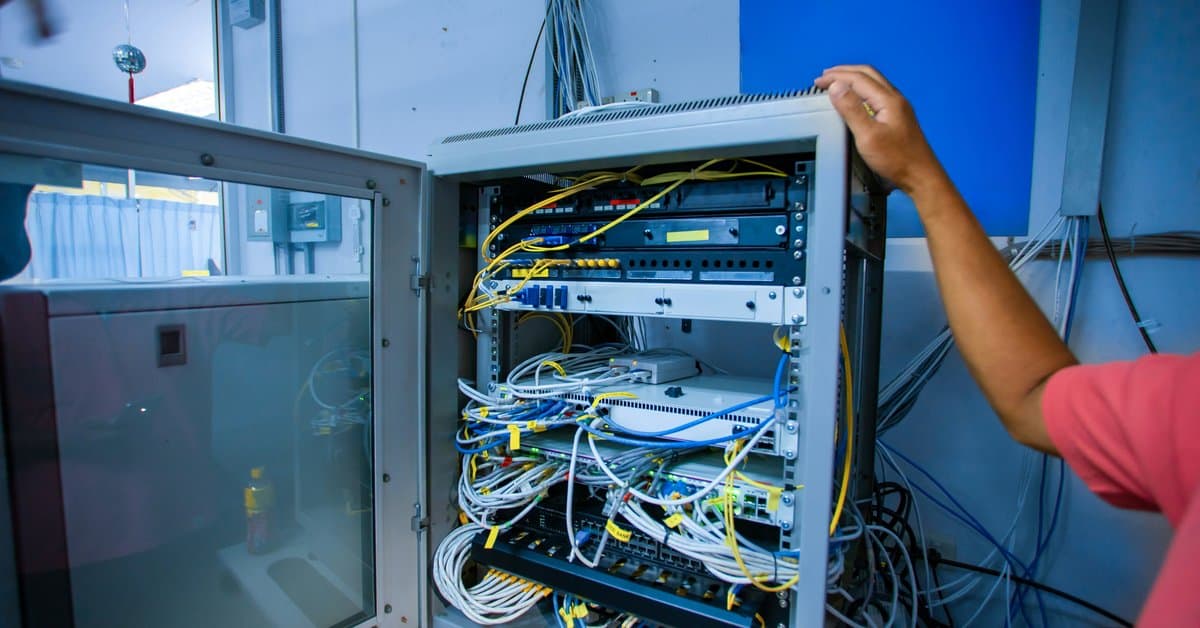

Why Your Server Room Is Costing You More Than You Think — And How a Cleanup Fixes It

Open the door to the network closet in most Dallas-area offices that have been running for five years or more, and you will likely see the same thing. Cables run in every direction with no discernible organization. Patch cords carry no labels. Zip ties haphazardly hold bundles that multiplied far beyond what anyone planned for. Meanwhile, gear sits stacked in ways that made sense at the time but make no sense now.

It is easy to dismiss this as an aesthetic problem. It is not. The state of your server room and network closet directly and measurably impacts network reliability, equipment lifespan, troubleshooting speed, energy costs, and IT labor time. For businesses across the Dallas-Fort Worth market, the cost of deferring a proper cleanup compounds every year.

This guide explains what a professional server room cleanup actually involves, why cable management and properly installed patch panels are critical infrastructure decisions — not cosmetic ones — and what is at stake when your network closet looks like a problem rather than a solution.


What “Spaghetti Cabling” Actually Costs Your Business

Every IT professional has a spaghetti cabling story. The server that went down at 2 a.m. because someone pulled what they thought was a dead cable — but was not. The four-hour troubleshooting session that would have taken twenty minutes with a labeled closet. The equipment that ran hot for months because a cable bundle blocked the airflow path to the rack and nobody could see it.

These are not edge cases. They are the predictable consequences of unmanaged cable infrastructure, and they show up in real business costs.

Troubleshooting Time Multiplies

In an organized server room with labeled patch panels and clean cable runs, a technician can trace a connection, identify a fault, and resolve an issue in minutes. In a disorganized closet, the same task can take hours. Cables require physical tracing. Unlabeled ports require testing. Each change risks accidentally disconnecting something critical. IT labor is expensive, and time spent untangling cables instead of solving problems carries a direct dollar cost.

Equipment Runs Hotter and Fails Sooner

Servers, switches, and other rack-mounted gear operate within specific temperature ranges. Cool air enters from the front and hot air exhausts from the rear. When cable bundles block intake vents, drape across exhaust ports, or obstruct airflow paths through the rack, equipment temperatures rise. Every degree above the designed operating temperature accelerates wear on components and shortens equipment lifespan. In a busy Dallas office where the closet already runs warm, poor cable management compounds an already demanding thermal environment.

Accidental Disconnections Cause Unplanned Downtime

In a rack where cables run without organization, it is surprisingly easy for someone working in the closet — adding equipment, replacing a failed device, or performing routine maintenance — to accidentally displace a cable that looked inactive but was not. Unplanned network outages carry a direct productivity cost across every person who depends on connectivity to work.

Moves, Adds, and Changes Become Expensive

Every business-level change — adding workstations, relocating a department, expanding to a new floor — requires changes in the network closet. In an organized system with labeled patch panels and documented connections, these changes are fast and low-risk. A disorganized system demands extensive investigation before anyone can touch anything. What should take thirty minutes becomes a half-day project, with the added risk of introducing new problems.


The Role of Patch Panels in a Properly Organized Network Closet

Patch panels are the cornerstone of a well-organized network infrastructure. Understanding what they do explains why so many Dallas office network closets gradually become unmanageable — either without them, or with ones nobody ever properly organized.

A patch panel is a mounted panel — typically 1U or 2U in a standard 19-inch rack — with a row of ports on the front and termination blocks on the back. Under TIA-568, the governing standard for commercial structured cabling in the United States, patch panels are a required component of any compliant structured cabling system. They are not an optional upgrade. Every permanent cable run from wall plates and device locations throughout the office terminates at the back of the patch panel. Short patch cords on the front then connect those termination points to the ports on your network switch.

What Proper Patch Panel Organization Accomplishes

This arrangement delivers several critical benefits. A single, organized termination point forms for all horizontal cabling. Switch ports gain protection from repeated plugging and unplugging — the patch panel absorbs that wear instead of the more expensive switch hardware. The result is a visual, labeled map of every connection in the building. Changes also become fast and low-risk: moving a connection from one switch port to another means moving a short patch cord on the front of the panel, not tracing a cable through the wall.

When Patch Panels Become Part of the Problem

Properly installed patch panels — clearly labeled, organized with correctly sized patch cords, and routed through horizontal cable management between the panel and the switch — transform a network closet from a source of risk into a manageable system. Without that discipline, the patch panel itself becomes part of the problem. Patch cords loop in every direction. Ports carry no labels. Connections accumulate over the years with no consistent system behind them.


What a Professional Server Room Cleanup Actually Involves

A proper server room cleanup and reorganization is not simply tidying cables. It is a systematic rebuild of how the infrastructure is organized, documented, and presented. Here is what that looks like in practice.

Cable Audit and Removal of Dead Runs

Most offices that have occupied a space for several years accumulate cable infrastructure left over from previous configurations — runs to desks that no longer exist, connections to equipment someone removed, patches left “temporarily” in place. A cleanup starts with identifying and pulling these dead runs. Every cable that leaves the rack is one that cannot cause confusion later.

Re-Termination and Labeling

Every active connection gets clearly labeled at both ends — at the wall plate and at the patch panel port. Labels follow a consistent, documented scheme so any technician can pick up a cable and immediately know where it goes, what it connects, and what it is for. This single change has the greatest impact on future troubleshooting speed of anything done during a cleanup.

Patch Cord Right-Sizing

One of the most common causes of messy network closets is patch cords that are too long. A cable spanning six inches gets replaced with whatever was on hand — typically an eighteen-inch or three-foot cord that drapes, loops, and obscures everything around it. Right-sizing replaces those over-length cords with correctly sized ones, keeping the front of the rack clean and every port visible.

Cable Routing and Management Hardware

Horizontal cable managers, vertical cable managers, and proper routing through the rack keep cables organized and maintain clear airflow paths. Power cables stay separate from data cables to prevent interference and reduce heat buildup.

Documentation

A professional cleanup produces a port map — a record of what connects where, with enough detail that any technician can understand the system without tracing a single cable. This documentation is the foundation of efficient ongoing management. It is also the first thing that disappears in an unmanaged closet, and the most valuable thing a cleanup restores.


Signs Your Dallas Office Network Closet Needs Attention Now

Not every closet needs a full rebuild. However, these signs indicate that your current network infrastructure is actively costing your business:

  • Unlabeled or inconsistently labeled patch panels and cables
  • Patch cords significantly longer than the distance they span
  • Cable bundles blocking visible airflow paths in the rack
  • Equipment running warmer than expected or triggering thermal warnings
  • Troubleshooting any network issue takes more than thirty minutes of physical investigation
  • IT staff hesitates to make changes because of the risk of disrupting something
  • The closet has never been audited and almost certainly contains dead cable runs
  • Moves, adds, and changes to the network take significantly longer than they should

If three or more of these apply to your current server room or network closet, the cost of continuing with the status quo exceeds the cost of a professional cleanup.


The Bottom Line

A well-organized network closet with properly installed patch panels, correctly labeled connections, right-sized patch cords, and documented infrastructure is not a luxury. It is the foundation of a network that IT staff can manage efficiently, troubleshoot quickly, and change without fear of unintended consequences. Equipment runs cooler, lasts longer, and fails less often. The difference between an outage that resolves in fifteen minutes and one that costs half a day of productivity often comes down to whether someone organized the closet — and documented it.

For Dallas-Fort Worth businesses that have let their network closet drift into disorganization — whether a five-year-old office with accumulated cable clutter or a newly acquired space with someone else’s infrastructure problem — a professional server room cleanup is one of the highest-return investments in network reliability available.

Our team at Just Cabling specializes in network closet cleanup and reorganization for commercial offices across the DFW metroplex. Dead runs get removed, every connection gets re-terminated and labeled, patch cords get right-sized, proper cable management goes in, and complete port documentation leaves with you when the job is done. Contact our team for a free on-site assessment — we will evaluate your space and provide a written scope before any work begins.


Just Cabling is a Dallas-based structured cabling company serving businesses across the DFW metroplex, including Plano, Frisco, McKinney, Allen, Las Colinas, Addison, and beyond. We specialize in commercial structured cabling, fiber optic installation, and network infrastructure for offices, medical facilities, and corporate campuses.
Future-Proofing Your Network: Why Cat6A Is the New Baseline for Commercial Cabling in Dallas

Cat6A vs. Cat6: Why Cat6A Is the Commercial Cabling Standard in Dallas for 2026

There’s a conversation happening in commercial offices across Dallas right now that didn’t exist five years ago. A business moves into a new space and calls an IT vendor to set up the network. The vendor discovers the cabling in the walls — installed during the last build-out — can’t support the access points they just bought, the security cameras they’re deploying, or the speeds their cloud applications actually need.

The cabling has to come out. Walls get reopened. Ceilings come down. A project that should have taken two days takes two weeks — and costs multiples of what a proper installation would have cost from the start.

This is the recabling story. It’s playing out across DFW with increasing frequency as the gap widens between what older copper standards can deliver and what modern business technology requires. The solution isn’t complicated. However, it does require understanding why Cat6A has become the baseline specification for new commercial cabling installations in Dallas in 2026 — and what happens when businesses try to save a few dollars per foot by going with Cat6 or Cat5e instead.


The Cable You Pull Today Will Be There for 15 Years

This is the single most important framing for any commercial cabling decision. Unlike the switches, routers, and access points connected to it — which get replaced every three to five years — the horizontal cabling inside your walls and above your ceilings is infrastructure. It’s designed to last the lifecycle of the space.

TIA-568, the governing standard for commercial structured cabling in the United States, is built around a minimum 10-year design life for cabling systems. In practice, well-installed Cat6A in a commercial building routinely serves for 15 years or more without replacement. That means the cable your contractor pulls during your next office build-out will still be in those walls in 2040.

The question isn’t just what your network needs today. The real question is what your network will need in 2030, 2033, and 2038 — and whether the cable you install now will be able to support it.


What’s Changed: Why Cat6 and Cat5e Are No Longer Adequate

Cat6 is not a bad cable. For much of the 2010s, it was the right specification for most commercial installations. In specific scenarios, it still makes sense today. However, three technology shifts have converged simultaneously in 2026 to push Cat6A from a premium option to a practical requirement for most new Dallas commercial projects.

Wi-Fi 7 Requires It

Wi-Fi 7 access points aggregate traffic across three radio bands simultaneously. They can deliver real-world backhaul that exceeds 5 Gbps per AP. Cat6 supports 1 Gbps reliably across its full 100-meter run, and 10 Gbps only up to about 55 meters — roughly 180 feet. In most commercial office floors, many access point drops exceed that distance. As a result, a Wi-Fi 7 AP connected by Cat6 will be bottlenecked by its own cable from day one.

The ANSI/TIA-568.2-E standard specifically requires Cat6A for Wi-Fi 7 access point runs. This isn’t a preference — it’s the published specification.

PoE++ Demands It

Power over Ethernet++ (IEEE 802.3bt) delivers up to 90 watts over a single cable. It powers high-wattage devices such as PTZ security cameras, Wi-Fi 7 APs, smart building controllers, and access control panels. Carrying that much power through Cat5e’s thinner 24 AWG conductors generates significant heat in cable bundles. That heat wastes power, degrades performance, and creates thermal management problems.

Cat6A’s thicker 23 AWG conductors have lower resistance. They generate less heat and deliver power reliably across full-length runs. For any dense PoE installation, Cat6A isn’t optional.

10 Gbps Is No Longer a Data Center-Only Requirement

For much of the past decade, 10 Gbps connectivity was confined to server rooms and backbone runs between network closets. That’s no longer true. AI-assisted business applications, high-resolution video conferencing, large cloud file transfers, and edge computing deployments are all pushing 10 Gbps requirements out to the access layer — to workstations, conference room equipment, and the devices at the end of every cable run.

Cat6 can support 10 Gbps, but only reliably to 55 meters. Cat6A, by contrast, delivers 10 Gbps across the full 100-meter channel length — to every drop in the building.


The Real Cost Argument: Incremental Now vs. Disruptive Later

The pushback on Cat6A almost always comes down to cost. It’s a fair question. Cat6A material costs run roughly 30 to 50 percent more per foot than Cat6, and the labor is slightly more intensive due to Cat6A’s larger diameter and stricter termination requirements. On a 100-drop installation, that premium is real money.

Even so, it needs to be measured against the cost of the alternative.

Recabling a finished commercial space in Dallas — pulling cable through closed walls, above installed ceilings, through conduit that wasn’t sized for new cable — costs dramatically more than the original installation. Retrofit work in an occupied building runs 25 to 40 percent more than new construction work. That’s before accounting for business disruption, IT downtime, and the tenant improvement costs of patching walls and ceilings after the run.

The incremental cost of upgrading from Cat6 to Cat6A during an initial build-out is a fraction of what a recabling project costs five or seven years later. Every experienced commercial cabling contractor in the Dallas-Fort Worth market has this conversation with clients regularly: spend modestly more now, or pay significantly more later.


What Cat6A Future-Proofing Actually Looks Like in Practice

Future-proofing isn’t about installing technology you don’t need today. Instead, it’s about installing infrastructure that won’t become a constraint before it’s due for replacement.

A Cat6A installation in a Dallas commercial office in 2026 delivers four key advantages:

Full 10 Gbps to every drop, at every distance. There’s no need to worry about which runs are under 55 meters and which aren’t. Every workstation, every access point, and every camera mount gets the same performance headroom.

PoE++ support at every port. Whatever device gets connected — a current-generation Wi-Fi 7 AP or a next-generation device that draws more power than anything available today — the cable can handle it.

Compatibility with the next two or three switch upgrade cycles. Network switches get replaced every three to five years. Cat6A will support the performance requirements of switches being designed right now — and of switches that haven’t been announced yet.

Certified Fluke test documentation. Every Cat6A installation should be Fluke-tested with printed certification reports for every run. This is how you verify the installation actually performs to specification. It’s also the documentation you’ll need if performance issues arise years down the road.


The Questions Every Dallas Business Owner Should Ask

Whether you’re planning a new build-out in Uptown Dallas, relocating to a Plano corporate campus, or upgrading infrastructure in an existing Las Colinas office, ask any cabling contractor these questions before signing a scope of work:

  • Are you specifying Cat6A or Cat6 for horizontal runs, and why? If the answer is Cat6, ask specifically how they’re accounting for PoE++ thermal performance and Wi-Fi 7 AP runs that exceed 55 meters.
  • What is the expected lifecycle of this installation? Any honest answer should be at least 10 years. That lifespan is the lens through which the cable specification decision should be evaluated.
  • What does the Fluke test documentation look like? Request sample test reports before the project starts. Every run should be certified, and you should receive a full set of reports at project completion.
  • How are you accounting for PoE device wattage in the switch power budget? A contractor who hasn’t considered this question hasn’t properly designed the system.
  • Is the installation priced for Cat6A throughout, or is Cat6 being substituted on some runs to hit a price point? Mixed installations are a legitimate design approach in specific scenarios — but it should be a deliberate engineering choice, not a cost-cutting substitution.

The Bottom Line

Cat6A is the new baseline for commercial cabling in Dallas not because of marketing language — and not because contractors want to sell a more expensive product. It’s the baseline because the devices being installed in commercial buildings today require what Cat6A provides. So do the devices that will be installed over the 10-to-15-year lifecycle of the cabling.

The ANSI/TIA-568.2-E standard says so. The Wi-Fi 7 specification says so. The physics of PoE++ thermal management say so.

Businesses that get this right during their initial installation avoid the recabling conversation entirely. The ones that don’t will have it five years from now — in an occupied space, at a cost that makes the Cat6A premium look trivial in retrospect.


Our team at Just Cabling has been designing and installing Cat6A infrastructure for commercial buildings across the DFW metroplex — including Plano, McKinney, Frisco, Las Colinas, and beyond. Every installation includes certified Fluke testing and full documentation. If you’re planning a commercial cabling project in Dallas, contact us for a free on-site assessment and written scope before any work begins.


Just Cabling is a Dallas-based structured cabling company serving businesses across the DFW metroplex, including Plano, Frisco, McKinney, Allen, Las Colinas, Addison, and beyond. We specialize in commercial structured cabling, fiber optic installation, and network infrastructure for offices, medical facilities, and corporate campuses.

Network Cabling Trends Every Dallas Business Owner Needs to Know in 2026

The network inside your Dallas office has never mattered more — and it has never faced more pressure to perform.

Businesses across the DFW metroplex are navigating a convergence of forces that are increasing data demands, raising the stakes on reliability, and widening the gap between infrastructure that can keep up and infrastructure that can’t. AI-powered business tools, cloud-first operations, video-heavy collaboration, and a wave of corporate relocations are all driving network requirements to levels that would have seemed extraordinary just five years ago.

Understanding where network infrastructure is headed is no longer just an IT concern. It’s a business decision with direct implications for productivity, competitiveness, and the cost of your next infrastructure project.

Here’s what’s driving network cabling demand in 2026, and what Dallas-Fort Worth businesses should be planning for.


The DFW Data Explosion Is Already Here

The Dallas-Fort Worth area has become one of the most significant data infrastructure markets in the United States. According to CBRE’s analysis, the DFW data center market grew its total inventory by 47 percent in recent years, reaching nearly 870 megawatts. The market was on track to double in size by the end of 2026, with over 425 megawatts of colocation space under construction as of mid-2025. Hyperscalers, AI providers, and cloud operators absorbed that capacity almost as fast as it came online, pushing market vacancy to near-record lows.

What happens at the data center level doesn’t stay there. The same forces driving hyperscale AI investment — massive data volumes, high-speed connectivity, AI-enabled business applications — are rippling into every commercial office in the region. When a DFW company deploys AI-assisted CRM tools, runs machine learning on operational data, or uses real-time video analytics for security, that data has to move. It travels across the local area network, up to the cloud, and back. Fast, reliably, and constantly.

The physical network infrastructure inside your building is where that demand lands first.


Trend 1: AI Applications Are Rewriting What “Enough Bandwidth” Means

AI-powered tools are no longer a specialty technology for large enterprises. They’re embedded in the productivity platforms, customer service systems, inventory tools, and security infrastructure that businesses of every size are running today. And they require far more bandwidth than legacy network infrastructure was ever designed to support.

Consider a workforce of 50 people running AI-assisted tools simultaneously. They’re querying cloud-based language models, running real-time analytics, and streaming high-definition video for collaboration. That level of network demand would have described a much larger organization just five years ago. Add AI-enabled IP cameras performing edge analytics, smart building systems, and IoT sensors, and the aggregate bandwidth requirement on a typical commercial office network has increased significantly — even without any headcount growth.

The cabling implication is direct. Networks built on Cat5e or Cat6 at 1 Gbps per port are already showing strain in AI-forward offices. Cat6A at 10 Gbps, with fiber backbone connections between floors and network closets, is what modern AI-driven workloads actually require. This isn’t speculative — it’s the specification that experienced commercial cabling contractors in the DFW market are building to on new projects right now.


Trend 2: Cat6A Has Become the Recognized Commercial Baseline

The shift from Cat6 to Cat6A as the default specification for new commercial cabling installations isn’t just a recommendation from cabling contractors — it’s codified in the ANSI/TIA-568.2-E standard, the governing document for commercial structured cabling in the United States. That standard now specifies Cat6A as the minimum recommended cable for new commercial installations, particularly for Wi-Fi 7 access point runs and high-power PoE applications.

What has changed in 2026 is that this standard is widely understood and increasingly expected. Commercial tenants, IT teams, and general contractors on new DFW build-outs are specifying Cat6A explicitly. Businesses planning office moves are asking for it by name. And organizations that have recently deployed Wi-Fi 7 access points or PoE++ powered cameras are learning quickly that Cat6 can become a bottleneck before the installation is even finished.

The practical reality: Cat6A costs roughly 30 to 50 percent more per foot than Cat6 in materials, with modestly higher labor costs. Over a 100-drop commercial installation, that premium is meaningful. However, it’s a fraction of the cost of a recabling project three years from now when Cat6 infrastructure can’t support the technology the business needs.


Trend 3: Fiber Is Moving Closer to the Workstation

For most of the past decade, fiber optic cabling in commercial office buildings was confined to backbone runs — the connections between floors, between buildings on a campus, and between network closets and the main distribution frame. Copper Cat6 or Cat6A handled everything from the network closet to the wall plate.

That architecture is still correct for most standard commercial office applications. But in 2026, fiber is increasingly being specified for high-demand zones within buildings, not just for backbone runs. Conference rooms with persistent high-definition video conferencing, workstations running local AI inference, and dense areas with multiple simultaneous high-bandwidth users are increasingly seeing fiber drops where copper would have been specified before.

The reason comes down to headroom. Cat6A at 10 Gbps is excellent infrastructure, but it has a ceiling. OM4 multimode fiber at 10 Gbps or 40 Gbps offers a much higher ceiling, resists electromagnetic interference, and in dense installations can be easier to manage over the long run. For DFW organizations building out large corporate spaces with 15-year infrastructure lifecycles, the calculus increasingly favors fiber for the highest-demand applications.


Trend 4: Wi-Fi 7 Is Raising the Stakes on Wired Infrastructure

Wi-Fi 7 — the wireless standard defined by IEEE 802.11be — is being deployed in new DFW commercial installations at a rapid pace in 2026. It’s faster than Wi-Fi 6E, more efficient in dense environments, and capable of delivering multi-gigabit wireless performance to individual devices.

However, Wi-Fi 7’s wireless performance is only as good as the wired infrastructure feeding it. A Wi-Fi 7 access point that aggregates 5 Gbps or more of wireless traffic across three radio bands will deliver exactly 1 Gbps of real throughput if it connects through Cat6 at 1 Gbps. The wireless technology and the cabling infrastructure have to scale together. Otherwise, the wireless upgrade delivers none of its potential performance benefit.

TIA specifically requires Cat6A for Wi-Fi 7 access point runs. This requirement is driving Cat6A adoption among businesses that might otherwise have considered Cat6 adequate. Once the decision is made to deploy Wi-Fi 7, the cabling decision essentially makes itself.


Trend 5: Smart Buildings and PoE++ Are Converging in DFW Commercial Spaces

The definition of what a commercial office network powers has expanded significantly. In 2026, a typical DFW corporate office network powers not just workstations and phones, but an integrated system of devices that previous cabling generations were never designed to support. That includes Wi-Fi 7 access points drawing 40 to 50 watts each, AI-enabled PTZ security cameras requiring 60 to 90 watts per unit, networked LED lighting systems, digital signage, access control panels, IP intercoms, and environmental sensors.

All of these devices connect through Power over Ethernet. The high-wattage ones require PoE++ — the IEEE 802.3bt standard that delivers up to 90 watts over a single cable run. That power level demands Cat6A’s thicker 23 AWG conductors to manage thermal load in cable bundles. It also requires careful PoE switch power budget planning, since a switch’s total power budget determines how many high-wattage devices can operate simultaneously.

For DFW businesses planning new commercial spaces or major renovations, the smart building trend means the cabling conversation has to include every device that will be network-powered — not just the computers and phones.


What This Means for Your Next Dallas Cabling Project

These trends point to a single practical conclusion. The decisions made during a commercial cabling project in 2026 have a longer and more consequential lifespan than they did five years ago. The pace of change in network-dependent technology is accelerating, and the gap between well-specified infrastructure and under-specified infrastructure is widening with every technology cycle.

The businesses planning ahead in the DFW market are specifying Cat6A throughout for horizontal runs, fiber backbone between network closets and floors, PoE++ capable switches with properly calculated power budgets, and certified Fluke test documentation for every run. They’re treating the cabling as the long-lifecycle foundation it actually is — not as a commodity decision to be made on price per foot.

The businesses that aren’t will be having the recabling conversation sooner than they expect.

Our team at Just Cabling designs and installs network infrastructure built for where DFW businesses are going — not just where they are today. We offer free on-site assessments for commercial projects across Plano, Frisco, McKinney, Las Colinas, Allen, and throughout the DFW metroplex. If you’re planning a new build-out, a technology refresh, or an expansion, reach out and we’ll put a written scope together before any work begins.


Just Cabling is a Dallas-based structured cabling company serving businesses across the DFW metroplex, including Plano, Frisco, McKinney, Allen, Las Colinas, Addison, and beyond. We specialize in commercial structured cabling, fiber optic installation, and network infrastructure for offices, medical facilities, and corporate campuses.

Structured Cabling for Dallas Office Build-Outs: What to Plan Before Walls Close

If you’re building out a new office in Dallas-Fort Worth, there’s a window of time where structured cabling is easy, fast, and affordable. Once that window closes — once the drywall goes up, the ceilings are finished, and the flooring is down — everything gets harder. A lot more expensive, too.

This guide is for business owners, office managers, and project leads in the middle of a DFW office build-out. If you want to get the cabling piece right the first time, keep reading. Whether you’re in a new Frisco development, an Uptown Dallas high-rise, or a suburban Plano office park, the planning principles are the same.


Bring in Your Cabling Contractor Before the GC Pours Concrete

The most common and costly mistake in office build-outs is treating structured cabling as a finish item. Many teams deal with it at the end, like furniture or signage. That is the wrong approach. Cabling is infrastructure. It needs to be planned at the same time as your electrical, HVAC, and plumbing.

Ideally, your cabling contractor should be involved before walls are framed. At minimum, they need to be on-site before ceilings are closed. Here’s why: cable pathways are dramatically easier and cheaper to install during construction. These pathways — conduit, cable trays, and open plenum routes — carry your cabling from the telecom room to every endpoint in the building. Retrofitting finished space means cutting into walls and fishing cable through tight plenum spaces. Everything gets patched back up afterward. That process adds labor hours, disrupts your team, and almost always costs two to three times what early-stage installation would have.

Additionally, coordinate your cabling contractor directly with your general contractor. Put them in the same room, introduce them by name, and make sure both parties know the project timeline. A good cabling contractor will show up for site walks, ask questions about ceiling heights and wall construction, and flag pathway issues before they become problems.


Plan Your Telecom Room First

Every structured cabling system in a

commercial office flows back to a central point: the main distribution frame, or MDF. In larger offices with multiple floors or wings, you’ll also have intermediate distribution frames, or IDFs, that connect back to the MDF. As a result, getting the size, location, and power requirements of these rooms right during the planning stage is critical.

A common mistake is allocating too little space. A proper telecom room needs several key elements. First, it needs wall-mount or floor-mount rack space. Second, it needs a patch panel for every cable run terminating in that room. Third, it requires cable management hardware and adequate power outlets. Finally — and critically — it needs dedicated cooling. Network equipment generates heat. A poorly ventilated telecom closet will shorten the life of your equipment and cause intermittent failures.

For a typical small-to-midsize Dallas office with 25 to 75 workstations, a 6-by-8-foot dedicated telecom room is a reasonable minimum. Larger offices need more. Work with your cabling contractor to right-size this space during the design phase. Do not wait until after the floor plan is locked.


Map Your Drops Before Framing Starts

A drop is a single cable termination point — one port on a wall plate. Every workstation, wireless access point, IP phone, security camera, and networked device in your office needs at least one. Therefore, planning your drops before walls go up lets your cabling contractor establish the most efficient pathways. It also gives your GC time to frame around them correctly.

Walk the floor plan with your cabling contractor and mark every location where a drop will be needed. More importantly, don’t just plan for today’s headcount. Plan for where you’ll be in three to five years. Adding drops during construction costs a fraction of what it costs to add them later.

Here is a practical rule of thumb for DFW commercial offices:

  • Plan at minimum two data drops per workstation
  • Add one drop per wireless access point, spaced for proper Wi-Fi coverage density
  • Include individual drops for any IP cameras, VoIP phones, or AV equipment

Over-building your drop count during construction is almost always the right call. Empty ports cost you nothing. Coming back to add runs after move-in costs significantly more.


Specify Your Cable Category Now

The cable category you choose will define your network’s performance ceiling for the life of the installation. Most new Dallas commercial office build-outs today spec Cat6 as a minimum, with Cat6A becoming increasingly common for future-proofing. Cat6A supports 10-gigabit speeds and is recommended for any office planning to run bandwidth-intensive applications, high-density wireless, or AI-powered platforms in the coming years.

Fiber optic backbone cabling between your MDF and any IDFs is worth specifying during the build-out phase as well. Fiber handles longer runs without signal degradation, supports dramatically higher bandwidth, and eliminates the distance limitations of copper. In a multi-floor DFW office building, fiber backbone between floors is the right call in almost every scenario.

Make these decisions during design, not during installation. Changing cable category mid-project means pulling and replacing material that’s already been run — a costly and disruptive setback.


Coordinate With Your Electrician on Separation Requirements

Structured cabling and electrical wiring cannot share the same pathway. Industry standards require separation between low-voltage data cabling and high-voltage electrical runs. This prevents interference and code violations. In practice, your cabling contractor and your electrician need to coordinate their pathways before either one starts pulling wire.

In Dallas commercial build-outs, teams skip this coordination step more often than they should. The result is cabling that gets rerouted after the fact. That leads to delays in project completion and — occasionally — failed inspections. Get both contractors in a room together early. Review the floor plan together and establish who is running where before anyone touches a conduit.


Don’t Skip the Pre-Wire Sign-Off

Before walls close, your cabling contractor should conduct a formal pre-wire walkthrough with you and your GC. This is a visual inspection of every cable run while it’s still accessible. During this walkthrough, your contractor confirms that drops are in the right locations, pathways are correct, cables are properly supported and labeled, and nothing has been disturbed by other trades.

This walkthrough is your last chance to catch problems before they get buried in the wall. Take it seriously. Walk every room and confirm every drop location against your floor plan. Make sure your contractor documents what was installed. That documentation becomes part of your as-built records — valuable if you ever expand, renovate, or troubleshoot years down the road.


Ready to Plan Your Dallas Office Build-Out?

Structured cabling planned early is an investment. Structured cabling retrofitted after move-in is an expense — often a painful one. If you’re in the planning or early construction phase of a Dallas-Fort Worth office build-out, now is exactly the right time to bring in a qualified cabling contractor.

Just Cabling works with businesses, general contractors, and project managers across DFW — from Uptown Dallas to Frisco, Plano, Irving, and beyond. Our team gets involved early, coordinates directly with your GC, and delivers clean, certified, code-compliant installations built to last. Contact us today for a free project consultation before your walls close.

Cat6 vs. Cat6A: Which Cable Standard Should Your Dallas Office Actually Install in 2026?

If you’re planning a new office build-out, relocating your business, or upgrading aging network infrastructure in the Dallas area, one question comes up on almost every project: do we need Cat6 or Cat6A?

It sounds like a minor technical detail. It isn’t. The cable you pull through your walls and ceilings today will be there for the next 10 to 15 years. Getting this decision wrong means either overpaying for performance you don’t need — or setting yourself up for a costly recabling project down the road when your network can’t keep up with your business.

This guide gives you a plain-English answer based on what’s actually being installed in Dallas commercial buildings right now.


What’s the Actual Difference Between Cat6 and Cat6A?

Both cables carry Ethernet data using four twisted copper pairs and terminate with standard RJ45 connectors. But they’re engineered differently, and those differences matter in a commercial installation.

Cat6 is rated to 250 MHz and supports 1 Gigabit per second (Gbps) over the full 100-meter run that most commercial builds require. It can technically reach 10 Gbps, but only up to about 55 meters — roughly 180 feet. In a large office floor, many runs exceed that distance, so you can’t reliably count on 10 Gbps performance from Cat6 across your whole network.

Cat6A — the “A” stands for Augmented — is rated to 500 MHz and supports a full 10 Gbps across the entire 100-meter standard channel length. It also has significantly better alien crosstalk rejection, which matters in commercial installations where dozens or hundreds of cables run in tight bundles through the same conduit and cable trays. When cables are bundled, Cat6 performance at 10 Gbps can degrade further than the 55-meter spec suggests. Cat6A is engineered to hold its performance even in dense bundles.

The tradeoff: Cat6A cable is physically larger — about 25 to 30 percent thicker than Cat6 — which affects conduit fill calculations, bend radius, and termination complexity. Labor costs run slightly higher because Cat6A requires more precision during termination. Material costs are also higher, typically running 30 to 50 percent more per foot for the cable itself.


Why Cat6A Is Now the Recommended Standard for New Dallas Commercial Installations

The industry has moved. The ANSI/TIA-568.2-E standard — the governing document for commercial structured cabling in the United States — now specifies Cat6A as the recommended cable for new commercial installations. This isn’t marketing language from a cable manufacturer. It’s the professional standard your cabling contractor should be designing to.

There are three practical reasons this shift happened:

Wi-Fi 7 changes the math. Wi-Fi 7 access points aggregate traffic across the 2.4, 5, and 6 GHz bands simultaneously, and real-world backhaul from a Wi-Fi 7 AP can exceed 5 Gbps. Cat6 at 1 Gbps is already a bottleneck. TIA specifically requires Cat6A for Wi-Fi 7 access point runs. If your Dallas office is deploying or planning to deploy Wi-Fi 7 — and most modern commercial builds are — Cat6A isn’t optional for those runs.

PoE++ is the new default for IP cameras, access control, and smart building devices. Power over Ethernet++ (PoE++) delivers up to 90 watts over a single cable. At that power level, thermal management inside the cable bundle becomes a real engineering concern. Cat6A handles the heat load better than Cat6 in dense installations, and many device manufacturers now specify Cat6A for high-power PoE applications.

The cost of recabling outweighs the cost of upgrading now. Pulling cable through a finished commercial space — through walls, above drop ceilings, through conduit — is expensive and disruptive. If you install Cat6 today and your business scales to a point where you need 10 Gbps to the desk or to your access points, you’re looking at another full cable pull. The incremental cost of upgrading to Cat6A during initial installation is a fraction of what a recabling project costs later.


When Cat6 Still Makes Sense

Cat6A isn’t always the right answer. Here’s when Cat6 is a legitimate choice for a Dallas commercial project:

  • Short runs only. If all your cable drops are under 50 meters and you can verify that, Cat6 will support 10 Gbps across those runs. This is more common in smaller offices or single-floor suites than in large multi-floor buildings.
  • Budget-constrained projects with a defined short lifespan. If you’re fitting out a temporary space, a short-term lease, or a location you know will be significantly reconfigured in a few years anyway, Cat6 may be the more practical economic choice.
  • Patch cables and patch cords. Cat6A is recommended for permanent horizontal runs — the cable inside your walls and above your ceilings. For patch cords connecting your device to the wall plate, Cat6 is fine.
  • Mixing strategically. Some Dallas projects use Cat6A for access point drops and runs that exceed 50 meters, and Cat6 for shorter desktop drops. A knowledgeable cabling contractor can help you design a hybrid approach that hits the right performance targets at a lower overall cost.

What This Means for a Typical Dallas Office Build-Out

Here’s how this plays out in the real projects we see across the Dallas market:

A corporate office suite in Plano or Las Colinas with 50 workstations, 10 Wi-Fi 7 access points, and 20 IP security cameras is a Cat6A project. The AP runs almost certainly exceed 55 meters. The cameras are likely running PoE+. The network will need to support growth. Installing Cat6 here to save money on cable is a decision that creates a more expensive problem within 3 to 5 years.

A small professional services office in a single-floor suite with runs under 40 meters, no Wi-Fi 7 APs planned, and standard PoE cameras can legitimately use Cat6 and get strong, reliable performance for years.

A multi-floor corporate campus or a new commercial build-out in McKinney, Frisco, or any of the rapidly growing Collin County markets should almost always specify Cat6A for horizontal runs. These builds have long lifecycles, dense cable plants, and the business growth trajectories that will push network demands upward.


The Questions to Ask Before You Decide

Before your cabling contractor specifies a cable category for your Dallas project, make sure these questions get answered:

  1. What are the longest cable runs in the building? If any run exceeds 55 meters, Cat6 cannot reliably deliver 10 Gbps on those runs.
  2. What Wi-Fi standard are you deploying — Wi-Fi 6, 6E, or 7? Wi-Fi 7 requires Cat6A for AP drops.
  3. What devices will be powered over Ethernet, and what are their wattage requirements? PoE++ devices push cable thermal load in dense bundles.
  4. What is the expected lifespan of this installation? Cable pulled into finished walls today should last 10 to 15 years minimum.
  5. Is your contractor performing certified testing on every run? For structured cabling, certified Fluke testing with documentation is the standard for any Cat6A installation. If your contractor isn’t providing test reports, push back.

The Bottom Line

For most new commercial cabling installations in Dallas in 2026, Cat6A is the right choice. The TIA standard calls for it, Wi-Fi 7 requires it for AP runs, PoE++ performs better on it, and the cost of upgrading later is far greater than the incremental cost of doing it right the first time.

That said, not every drop in every project needs Cat6A. A well-designed structured cabling system matches cable specification to actual performance requirements, run lengths, and device types — not a blanket spec applied across the board.

If you’re planning a cabling project in the Dallas area and want a recommendation based on your actual space and requirements, our team at Just Cabling provides free on-site assessments. We’ll evaluate your building, your technology plans, and your budget, and give you a written scope with clear cable specifications before any work begins.


Just Cabling is a Dallas-based structured cabling company serving businesses across the DFW metroplex, including Plano, Frisco, McKinney, Allen, Las Colinas, and beyond. We specialize in commercial structured cabling, fiber optic installation, and network infrastructure for offices, medical facilities, and corporate campuses.