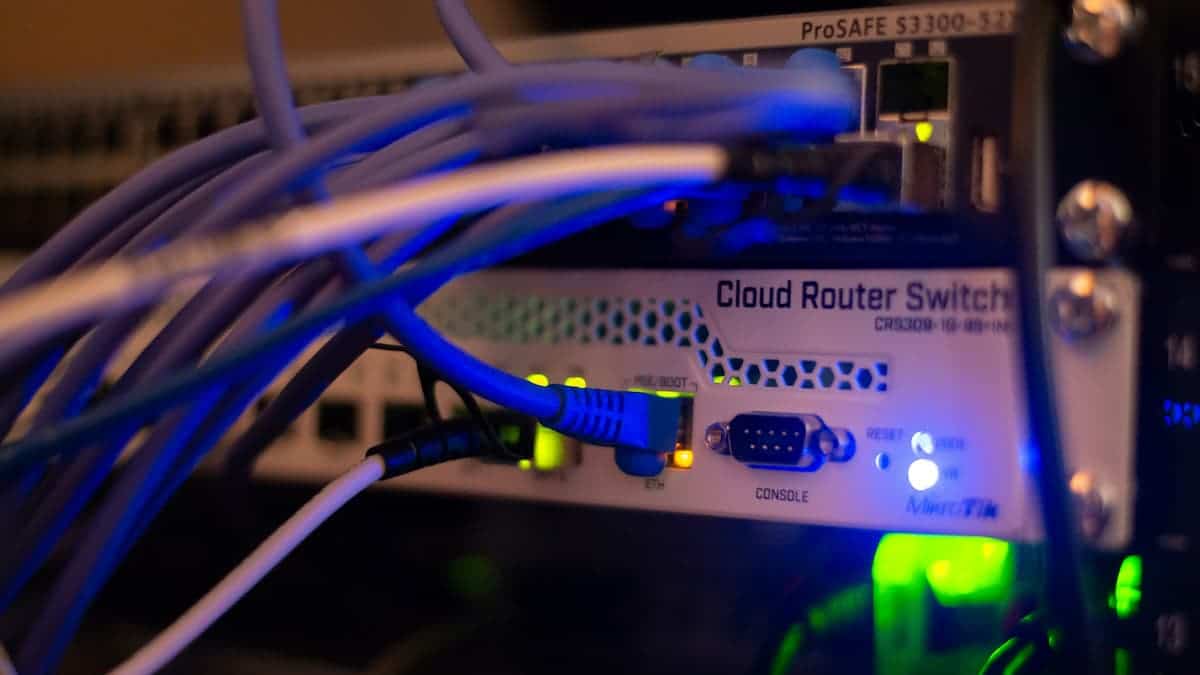
Network Cabling for Multi-Location Retail Operations: What Dallas-Fort Worth Retailers Need to Get Right

Running a single retail location is complex enough. Running five, ten, or twenty locations across the Dallas-Fort Worth metroplex — each with its own network infrastructure, point-of-sale systems, security cameras, and staff communication needs — is an entirely different challenge. And at the center of every location that runs smoothly is one thing most retail operators rarely think about until something goes wrong: the cabling infrastructure.

For multi-location DFW retailers, network cabling isn’t just a technical detail to hand off to a contractor. It’s a strategic decision that affects how reliably your POS systems process transactions, how consistently your security cameras record, how fast your staff can communicate, and how easily your IT team can manage and troubleshoot every location remotely.

Get it right once, replicate it across every location, and your infrastructure becomes an operational asset. Get it wrong, and every new location inherits the same problems at scale.

Here’s what multi-location DFW retailers need to know before their next cabling project.


Why Multi-Location Retail Cabling Is Different

A single retail location has cabling challenges. A multi-location retail operation has all of those challenges multiplied — plus the added complexity of needing consistent, standardized infrastructure across every site so that your IT team, your systems integrators, and your vendors can support all of them efficiently.

The most successful multi-location retailers in DFW treat their cabling standard as a brand standard. Every location is wired the same way, labeled the same way, and documented the same way — so that adding a new location, troubleshooting an issue, or upgrading systems doesn’t require starting from scratch every time.


The 5 Critical Cabling Systems Every Retail Location Needs

1. Point-of-Sale Network Infrastructure

Your POS system is the heartbeat of every retail location. Whether you’re running cloud-based POS software, traditional terminals, or a hybrid setup — every register, payment terminal, receipt printer, and cash drawer that connects to your network depends on clean, properly installed network cabling.

PCI DSS compliance — the payment card industry’s data security standard — also has network infrastructure implications. Retail networks handling card transactions must be properly segmented, which means your cabling and network design need to support VLAN configuration from the ground up. A cabling installer who understands retail network segmentation requirements is not optional — it’s essential.

For DFW retailers operating across multiple locations, standardized POS cabling layouts mean your IT team or managed service provider can troubleshoot and support every site using the same documentation and the same network map.

2. Wireless Access Point Cabling

Customer Wi-Fi, staff devices, mobile POS terminals, inventory scanners, and digital signage all depend on wireless coverage that is consistent, fast, and reliable throughout your retail space — including areas where customers linger longest.

Every wireless access point requires a dedicated Cat6 or Cat6A network drop with PoE support. Access point placement in retail environments needs to account for display fixtures, shelving, fitting rooms, stockroom separation, and exterior walls — all of which affect signal propagation and coverage consistency.

For multi-location retailers, standardizing your access point cabling layout and placement across all sites means consistent Wi-Fi performance everywhere — not a patchwork of different setups that behave differently and require different troubleshooting approaches.

3. IP Security Camera Cabling

Retail shrinkage — from both external theft and internal losses — is one of the most significant cost factors for multi-location DFW retailers. IP security cameras are the standard solution, and like access points they run on PoE cabling — a single Cat6 or Cat6A run per camera carries both data and power with no separate power outlet required.

Camera placement in retail requires careful planning around entry and exit points, POS areas, stockrooms, fitting rooms, and parking lot coverage. For multi-location operations, consistent camera placement and cabling standards across every site means your loss prevention team can navigate camera systems at any location without relearning a different setup every time.

4. Digital Signage and Display Cabling

Modern retail relies heavily on digital displays — promotional screens, menu boards, window displays, and in-store marketing content — all of which require dedicated network connections and in many cases dedicated power infrastructure. Cabling for digital signage needs to be planned during the initial design phase, not retrofitted after displays are mounted and walls are closed.

For multi-location retailers rolling out consistent brand experiences across DFW, standardized digital signage cabling means every display at every location is powered and connected the same way — simplifying content management, maintenance, and future upgrades significantly.

5. Voice and Communication Cabling

Staff communication — whether through VoIP desk phones at service counters, manager offices, stockrooms, or back-of-house workstations — requires clean network drops with adequate PoE budget. For retailers still running copper phone lines at any location, the ongoing POTS sunset makes this the right time to migrate all voice infrastructure to your data network as part of a broader cabling standardization project.

Cloud-based phone systems give multi-location DFW retailers the ability to manage all locations from a single platform — transferring calls between stores, monitoring call activity across the entire operation, and adding new locations without a new phone system installation each time.


The Multi-Location Advantage: Standardization at Scale

The single biggest opportunity for multi-location DFW retailers in their cabling infrastructure is standardization. Every location wired to the same standard delivers compounding benefits over time:

Faster new location buildouts. When your cabling standard is documented and proven, a new location can be designed, quoted, and installed in a fraction of the time of a custom project.

Lower IT support costs. When every location has the same network layout, the same labeling convention, and the same documentation, your IT team can support ten locations as efficiently as they support two.

Easier system upgrades. Rolling out new POS software, upgraded security cameras, or a new phone system across multiple locations is dramatically simpler when every site has the same infrastructure foundation.

Consistent customer experience. Fast, reliable Wi-Fi and consistently operational technology at every location is part of your brand promise to customers — and it starts with consistent cabling infrastructure behind the scenes.


Planning Your Multi-Location Cabling Project

Establish your standard before you build. The time to define your cabling standard is before your second location — not your fifth. Working with an experienced cabling partner to design a replicable standard early saves significant cost and rework down the line.

Audit existing locations before adding new ones. If your current locations have inconsistent cabling, documentation gaps, or aging infrastructure, a systematic audit and remediation project should be part of your growth plan — not an afterthought.

Choose a single cabling partner for all locations. Consistency requires a consistent installer. Using different contractors for different locations guarantees inconsistency. A single cabling partner who understands your standard, your systems, and your operational requirements across the DFW metroplex is one of the most valuable vendor relationships a multi-location retailer can have.


Dallas-Fort Worth Retail Is Growing Fast — Your Infrastructure Should Keep Up

DFW is one of the strongest retail markets in the United States. Population growth, new development corridors in Frisco, McKinney, Prosper, and Fort Worth, and the continued expansion of both national chains and independent retailers mean new retail locations are opening across the metroplex at a rapid pace.

In that environment, the retailers who scale successfully are the ones with operational systems — including their technology infrastructure — built for growth from day one.

Just Cabling specializes in structured cabling for multi-location retail operations across the Dallas-Fort Worth metroplex. We design, install, and document cabling systems built to your standard — and replicate them consistently across every location, every time.

Contact us today for a free retail cabling assessment and multi-location project consultation.

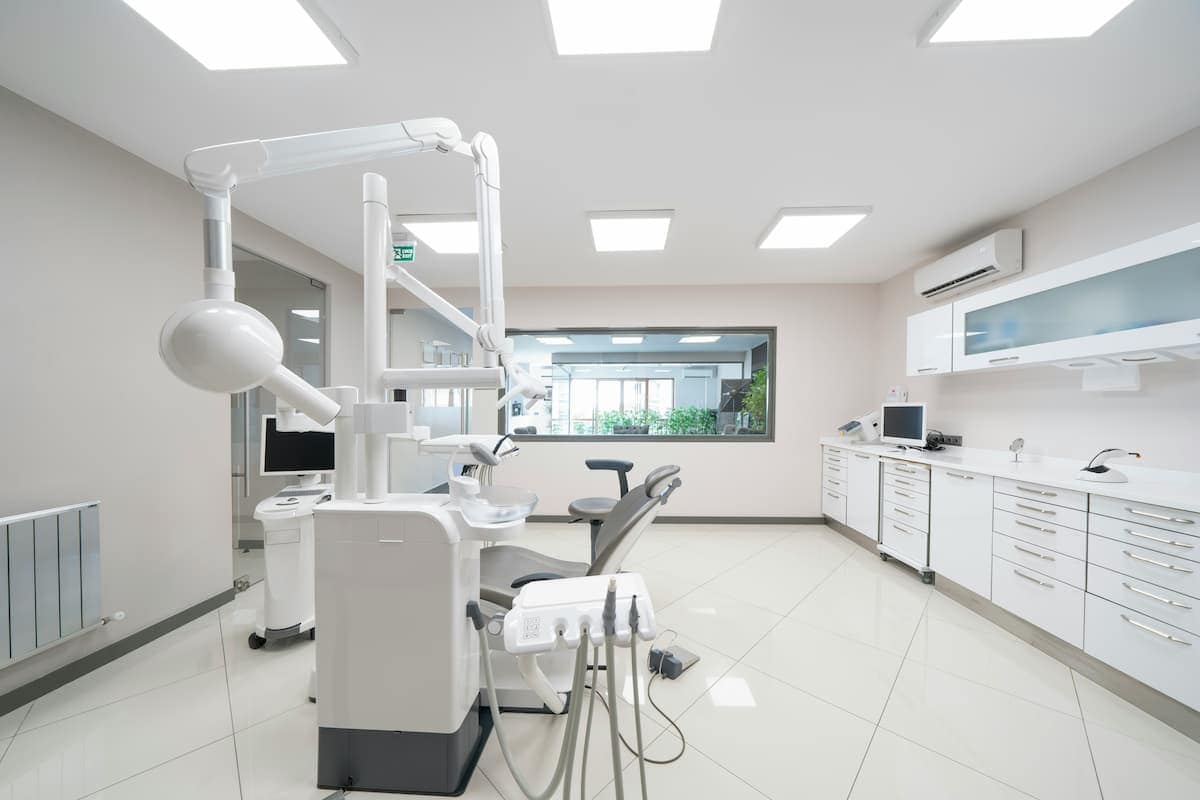
Network Cabling for Medical Offices and Healthcare Facilities: What Dallas-Fort Worth Practices Need to Get Right

In a medical office or healthcare facility, your network infrastructure isn’t just a technology decision — it’s a patient care decision. Every electronic health record accessed at a workstation, every medical device transmitting data wirelessly, every check-in tablet in your waiting room, and every HIPAA-compliant communication between your staff depends on one thing: a structured cabling infrastructure that is reliable, secure, and built specifically for a healthcare environment.

For Dallas-Fort Worth medical practices, clinics, and healthcare facilities, getting your cabling infrastructure right is not optional. It’s a clinical, operational, and regulatory requirement — and the consequences of getting it wrong go well beyond slow internet or dropped connections.

Here’s what DFW healthcare facilities need to know before their next cabling project.


Why Healthcare Cabling Is Different From Standard Commercial Cabling

Medical environments place demands on network infrastructure that standard commercial cabling simply isn’t designed to meet. The combination of clinical technology requirements, HIPAA compliance obligations, infection control considerations, and the life-safety implications of network downtime creates a level of complexity that requires specialized experience and planning.

In a DFW medical facility your cabling infrastructure has to contend with:

  • Medical device connectivity — patient monitors, infusion pumps, imaging equipment, and diagnostic devices all require reliable, interference-free network connections that standard office cabling may not support
  • HIPAA network segmentation requirements — protected health information (PHI) must be transmitted over properly segmented networks, which means your cabling and network design must support VLAN separation between clinical, administrative, and guest traffic from the ground up
  • Infection control constraints — cabling installation and maintenance in clinical areas must follow infection control protocols, limiting when and how work can be performed in patient-facing spaces
  • Zero tolerance for downtime — in a clinical environment, network downtime isn’t an inconvenience. It can directly affect patient care, disrupt clinical workflows, and create compliance exposure
  • Future technology demands — telehealth, AI-assisted diagnostics, and connected medical devices are all driving increasing bandwidth demands on healthcare networks

The 5 Critical Cabling Systems Every Healthcare Facility Needs

1. Clinical Workstation and EHR Cabling

The electronic health record is the operational backbone of every modern DFW medical practice. Every clinical workstation — in exam rooms, nursing stations, physician offices, and procedure rooms — needs a reliable, high-speed network connection that performs consistently under the demands of EHR software, medical imaging, and real-time clinical data.

Cat6A is the recommended standard for clinical environments — it supports 10 Gigabit speeds, performs better in environments with higher electromagnetic interference from medical equipment, and future-proofs your infrastructure for the bandwidth demands of next-generation clinical applications.

Network drops in exam rooms and clinical spaces require careful planning around furniture placement, infection control surfaces, and ADA accessibility requirements. Every drop must be positioned for clinical workflow efficiency — not just technical convenience.

2. Wireless Infrastructure for Clinical and Patient Areas

Modern healthcare relies heavily on wireless connectivity — for mobile clinical workstations, tablet-based charting, wireless patient monitoring devices, staff communication systems, and patient Wi-Fi in waiting and recovery areas.

Healthcare wireless networks require higher access point density than standard commercial environments, particularly in areas with high concentrations of medical devices. Every access point needs a dedicated Cat6A network drop with PoE support — and access point placement must account for the signal interference characteristics of medical equipment, lead-lined walls in radiology areas, and the movement patterns of clinical staff throughout the facility.

HIPAA compliance also requires that patient and clinical wireless networks be properly segmented — patient Wi-Fi must never share the same network segment as the systems carrying protected health information.

3. Medical Device Integration Cabling

Connected medical devices — from bedside monitors and infusion pumps to imaging systems and lab equipment — are increasingly networked, and their cabling requirements are often more demanding than standard IT infrastructure. Many medical devices require dedicated network drops, specific cable categories, and in some cases shielded cabling to prevent electromagnetic interference from affecting device performance or data accuracy.

For DFW healthcare facilities planning new construction or renovation, medical device cabling must be coordinated with biomedical engineering, clinical staff, and IT during the design phase — not retrofitted after equipment is installed. The cost of running additional cable before walls are closed is a fraction of the cost of opening them afterward.

4. IP Security and Access Control Cabling

Healthcare facilities have unique security requirements — protecting controlled substances, securing patient records, managing access to clinical areas, and maintaining a safe environment for patients and staff. IP security cameras and electronic access control systems run on PoE cabling infrastructure and must be planned as part of the initial network design.

Access control cabling in healthcare environments requires particular attention to door hardware coordination, emergency egress compliance, and the integration requirements of your access control platform. For multi-location DFW healthcare groups, consistent access control cabling standards across every facility simplifies system management and security administration significantly.

5. Voice and Communication Cabling

Clinical communication — between nurses stations, physician offices, reception, and administrative areas — requires reliable, clear voice infrastructure. Modern VoIP phone systems and nurse call systems both run over your data network, and their performance depends entirely on the quality of your underlying cabling.

For DFW medical practices still running copper phone lines, the ongoing POTS sunset makes this the right time to migrate all voice infrastructure to your data network. A properly designed VoIP cabling infrastructure supports both administrative phone systems and clinical communication platforms on a single, well-managed network.


HIPAA and Your Cabling Infrastructure

HIPAA’s technical safeguard requirements don’t specify cabling standards — but they do require that electronic protected health information be transmitted over networks with appropriate access controls, encryption, and segmentation. Meeting those requirements starts with a cabling infrastructure designed to support proper network segmentation from day one.

A cabling installer who understands healthcare network design — including VLAN requirements for clinical, administrative, and guest traffic — is not a luxury for a DFW medical facility. It is a compliance requirement built into the physical foundation of your network.


Planning Your Healthcare Cabling Project

Involve clinical staff in the design process. The most technically correct cabling design fails if it doesn’t support clinical workflow. Exam room workstation placement, nursing station layouts, and procedure room connectivity all need input from the people who use them every day.

Plan for infection control from day one. Cabling work in active clinical areas must be scheduled around patient care, properly contained to prevent cross-contamination, and executed by installers familiar with healthcare environment protocols.

Design for redundancy. In a clinical environment, single points of failure in your network infrastructure are unacceptable. Redundant cable pathways, properly designed IDF locations, and adequate patch panel capacity should all be built into the initial design.

Document everything. Complete as-built documentation — every cable run labeled, every port mapped, every pathway recorded — is essential for a healthcare facility where network changes must be managed carefully to maintain compliance and continuity of care.


Dallas-Fort Worth’s Healthcare Market Demands the Best

DFW is one of the fastest-growing healthcare markets in the United States. New medical office buildings, ambulatory surgery centers, specialty clinics, and multi-site physician groups are expanding across the metroplex — from Frisco and McKinney in the north to Mansfield and Midlothian in the south. In that environment, the healthcare facilities that deliver the best patient experience and operational efficiency are the ones with infrastructure built for the demands of modern medicine.

Just Cabling specializes in structured cabling for medical offices and healthcare facilities across the Dallas-Fort Worth metroplex. We understand the clinical, compliance, and operational requirements of healthcare environments — and we design and install cabling systems built to meet all of them.

Contact us today for a free healthcare facility cabling assessment and project consultation.

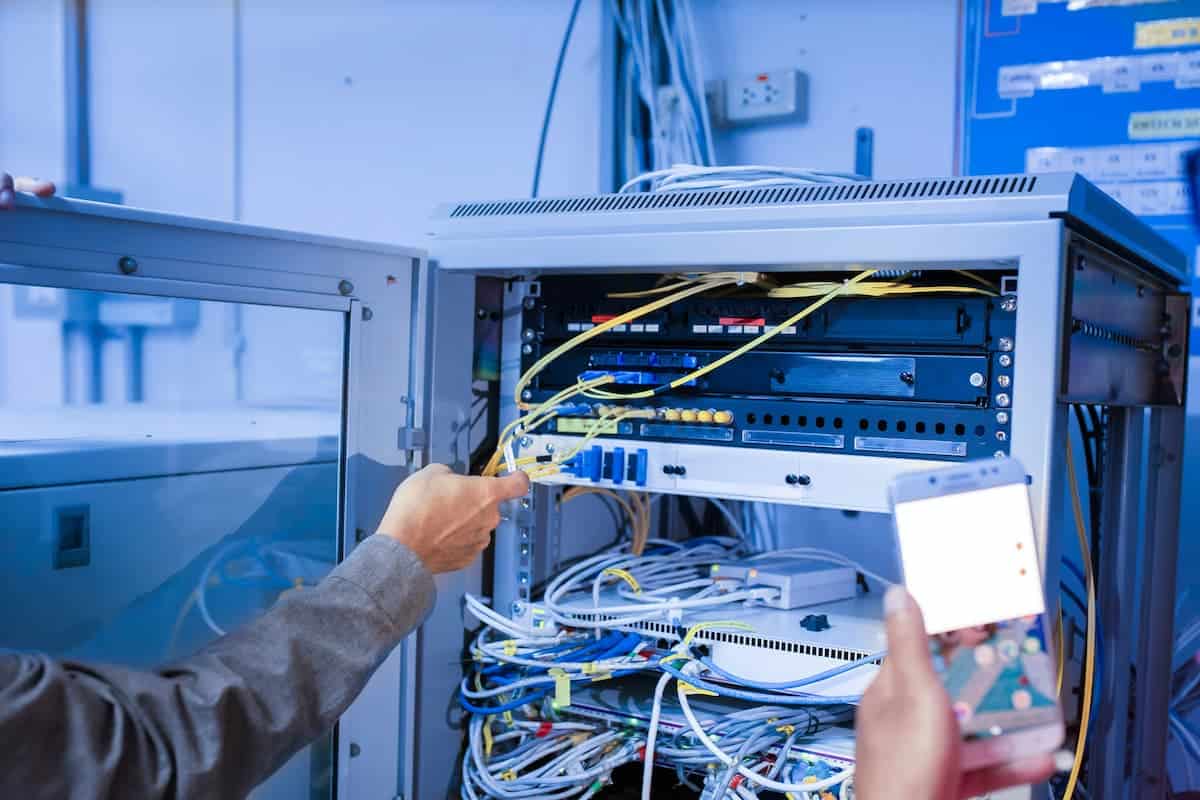
Network Cabling for Warehouses and Distribution Centers: What Dallas-Fort Worth Operations Need to Get Right

A warehouse or distribution center is one of the most demanding environments you can run network cabling through. Extreme temperatures, high ceilings, heavy machinery, constant foot traffic, and the relentless pressure of keeping operations moving — all of it puts infrastructure demands on your cabling that a standard office installation simply isn’t designed to handle.

For Dallas-Fort Worth warehouse and distribution center owners, getting your cabling infrastructure right from the start isn’t just a technical decision. It’s an operational one. The wrong cabling means Wi-Fi dead zones on the warehouse floor, barcode scanners that drop connection mid-pick, security cameras that go offline, and VoIP phones that crackle or cut out — all of which cost you time, productivity, and money every single day.

Here’s what you need to know before your next cabling project.


The Warehouse Environment Is Unlike Any Other

Standard commercial cabling is designed for climate-controlled office environments. Warehouses are not that. In a Dallas-Fort Worth warehouse, your cabling infrastructure has to contend with:

  • Temperature extremes — DFW summers push warehouse temperatures well above 100°F without climate control, and refrigerated distribution centers operate near freezing. Standard cable jackets are not rated for these ranges.
  • High ceilings and long cable runs — Warehouse ceilings of 30 to 50 feet are common, and cable runs from your server room to wireless access points or IP cameras at the far end of a 200,000 square foot facility can push the limits of standard Cat6 copper — making fiber optic backbone cabling essential for longer runs.
  • Electromagnetic interference (EMI) — Forklifts, conveyor systems, motors, and industrial equipment generate significant electromagnetic interference that can degrade unshielded copper cable performance. Shielded cabling (F/UTP or S/FTP) is often required in high-EMI warehouse zones.
  • Physical damage risk — Cables in a warehouse face real physical threats from forklifts, pallet jacks, and heavy equipment. Conduit protection and careful routing planning are non-negotiable.
  • Dust and moisture — Outdoor loading dock areas, refrigerated zones, and high-dust environments require cabling components rated for those conditions.

The 4 Critical Cabling Systems Every Warehouse Needs

1. Structured Data Cabling — The Backbone of Your Operation

Everything in your warehouse that connects to a network — computers, tablets, barcode scanners, label printers, time clocks, and management workstations — depends on your structured cabling infrastructure. For most DFW warehouses, this means a fiber optic backbone running from your main server room to intermediate distribution frames (IDFs) positioned strategically around the facility, with Cat6A copper horizontal cabling running from those IDFs to individual network drops.

Cat6A is the current recommended standard for warehouse environments — it supports 10 Gigabit speeds at full 100-meter runs and offers better performance in high-EMI environments than standard Cat6.

2. Wireless Access Point Cabling

In a warehouse, Wi-Fi isn’t a convenience — it’s an operational requirement. Your handheld scanners, mobile computers, and RF-based warehouse management systems (WMS) depend entirely on consistent, high-density wireless coverage across every square foot of your facility.

But wireless coverage is only as good as the cabling behind it. Every access point needs a dedicated, properly run Cat6A network drop with PoE (Power over Ethernet) support — no power outlet required at ceiling height. Poor access point cabling is the single most common cause of Wi-Fi dead zones and scanner dropouts on the warehouse floor.

3. IP Security Camera Cabling

Warehouse theft, liability management, and operational monitoring make IP security cameras a standard requirement for modern DFW distribution facilities. Like access points, IP cameras run on PoE cabling — a single Cat6 or Cat6A run per camera carries both data and power.

Camera placement in a warehouse requires careful cabling planning. High-ceiling mounting means long vertical runs, conduit protection through high-traffic areas, and attention to cable management at junction boxes and patch panels.

4. VoIP Phone System Cabling

Office areas, receiving docks, shipping stations, and management offices all need reliable phone connectivity. Modern VoIP desk phones run on the same data network as everything else — but they need clean, properly terminated network drops with adequate PoE budget from your switches to perform reliably.

If your warehouse is still running on copper phone lines at any of these stations, the POTS sunset makes this the right time to migrate those connections to your data network as part of a broader cabling project.


Planning Your Warehouse Cabling Project — What to Get Right Upfront

The difference between a warehouse cabling project that runs smoothly and one that causes months of operational headaches almost always comes down to planning:

Conduct a full facility walkthrough before design begins. Cable routing in a warehouse must account for racking systems, fire suppression equipment, HVAC, lighting fixtures, and structural steel — all before a single cable is pulled.

Design for future capacity, not just current needs. A distribution center that operates 50 scanners today may need 150 in three years. Conduit sizing, patch panel capacity, and switch port planning should all accommodate growth without requiring a full reinstallation.

Use the right cable for each zone. Not every area of your warehouse has the same environmental demands. A climate-controlled office area and an unheated receiving dock have completely different cabling requirements — a quality installer will spec the right cable category and jacket rating for each zone rather than applying a one-size-fits-all solution.

Label and document everything. In a large warehouse with hundreds of cable runs, proper labeling and as-built documentation isn’t optional — it’s what allows your team or a future installer to troubleshoot, expand, or modify the network without starting from scratch.


Dallas-Fort Worth’s Warehouse Market Demands the Best

DFW is one of the most active industrial real estate markets in the United States. New distribution centers are opening across Alliance, Mesquite, Lancaster, and the broader metroplex at a rapid pace — and the operational demands on those facilities are only increasing as e-commerce fulfillment timelines get shorter and inventory management gets more sophisticated.

In that environment, cabling infrastructure isn’t a line item to cut corners on. It’s the foundation that everything else runs on.

Just Cabling specializes in structured cabling installations for commercial and industrial facilities across the Dallas-Fort Worth metroplex. Our team understands the unique demands of warehouse and distribution center environments — and we design and install cabling systems built to perform in them, not just survive them.

Contact us today for a free warehouse cabling assessment and project quote.

Power over Ethernet (PoE): What It Is, Why Your Office Needs It, and How to Deploy It Right

Power over Ethernet (PoE): What It Is, Why Your Office Needs It, and How to Deploy It Right

If you’ve ever had a wireless access point, IP security camera, or VoIP phone installed in your office, there’s a good chance it was powered by PoE — whether you knew it or not. Power over Ethernet has become one of the most important technologies in modern commercial buildings, quietly powering the devices that keep your network running, your building secure, and your team connected.

Yet for many business owners and property managers in Dallas-Fort Worth, PoE remains something of a black box — they know their devices work, but they don’t fully understand what’s powering them, whether their cabling infrastructure is designed to handle growing PoE demands, or how to make smart decisions when it’s time to upgrade.

This guide covers the essentials: what PoE is, why it matters for your office, how the standards work, and the key question every network project eventually raises — PoE switch or PoE injector?


What Is PoE?

Power over Ethernet is exactly what it sounds like: a technology that allows a single Ethernet cable to carry both network data and electrical power simultaneously to a connected device. Instead of running a separate power cable and finding an electrical outlet for every wireless access point, IP camera, or desk phone in your building, a single Cat5e, Cat6, or Cat6A cable handles both jobs.

The result is a cleaner, more flexible, and more cost-effective installation — particularly in commercial environments where devices are often mounted in ceilings, on walls, in stairwells, and in other locations where running a dedicated power circuit would be expensive or impractical.

PoE is governed by IEEE 802.3 standards, which define how power is delivered, how devices communicate their power requirements, and how the system protects itself from overloads or incompatible equipment.


The PoE Standards: Which One Does Your Office Need?

Not all PoE is the same. The amount of power a PoE port can deliver has grown significantly over the years, and choosing the right standard for your deployment matters — especially as modern devices demand more power than legacy PoE infrastructure was designed to provide.

Here’s a practical breakdown of the four main PoE standards:

IEEE 802.3af — Standard PoE (Type 1) The original PoE standard, introduced in 2003. Delivers up to 15.4W per port at the switch, with approximately 12.95W guaranteed at the device after cable losses. Sufficient for basic VoIP phones, simple access control readers, and low-power sensors. Not adequate for modern enterprise wireless access points or high-definition IP cameras.

IEEE 802.3at — PoE+ (Type 2) Released in 2009, PoE+ nearly doubles the available power to 30W per port, with around 25.5W reaching the device. This is currently the most widely deployed standard in commercial environments, supporting dual-band wireless access points, standard IP cameras, video phones, and most access control hardware. If your building is running Wi-Fi 6 access points or a modern IP camera system, PoE+ is the baseline you need.

IEEE 802.3bt — PoE++ (Type 3 and Type 4) The most recent standard, ratified in 2018. Type 3 delivers up to 51W at the device; Type 4 delivers up to 71.3W. This standard uses all four pairs in the Ethernet cable to carry power, rather than just two pairs used by earlier standards. PoE++ is designed for high-performance wireless access points, PTZ security cameras, digital signage, LED lighting systems, and other high-demand devices. For DFW commercial buildings deploying Wi-Fi 6E infrastructure or advanced building automation, PoE++ capacity is increasingly relevant.

One important note: all PoE standards are backward compatible. A PoE++ switch will automatically detect what a connected device requires and deliver the appropriate power level — protecting both the device and the infrastructure.


Why Does Your Commercial Office Need PoE?

For DFW commercial property owners and business tenants, PoE isn’t a luxury — it’s the infrastructure that makes modern office technology work. Here’s where it matters most:

Wireless Access Points Every enterprise-grade wireless access point in your building runs on PoE. In a high-density commercial office, you may have dozens of access points deployed across ceilings, conference rooms, and common areas — all powered through the structured cabling infrastructure. Wi-Fi 6 and Wi-Fi 6E access points require PoE+ or PoE++ capacity; deploying them on legacy PoE infrastructure leads to performance issues or devices that simply won’t power up.

IP Security Cameras Building security systems — lobby cameras, parking structure coverage, elevator lobbies, suite entry points — all run on PoE cabling. Standard fixed cameras typically require PoE+, while pan-tilt-zoom cameras and cameras with built-in heating for outdoor environments often require PoE++ power levels.

VoIP Phones and Unified Communications In a modern commercial office, desk phones run entirely over the data network on PoE power. This matters operationally as well: when PoE devices are powered from a centralized switch connected to a UPS (uninterruptible power supply), your phones stay online even during a power outage — something that’s impossible with phones plugged into individual wall outlets.

Access Control Systems Electronic door readers, credential scanners, and electric door strikes all run on PoE. In a multi-tenant commercial building, a properly designed PoE access control infrastructure means new readers can be added or relocated without running new electrical circuits.

Building Automation and IoT Devices Smart building technology — occupancy sensors, environmental monitors, digital signage, and networked lighting controls — increasingly rely on PoE infrastructure. As commercial buildings become more automated, the PoE demand on the cabling infrastructure grows.


PoE Switches vs. PoE Injectors: Which Is Right for Your Business?

Once you understand what PoE is and why you need it, the next practical question is how to deliver it. Two options exist: a PoE switch or a PoE injector. They’re not interchangeable, and choosing the wrong one for your deployment creates problems.

PoE Switches

A PoE switch is a network switch with built-in PoE capability — it delivers both network connectivity and power to every connected device through a single Ethernet cable, without any additional hardware between the switch and the device.

PoE switches are the right solution for commercial office deployments. Here’s why:

They support multiple devices simultaneously from a single piece of equipment in your IDF closet. A 24-port or 48-port PoE switch can power every access point, camera, and phone on a floor from one central location. They provide centralized power management — a managed PoE switch lets your IT team monitor power consumption per port, remotely reboot a device, and track the power budget across the entire floor. They connect to a UPS, meaning all PoE-powered devices on the switch stay online during a power event. And over time, they’re more cost-effective than deploying individual injectors at scale.

For any new commercial buildout in DFW — whether it’s a single-tenant office or a multi-floor corporate campus — PoE switches in properly designed IDF closets are the correct infrastructure choice.

PoE Injectors

A PoE injector (also called a midspan injector) is a device that adds PoE capability to a single port on a non-PoE switch. You connect it between an existing non-PoE switch port and a PoE device, and it injects power into the Ethernet cable to power that one device.

PoE injectors have a legitimate and useful role — but it’s a specific one. They’re the right solution when you need to power one or two PoE devices and replacing or supplementing an existing switch isn’t practical. Adding a single access point in a conference room to an existing non-PoE infrastructure, for example, or powering one IP camera at a remote location where running a new cable back to an IDF closet isn’t feasible.

What they’re not: a scalable solution for a commercial office building. Each injector requires its own power connection, its own cable management, and its own monitoring. In a building with dozens or hundreds of PoE devices, deploying injectors instead of a properly designed PoE switch infrastructure creates a maintenance headache and a reliability risk.

The Quick Decision Guide

Use a PoE switch when:

  • You’re deploying multiple PoE devices (access points, cameras, phones) across a floor or building
  • You need centralized power management and monitoring
  • You’re designing or renovating a commercial space from scratch
  • You want devices to stay online during a power outage via UPS

Use a PoE injector when:

  • You need to power one or two devices from an existing non-PoE switch
  • You’re adding a single device to an existing deployment that doesn’t justify switch replacement
  • You’re in a temporary or transitional infrastructure situation

Why Cabling Quality Matters for PoE

One factor that’s easy to overlook in a PoE conversation: the cabling itself. PoE performance — especially at higher wattage levels — is directly affected by cable quality and installation workmanship.

Higher-wattage PoE (PoE+ and PoE++) generates more heat in the cable, particularly in bundled cable runs. Cat6A cabling, which is the current industry standard for commercial office buildouts in DFW, handles heat dissipation and power delivery more effectively than Cat5e or Cat6 at higher PoE loads. Cables that are poorly terminated, over-bent, or run in excessively bundled conduit create resistance that increases heat and reduces the power actually delivered to the device.

If your building’s cabling infrastructure is aging or was installed before PoE+ became the baseline requirement, a cabling assessment before deploying new PoE devices is a worthwhile investment — not just for performance, but to avoid device reliability issues that are often misdiagnosed as equipment problems when the real issue is in the cable plant.


The Bottom Line for DFW Commercial Buildings

PoE is no longer optional infrastructure in a commercial office building — it’s the foundation that wireless coverage, building security, voice systems, and building automation are built on. Getting it right means understanding the standards, designing the switch infrastructure to match your device requirements, and ensuring the cabling plant can actually deliver the power your devices need.

Just Cabling designs and installs PoE-ready structured cabling infrastructure for commercial office buildings across the Dallas-Fort Worth metroplex — from IDF closet builds and PoE switch deployments to Cat6A horizontal cabling that’s engineered to handle today’s PoE demands and tomorrow’s.

Contact us for a free commercial cabling assessment.

What Cabling Codes and Permits Are Required for Commercial Installs in Texas?

If you’re planning a structured cabling project in a commercial building in Texas, one of the first questions you’ll face is: what codes and permits actually apply to this work?

The answer is more layered than most people expect. Texas operates under a hybrid framework where state law sets a baseline — but individual cities have significant authority to impose their own licensing and permitting requirements on top of it. For commercial property owners, business tenants, and contractors working in the Dallas-Fort Worth market, understanding this framework before a project starts can be the difference between a smooth installation and a costly compliance problem.

Here’s what you need to know.


The State-Level Framework: NEC Is the Foundation

Texas adopts the National Electrical Code (NEC) as the minimum statewide electrical standard, under Section 214.214 of the Texas Local Government Code. The NEC is published by the National Fire Protection Association (NFPA) and is updated on a three-year cycle. Texas state law uses the 2020 NEC as its current minimum — though local municipalities are permitted to adopt newer or amended versions.

For structured cabling specifically, the most relevant sections of the NEC are:

NEC Article 800 — Communications Circuits This is the primary governing article for structured cabling in commercial buildings. Article 800 covers voice, data, video, and network cabling — everything from how cables enter a building to how they’re run through plenum spaces, riser shafts, and general-purpose areas. Key requirements under Article 800 include:

  • Cable ratings by location: Plenum-rated cables (CMP) are required in air-handling spaces above ceilings or below raised floors. Riser-rated cables (CMR) are required in vertical shafts between floors. Using the wrong cable type in the wrong space is a code violation.
  • Firestopping: Any penetration through a fire-rated wall, floor, or ceiling must be properly firestopped using listed materials approved by the Authority Having Jurisdiction (AHJ).
  • Grounding: A listed primary protector must be installed at the point of entrance for each communications circuit entering the building, grounded as close to the entry point as possible.
  • Separation from power circuits: Communications cables must be kept separate from electrical power wiring and cannot share raceways with Class 1 power circuits.
  • Ceiling access: Cables routed above suspended ceilings must be supported in a way that allows ceiling tiles to be removed for access to electrical equipment.
  • Abandoned cables: Accessible portions of communications cables that are no longer in use and not tagged for future use must be removed — a requirement that matters significantly during tenant buildouts and renovation projects.
  • Workmanship: All equipment and cabling must be installed in a neat and workmanlike manner, properly supported by structural building components.

NEC Article 725 — Class 2 and Class 3 Circuits This article governs power-limited circuits — including Power over Ethernet (PoE) cabling for wireless access points, IP cameras, access control readers, and VoIP phones. In a modern commercial office building, a significant portion of the cabling infrastructure falls under Article 725 requirements.

NEC Article 770 — Optical Fiber Cables Fiber optic backbone cabling between your MDF and IDFs is governed by Article 770, which covers installation requirements, raceway use, and fire rating requirements for fiber installations.


The Texas Licensing Question: State Exemption vs. Local Requirements

Here’s where Texas gets interesting — and where many contractors and property owners get caught off guard.

At the state level, the Texas Electrical Safety and Licensing Act explicitly exempts structured cabling and low-voltage communications work from state electrician licensing requirements. The exemption covers Class 1, Class 2, and Class 3 remote control, signaling, and power-limited circuits — as well as optical fiber cables and communications circuits. This means that, under Texas state law, a structured cabling contractor does not need a state electrician’s license to install network cabling, fiber optic backbone, or PoE infrastructure in a commercial building.

However, Texas law also gives municipalities the authority to override state exemptions. Cities can — and do — impose their own contractor registration and permitting requirements for low-voltage work, and major Texas cities have exercised that authority.


DFW-Specific Requirements: What Dallas and Fort Worth Require

For commercial cabling projects in the Dallas-Fort Worth market, here’s the current landscape:

City of Dallas Dallas requires low-voltage contractor registration for commercial work. Contractors must register with the City of Dallas Building Inspection department before performing low-voltage installations in commercial buildings. Registration requires proof of general liability insurance, a Texas sales tax permit, and a certificate of occupancy for a physical business location. Annual registration fees apply.

Beyond contractor registration, Dallas may require permits for low-voltage work depending on the scope and type of installation — particularly for new construction, major tenant buildouts, and projects involving fire alarm or access control integration.

Fort Worth and Surrounding DFW Municipalities Requirements vary by city. Some DFW municipalities follow state exemptions closely, while others impose permit requirements for commercial low-voltage work — particularly when the cabling project is part of a larger construction or renovation permitted through a general contractor. Always verify current requirements with the specific city’s building department before work begins.

When Permits Are Typically Required in Texas Commercial Projects Regardless of city, permits are most commonly required for commercial cabling work in these situations:

  • New construction projects where the cabling is part of a permitted building project
  • Tenant buildouts in commercial buildings requiring a building permit
  • Security system installations, including IP camera systems and access control — particularly when they integrate with fire alarm systems
  • Telecommunications cabling installations for phone systems and data networks in larger commercial projects
  • Any project where the general contractor is pulling a building permit that covers the scope of the low-voltage work

The TIA Standards: Industry Best Practices That Carry Real Weight

Beyond the NEC and local permit requirements, commercial cabling installations are also governed by standards published by the Telecommunications Industry Association (TIA). While TIA standards are not building codes in the traditional sense, they are widely referenced by the NEC, adopted by AHJs, and expected by any building owner or tenant conducting a proper installation review.

The most relevant TIA standards for commercial cabling in Texas include:

  • ANSI/TIA-568 — Commercial Building Telecommunications Cabling Standard, which defines performance requirements for Cat6A, fiber, and other cable categories
  • ANSI/TIA-569 — Commercial Building Standard for Telecommunications Pathways and Spaces, which governs MDF/IDF room design, cable tray requirements, and pathway sizing
  • ANSI/TIA-606 — Administration Standard for Telecommunications Infrastructure, which defines documentation and labeling requirements

For DFW commercial buildings being built or renovated today, compliance with current TIA standards — Cat6A horizontal cabling, properly sized equipment rooms, documented as-built records — is effectively a baseline expectation from sophisticated tenants, property managers, and building inspectors alike.


What This Means for Property Owners and Tenants

If you’re a commercial property owner in DFW, code compliance starts before construction begins. Your cabling contractor should be properly registered with the City of Dallas (or the relevant municipality), pull any required permits before work starts, and deliver a completed, tested, and documented installation that meets NEC Article 800, Article 725, and current TIA standards. A non-compliant installation can create liability exposure, complicate insurance claims, and trigger costly remediation if discovered during a building inspection or tenant due diligence review.

If you’re a business tenant preparing a commercial buildout, code compliance is also your concern. Confirm that your cabling contractor is properly licensed and registered for the jurisdiction where your space is located. Ask to see the permit documentation before work begins and request certified test results and as-built documentation upon project completion. These are not optional extras — they’re the baseline of a professionally executed installation.


Working With a Contractor Who Knows the Codes

Texas’s hybrid regulatory environment — state exemptions, municipal overrides, and a patchwork of local requirements across DFW — means that the codes and permits required for your commercial cabling project depend significantly on where the building is located, what type of work is being performed, and whether it’s part of a larger permitted construction project.

The safest approach is to work with a structured cabling contractor who understands both the technical standards and the local regulatory requirements, handles permit coordination as part of the project scope, and delivers a completed installation with the documentation to prove it was done right.

Just Cabling handles commercial structured cabling projects across the Dallas-Fort Worth metroplex — from new construction backbone design to tenant suite buildouts and building-wide wireless deployments. We manage permitting, comply with NEC and TIA standards, and deliver certified, documented installations that meet the requirements of DFW’s commercial building market.

Contact us today for a free commercial cabling assessment and project consultation.

Why Dallas-Fort Worth Businesses Are Investing in Structured Cabling Now More Than Ever

Why Dallas-Fort Worth Businesses Are Investing in Structured Cabling Now More Than Ever

The DFW Metroplex is booming. Businesses leading the charge know that strong network infrastructure is the backbone of it all.

Dallas-Fort Worth is one of the fastest-growing business markets in the US. With a pro-business climate, zero state income tax, and a central location, the Metroplex keeps attracting major companies. Fortune 500 headquarters, tech startups, and logistics giants are all planting roots here. Cities like Plano, Irving, Frisco, McKinney, and Arlington are seeing commercial real estate development at record pace.

As businesses scale and new offices open across DFW, one critical question rises to the top: Is your network infrastructure built to handle what’s coming next?

DFW’s Growth Is Accelerating — And So Are Data Demands

The numbers tell a compelling story. DFW consistently ranks among the top metros for corporate relocations and job creation. Companies moving from California, New York, and Illinois are setting up large operations here. They’re bringing thousands of employees and massive technology footprints with them.

At the same time, artificial intelligence is reshaping how businesses operate. AI-powered tools require enormous amounts of data to function. That includes machine learning platforms, predictive analytics, and automated operations. That data has to move fast, reliably, and securely across your network. A weak or outdated cabling infrastructure simply cannot support it.

Why Structured Cabling Is the Foundation of Modern Business

Structured cabling is the organized system of cables and hardware that powers your entire IT ecosystem. It connects phones, computers, servers, security cameras, Wi-Fi access points, and more. Unlike patched-together wiring, a properly designed system offers real advantages.

It gives you scalability to add workstations or entire floors as your business grows. It provides reliability to reduce downtime from cable failures or disorganized wiring. It delivers the speed needed to support Cat6A, fiber optic, and high-bandwidth connections. A well-installed system also future-proofs your business for technology upgrades ahead. And it keeps you compliant with industry standards like TIA/EIA-568.

AI Is Creating a New Infrastructure Reality

Every AI application your business runs creates a continuous flow of data. That includes CRMs with predictive insights, automated inventory systems, and cloud collaboration tools. AI adoption is growing fast across DFW industries. Healthcare, finance, real estate, manufacturing, and retail are all feeling the shift.

The demand for high-performance data network cabling has never been higher. Low-latency connections and fiber backbone cabling aren’t optional anymore. They’re competitive necessities.

Trust a Local DFW Cabling Expert

At Just Cabling, we specialize in structured cabling and data network cabling across the Dallas-Fort Worth Metroplex. Whether you’re building out a new office or upgrading an existing network, we can help. Our certified technicians deliver clean, code-compliant installations built for performance and growth.

Don’t let outdated cabling hold your business back. Contact Just Cabling today for a free consultation. Let’s build a network infrastructure ready for the future of business in DFW.

JustCabling.com | 📍 Serving the Entire Dallas-Fort Worth Metroplex

What Does Structured Cabling Actually Cost? A Practical Guide for Dallas Business Owners

If you’ve started shopping around for structured cabling in the Dallas-Fort Worth area, you’ve probably noticed that getting a straight answer on pricing feels like pulling teeth. Contractors either won’t quote over the phone, or they give you a number so vague it’s nearly useless. That ambiguity isn’t always intentional — structured cabling costs genuinely vary based on a wide range of factors. But that doesn’t mean you have to walk into this blind.

This guide breaks down what goes into structured cabling pricing, what typical projects cost in the Dallas market, and what questions to ask before signing any contract. No upselling, no fluff — just the information you need to make a confident decision.


What Factors Drive Structured Cabling Costs?

Structured cabling isn’t a commodity product you can price off a shelf. Every building is different, every business has different needs, and those differences translate directly into dollars. Here are the main variables that move the needle:

Square footage and cable runs. The longer the cable runs between your telecom room and your endpoints (workstations, access points, IP cameras, phones), the more material and labor you’ll pay for. A single-story 5,000-square-foot office in Plano with short runs is a very different project from a multi-floor corporate suite in Uptown Dallas.

Cable category. Cat5e is the older standard and the cheapest option, but most new installations use Cat6 or Cat6A. Cat6 handles gigabit speeds reliably and costs modestly more than Cat5e. Cat6A supports 10-gigabit speeds and is increasingly recommended for future-proofing, but it requires larger conduit and more labor due to its thicker jacket — expect to pay a meaningful premium. Fiber optic cabling for backbone runs or high-performance environments adds another cost tier entirely.

Number of drops. A “drop” is a single cable termination point — one wall plate with two ports counts as two drops. Most offices average one to two drops per workstation, plus additional drops for wireless access points, VoIP phones, and security cameras. The more drops, the higher the cost, but bulk projects often come with better per-drop pricing.

Conduit and pathways. Open ceilings make installation faster and cheaper. Finished ceilings, concrete walls, or buildings that require EMT conduit (common in industrial or older commercial buildings in areas like Deep Ellum or the Design District) will add labor hours and material costs significantly.

Testing and certification. A quality installation includes testing every run with a Fluke or similar cable tester and providing documentation. Don’t skip this — it’s your proof the job was done correctly and it’s often required for warranty compliance.


Typical Pricing Ranges in the Dallas Market

These figures represent general market ranges for commercial structured cabling projects in the DFW area. They’re meant to give you a ballpark, not a binding estimate — your actual costs will depend on the variables above.

Per-drop pricing is the most common way to quote structured cabling. For a standard Cat6 installation in a typical commercial office environment, expect to pay somewhere in the range of $125 to $250 per drop, fully installed and tested. That range includes the cable, connectors, wall plate, patch panel termination, and labor. Cat6A runs higher, often $175 to $300 per drop, due to the additional labor and materials involved.

Project-level estimates give you a better sense of scale. A small office with 20–30 drops might run $3,000 to $6,000 total. A mid-size office buildout with 75–150 drops in a suburban Dallas building could fall between $12,000 and $30,000. Large enterprise projects — think multi-floor or multi-building campuses — are typically bid on a custom basis and can range from $50,000 into the hundreds of thousands depending on complexity.

Telecom room buildout (IDF/MDF installation, patch panels, rack equipment, cable management) is often a separate line item. For a basic telecom closet with a wall-mount rack, patch panels, and a patch bay, budget at least $1,500 to $4,000 on top of your per-drop costs.

One important note for Dallas businesses specifically: labor costs here tend to run slightly below coastal markets like Austin or Houston, but DFW’s construction boom has kept demand — and wages — elevated. Don’t expect bargain-basement pricing if you want licensed, experienced technicians doing the work.


What Separates a Good Quote from a Bad One

Getting multiple quotes is always smart, but knowing how to evaluate them matters just as much as having options.

A trustworthy structured cabling contractor will provide a detailed scope of work, not just a lump-sum number. The quote should specify the cable category, number of drops, testing methodology, warranty terms, and whether the bid includes patch cables and rack equipment or just the wall-to-panel runs. Vague quotes — “structured cabling installation, 1 lot” — leave room for disputes and scope creep.

Ask about warranties. Quality cabling manufacturers like Belden, Panduit, and CommScope offer system warranties (sometimes 25 years) when their products are installed and certified by authorized contractors. This matters if you ever need to troubleshoot or expand the network down the road. Fly-by-night installers using off-brand materials won’t qualify for these programs.

Also ask who’s doing the work. Some low-bid contractors subcontract to unlicensed technicians to cut costs. In Texas, low-voltage cabling work requires a valid license from the Texas Department of Licensing and Regulation (TDLR). It’s worth verifying.


Planning Ahead: How to Get the Most Out of Your Investment

The best time to think about structured cabling is before you need it urgently. Rushing an installation because your team just moved in — or because your old cabling is failing — limits your negotiating position and can lead to shortcuts.

If you’re planning an office buildout or renovation in the Dallas area, loop in a cabling contractor early in the process, ideally before walls are closed. Running cable during construction is dramatically cheaper than retrofitting finished space. Similarly, if you’re signing a new lease, find out what cabling infrastructure already exists and factor remediation or expansion costs into your budget before you commit.

Over-building slightly is almost always worth it. Adding a few extra drops during installation costs a fraction of what it costs to come back later. With hybrid work, wireless access point density, and IP-based everything becoming the norm, the infrastructure you put in today will define your network’s capabilities for the next decade.


Ready to Get a Real Number for Your Project?

Now that you understand what goes into structured cabling pricing, the best next step is a site walkthrough with a qualified contractor who can give you an accurate, itemized quote based on your actual space.

Request a quote today. A brief conversation about your building, your headcount, and your technology needs is all it takes to get a detailed estimate — no obligation, no pressure. Whether you’re wiring a new office in Frisco, upgrading an aging system in Irving, or planning a multi-site rollout across DFW, the right cabling infrastructure starts with the right information.